A33), Press the d (menu) button, Tap the menu icon – Nikon KeyMission 80 User Manual
Page 49: Tap a menu item, Tap a setting
Advertising
33
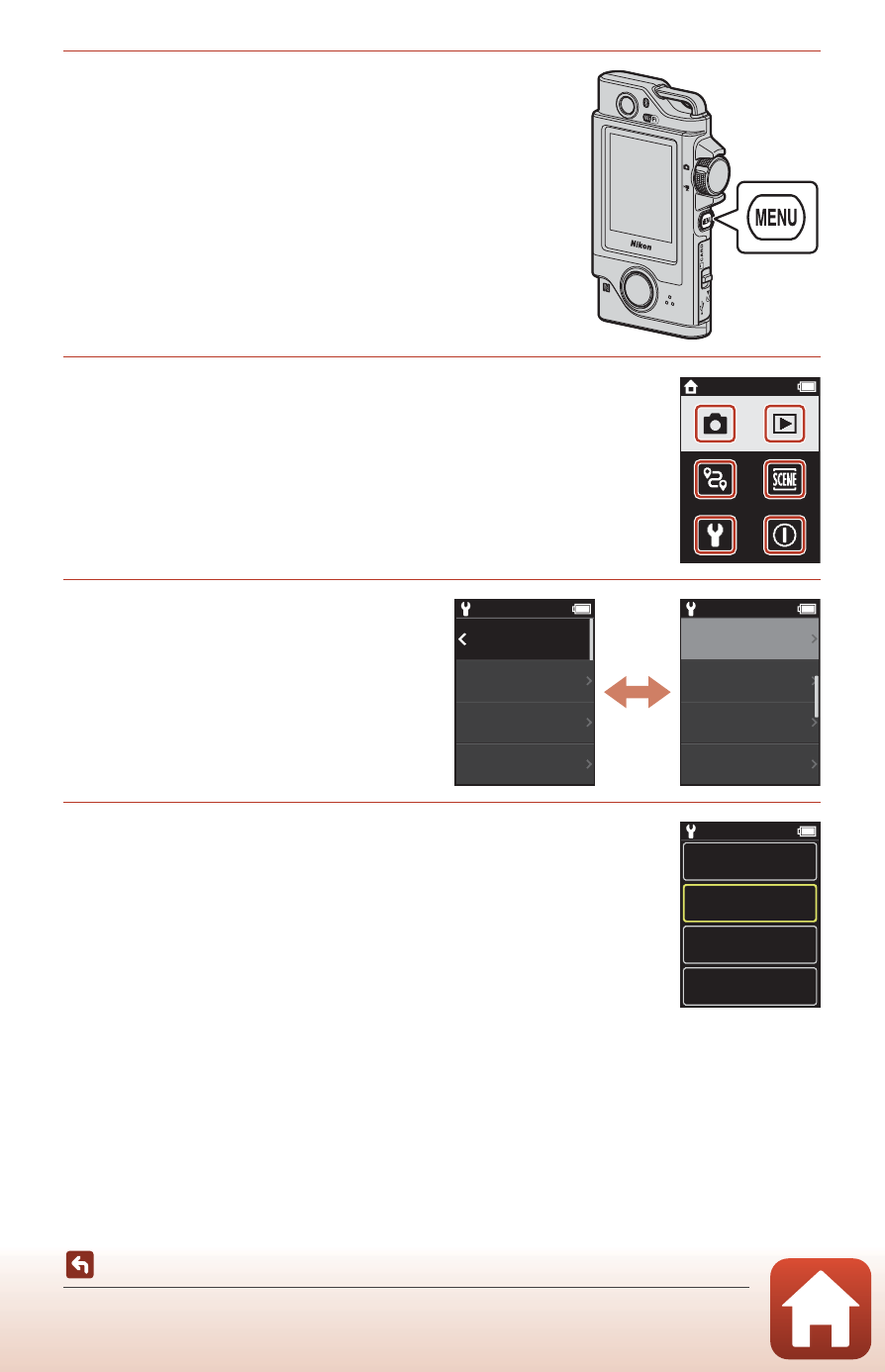
Menu Operations
1
Press the
d (menu) button.
• The menu home screen is displayed.
2
Tap the menu icon.
• A/e: Display the shooting screen.
• c: Display the playback screen.
• b: Turn off the camera.
3
Tap a menu item.
• You can drag the screen vertically
to display menu items that are not
displayed.
• Certain menu items cannot be set
depending on the settings or the
state of the camera.
4
Tap a setting.
• The setting you selected is applied.
• To close the menu, press the d button or shutter-release
button.
15:30
15:30
Back
Monitor
settings
Sound settings
Date and time
15:30
Auto off
Format card
Charge by
computer
Touch shooting
15:30
5 s
30 s
2 s
1 min
Advertising