Chapter 3 identifying external components, 1 front panel – PLANET WFT-201 User Manual
Page 7
5
Chapter 3
Identifying External Components
This section identifies all the major external components of the WFT-20x. The front panel
is shown, followed by a description of each panel feature. The indicator panel is described
in detail in the next chapter.
3.1 Front Panel
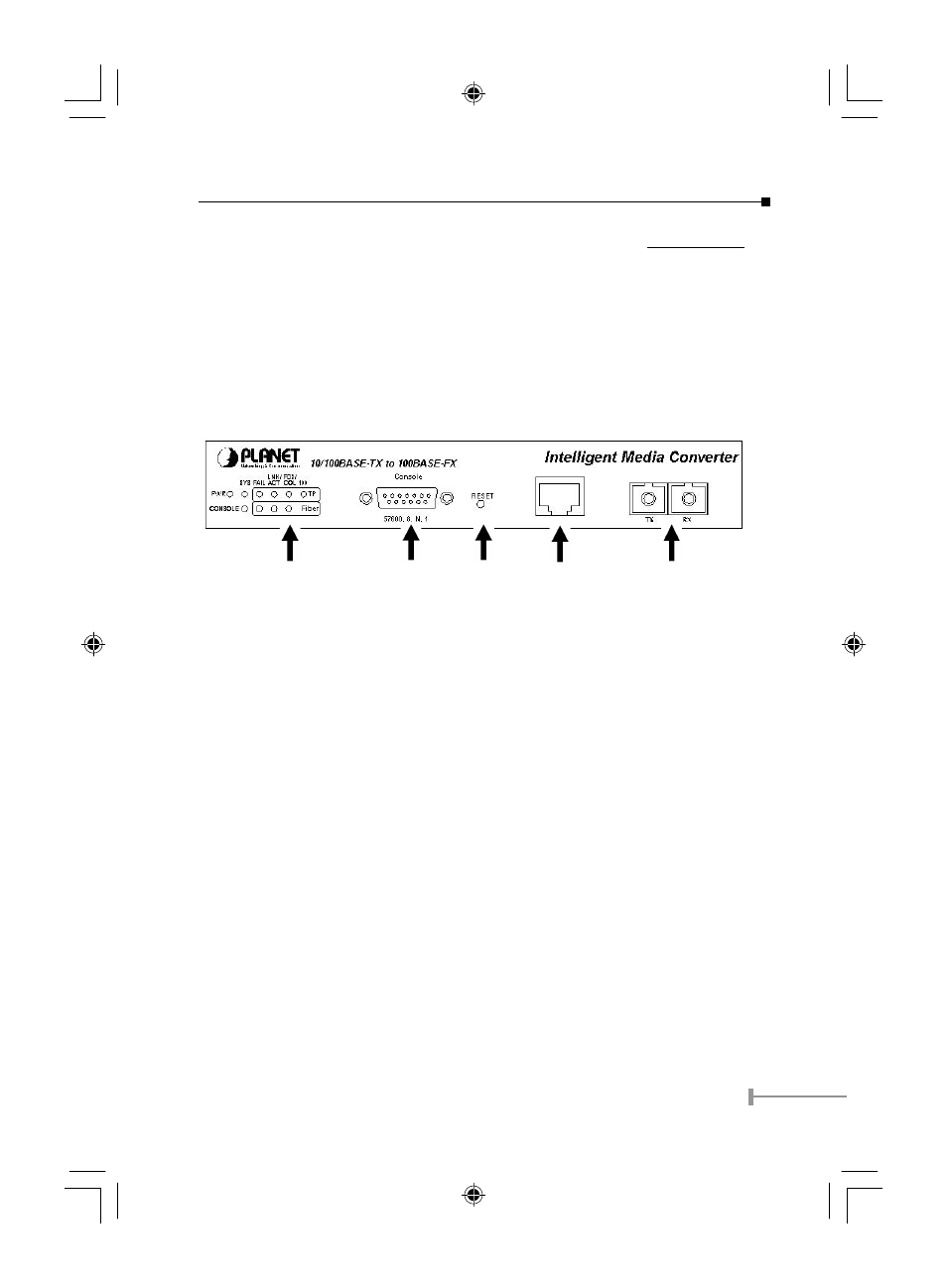
The figure below shows the front panels of the WFT-20x.
LED Indicatr Console Port Reset Copper port Fiber port
•
LED Indicator Panel
Refer to the next section for detailed information.
•
Console Port (RS-232)
To configure the device through Terminal Emulation Program via the RS-232 serial
port.
•
Reset
To reset all the setting in case of messy setting.
•
10/100Base-TX Twisted-Pair Port
The 10/100Mbps Fast Ethernet port supports automatic MDI/MDIX crossover
detection function gives true ‘plug and play’ capability without the need of confusing
crossover cables or crossover ports.
•
Fiber Port
To connect with fiber optic cable to the fiber port.
EM-WFT20xv1.indd
2004/11/5, �� 12:01
5