Editing or erasing wi-fi, Settings, Editing or erasing wi-fi settings – Canon IXUS 180 User Manual
Page 94: Editing connection information
94
Before Use
Basic Guide
Advanced Guide
Camera Basics
Auto Mode
Other Shooting
Modes
P Mode
Playback Mode
Setting Menu
Wi-Fi Functions
Accessories
Appendix
Index
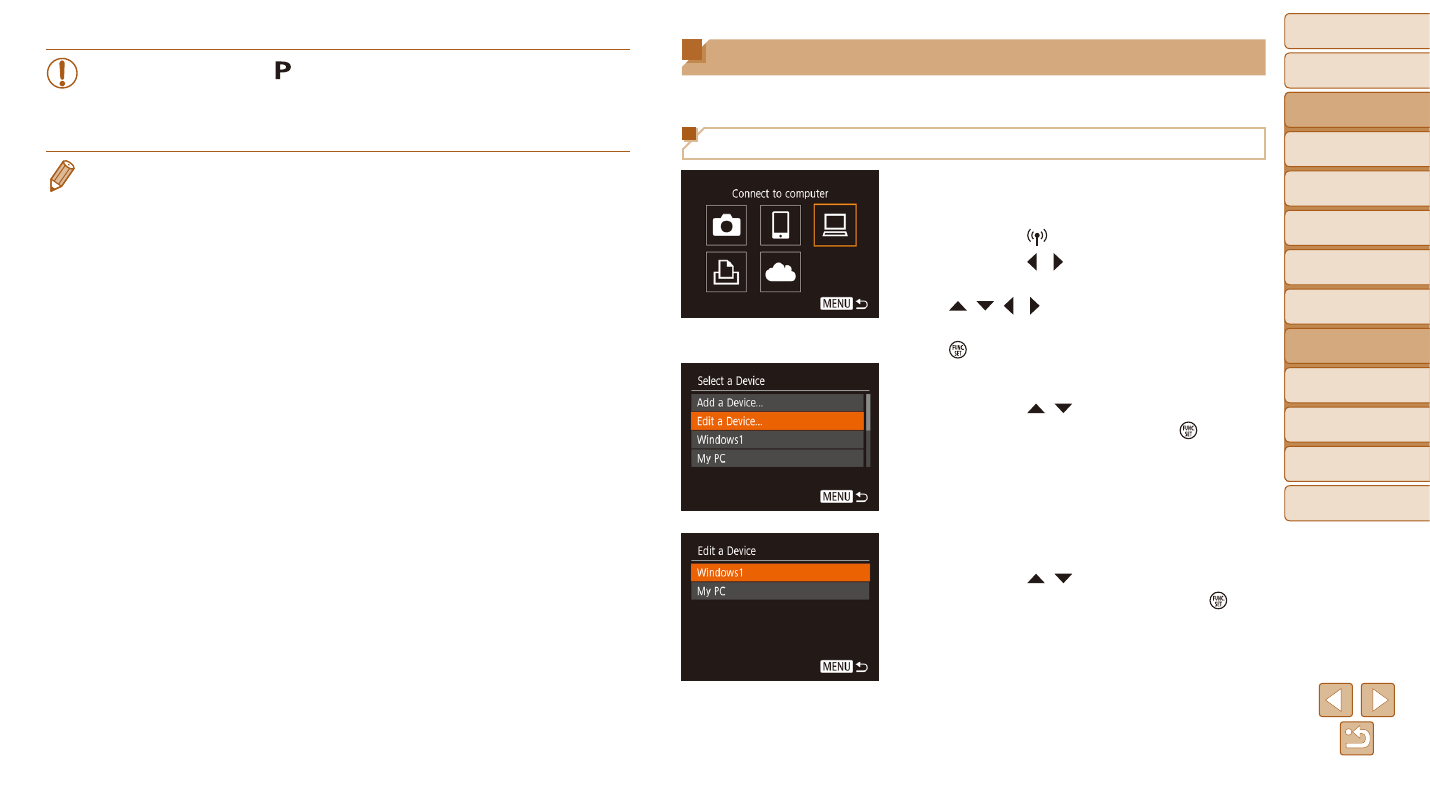
Editing or Erasing Wi-Fi Settings
Edit or erase Wi-Fi settings as follows.
Editing Connection Information
1
Access the Wi-Fi menu and
choose a device to edit.
z
z
Press the [ ] button.
z
z
Press the [ ][ ] buttons to access
the device selection screen, press the
[ ][ ][ ][ ] buttons to choose the icon
of a device to edit, and then press the
[ ] button.
2
Choose [Edit a Device].
z
z
Press the [ ][ ] buttons to choose [Edit
a Device], and then press the [ ] button.
3
Choose a device to edit.
z
z
Press the [ ][ ] buttons to choose the
device to edit, and then press the [ ]
button.
•
The camera works in [ ] mode during remote shooting. However,
some FUNC. and MENU settings you have configured in advance
may be changed automatically.
•
Movie shooting is not available.
•
Any jerky subject motion shown on the smartphone due to the connection
environment will not affect recorded images.
•
No AF frames are displayed. Capture a test image to check the focus.
•
Captured images are not transferred to the smartphone. Use the smartphone
to browse and import images from the camera.