Example settings for attack, hold and release – Roland SP-404MKII Creative Sampler and Effector User Manual
Page 50
Advertising
Editing a Sample (SAMPLE EDIT)
50
When you change the following parameters while holding down the [REMAIN] button, you can change the parameters of other
samples registered to the same bank simultaneously.
●
ATTACK
●
HOLD
●
RELEASE
●
BPM SYNC
●
GATE
●
LOOP
●
REVERSE
For details on the mute group settings, refer to “
Preventing Samples from Playing Back at the Same Time (MUTE GROUP)
(P.26)”.
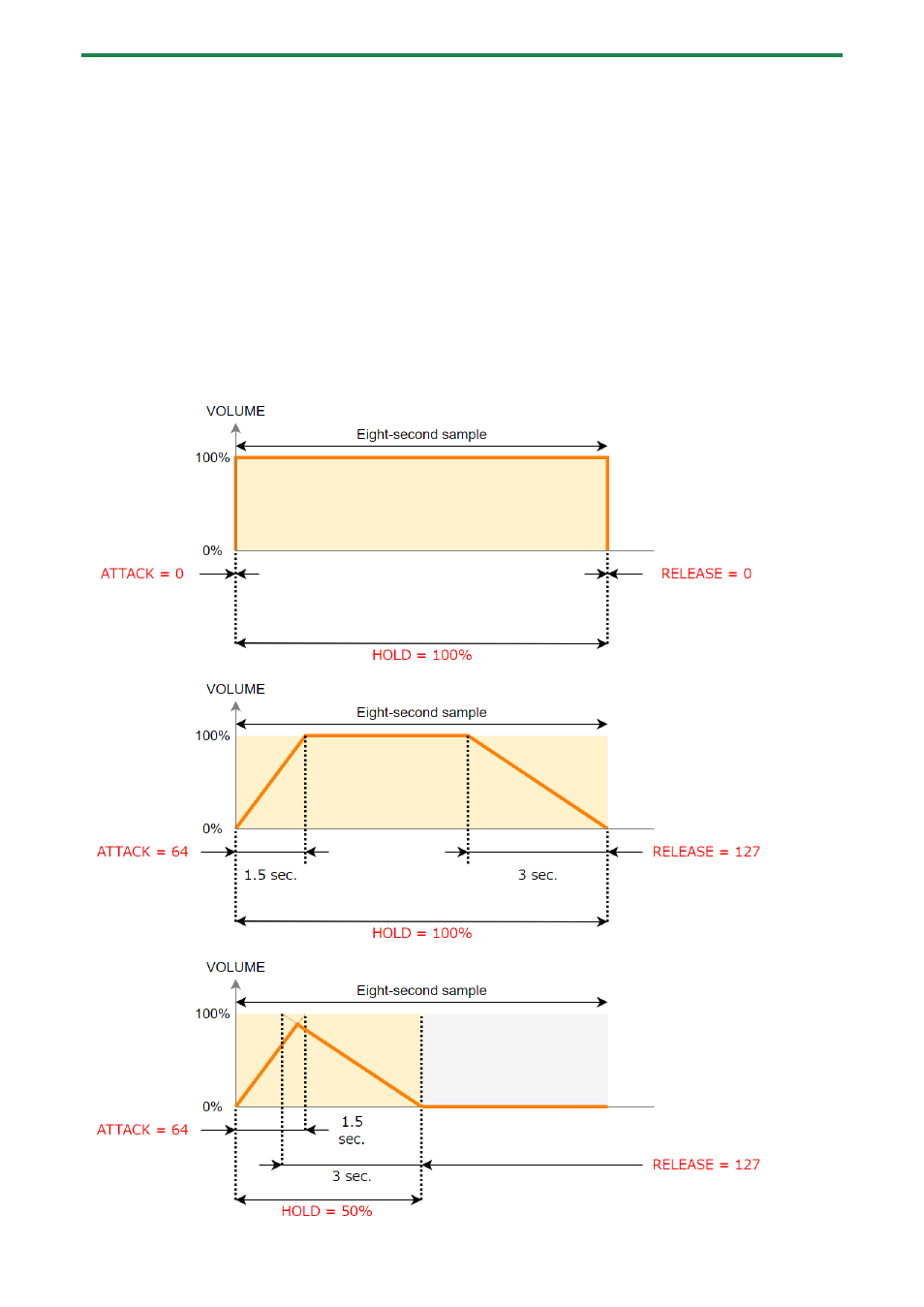
Example settings for ATTACK, HOLD and RELEASE
Here are some examples of how the volume of a eight-second sample changes when you set different ATTACK, HOLD and
RELEASE values.
Advertising