Igmp snooping configuration example, Network requirements, Configuring router a – H3C Technologies H3C WA3600 Series Access Points User Manual
Page 124: Configuring ap
111
IGMP snooping configuration example
Network requirements
•
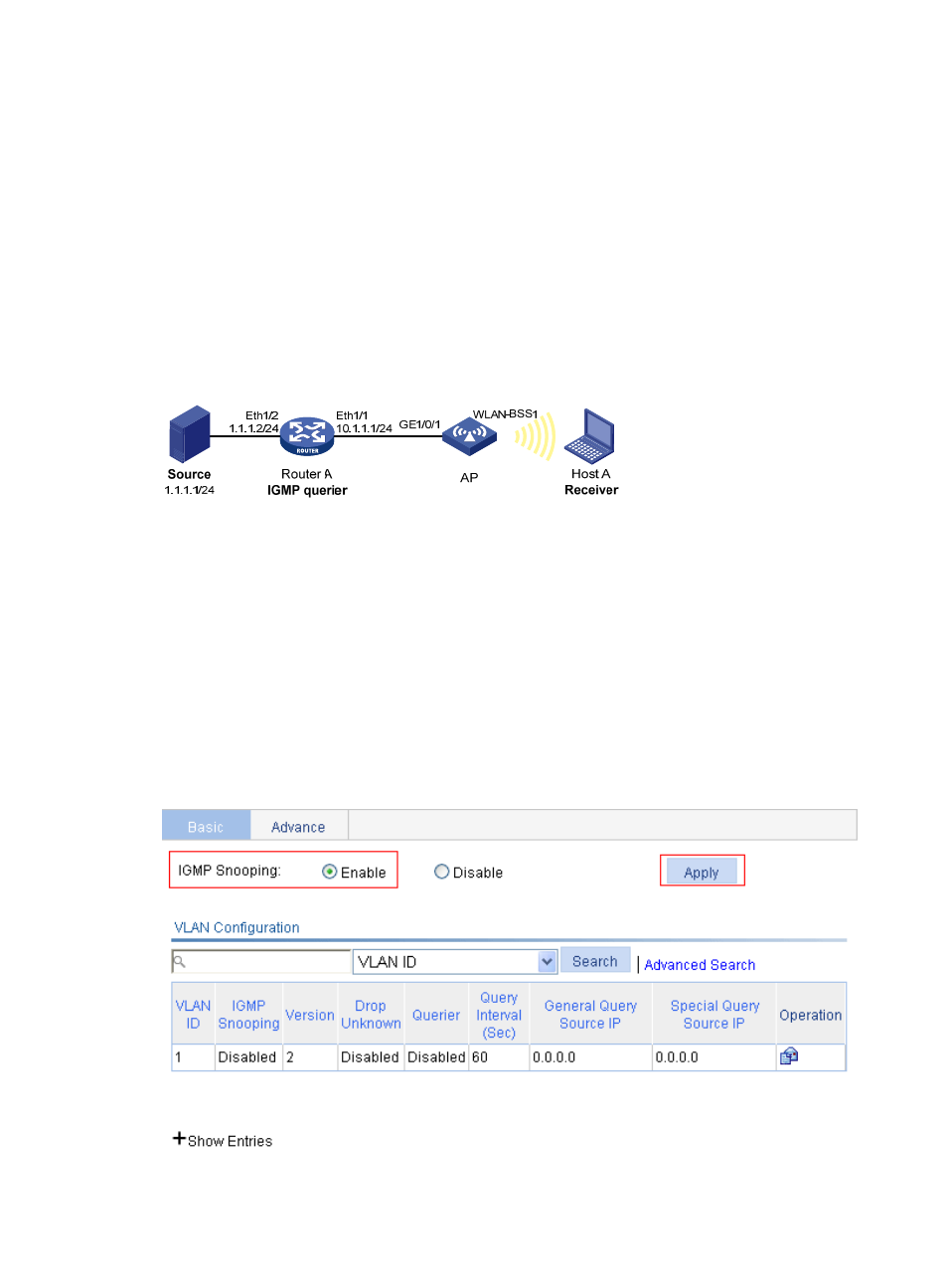
As shown in
, Router A connects to a multicast source (Source) through Ethernet 1/2, and
to the AP through Ethernet 1/1.
•
The multicast source sends multicast data to group 224.1.1.1. Host A is a receiver of the multicast
group.
•
IGMPv2 runs on Router A and IGMP snooping version 2 runs on the AP.
•
The function of dropping unknown multicast packets is enabled on the AP to prevent the AP from
flooding multicast packets in the VLAN if no corresponding Layer 2 forwarding entry exists.
Figure 112 Network diagram (on a fat AP)
Configuring Router A
Enable IP multicast routing, enable PIM-DM on each interface, and enable IGMP on Ethernet 1/1.
(Details not shown.)
Configuring AP
1.
Enable IGMP snooping globally:
a.
Select Network > IGMP snooping from the navigation tree to enter the basic configuration
page, as shown in
.
b.
Select the Enable option for IGMP Snooping.
c.
Click Apply.
Figure 113 Enable IGMP snooping globally