Advanced settings configuration examples, Band navigation configuration example, Network requirements – H3C Technologies H3C WA3600 Series Access Points User Manual
Page 434: Configuring the ap
421
Table 142 Field description
Field Description
Total Clients
Total number of clients served by multicast optimization.
If a client joins multiple multicast groups, the client is counted as multiple clients.
For example, if a client has joined two multicast groups through a radio, the
client is counted as two clients by multicast optimization.
Action
Operating status of the multicast optimization function:
•
Optimize—The multicast optimization function is operating.
•
Halt—The multicast optimization function is halted.
Multicast Address
Address of the multicast group that the clients has joined.
MAC Address
•
MAC addresses of the clients that have joined the multicast group.
Advanced settings configuration examples
Band navigation configuration example
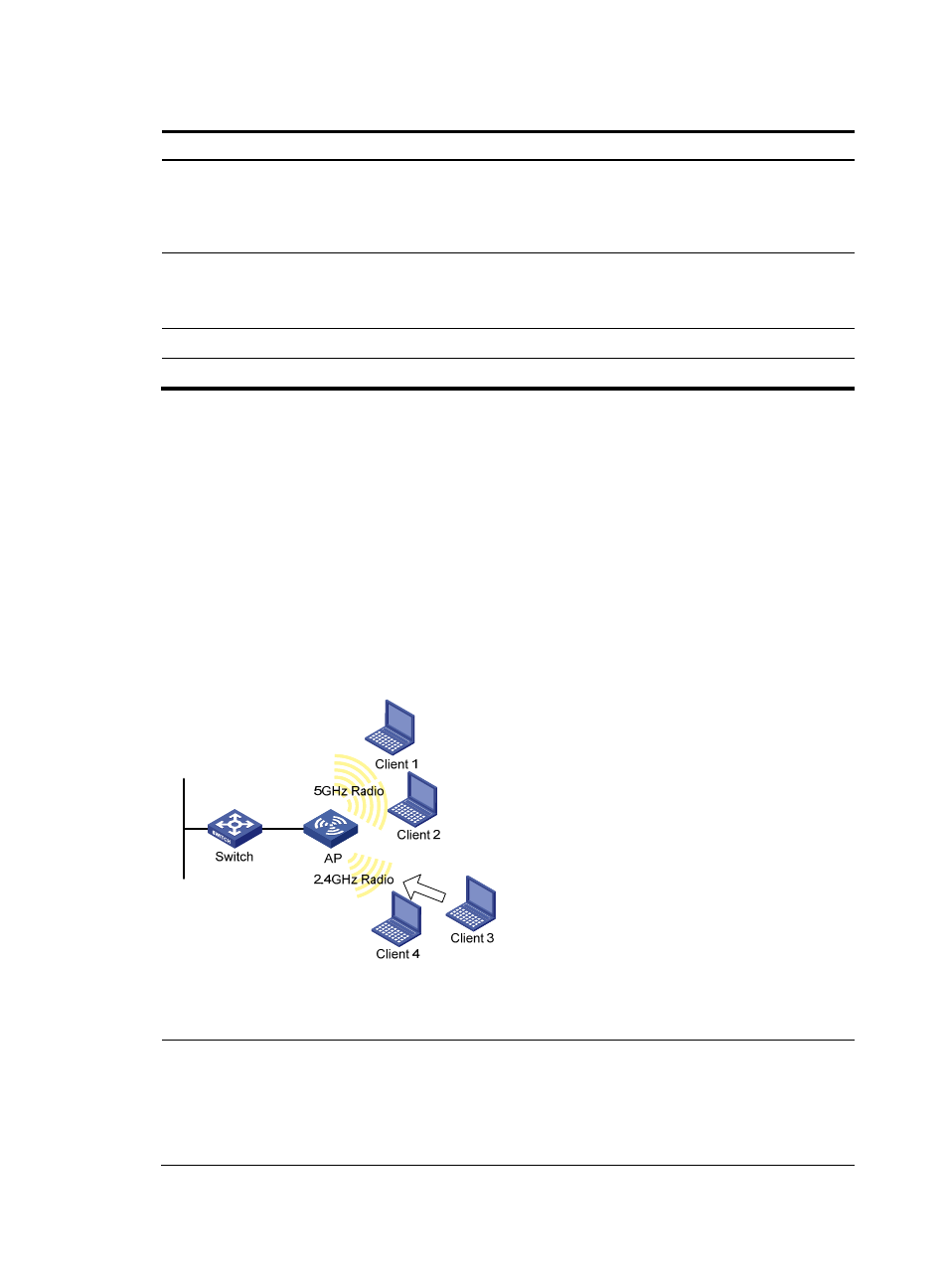
Network requirements
As shown in
, Client 1 through Client 4 try to associate to AP 1, and the two radios of AP 1
operate at 5 GHz and 2.4 GHz respectively. Client 1, Client 2, and Client 3 are dual-band clients, and
Client 4 is a single-band (2.4 GHz) client. Configure band navigation to direct clients to different radios
of the AP.
Figure 455 Network diagram
Configuring the AP
NOTE:
•
To enable band navigation to operate properly, make sure the fast association function is disabled. By
default, the fast association function is disabled.
•
Support for the band navigation depends on the device model. For more information, see "Feature
matrix."
LAN S
e
gm
e
nt