Verifying the configuration, Configuration guidelines – H3C Technologies H3C WA3600 Series Access Points User Manual
Page 360
347
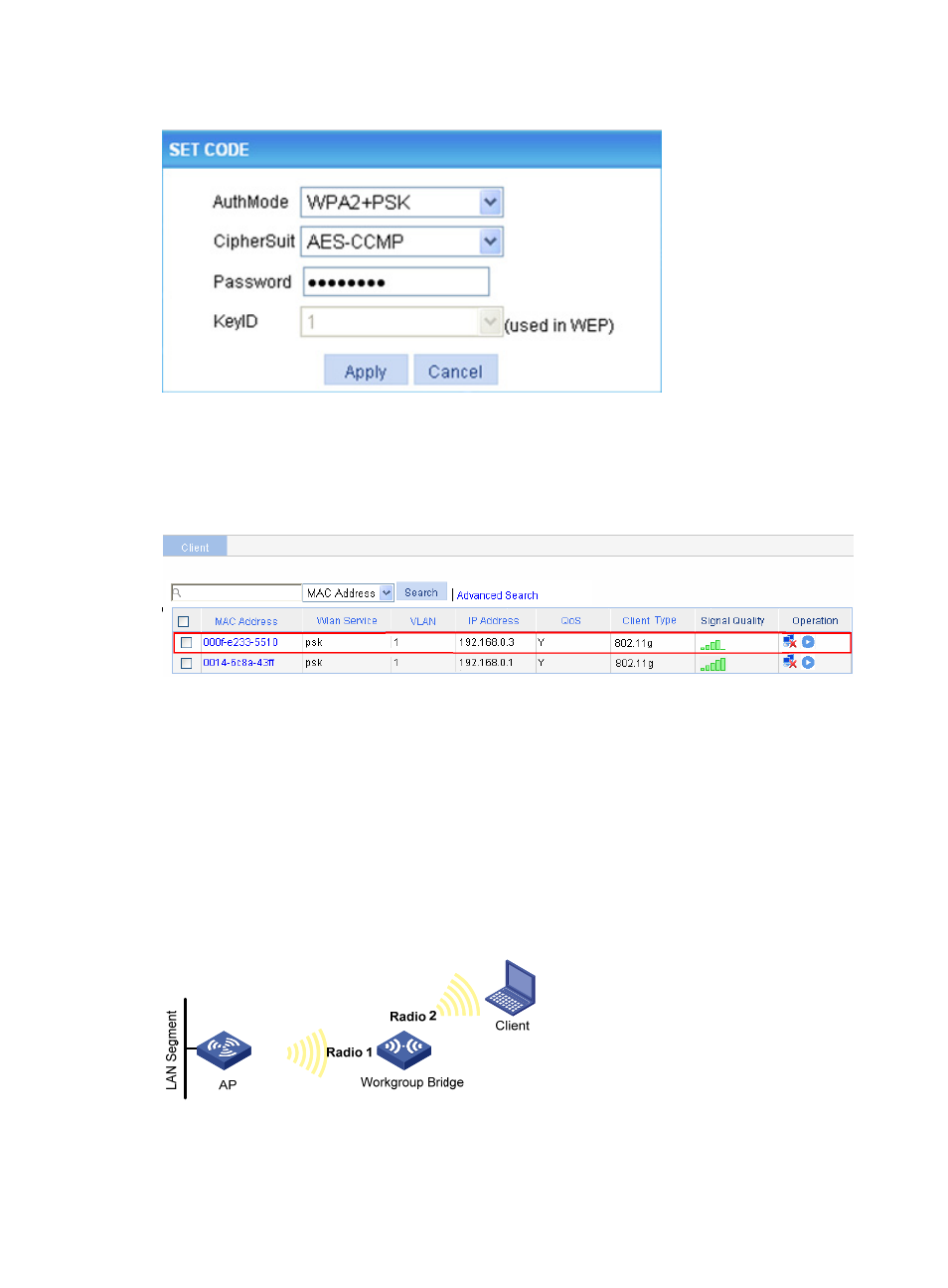
Figure 383 SET CODE
Verifying the configuration
On the AP shown in
, select Summary > Client from the navigation tree to enter the page
shown in
, where you can verify that the workgroup bridge is online.
Figure 384 Verify that the workgroup bridge is online
•
You can see that the client with MAC address 0014-6c8a-43ff and the workgroup bridge with MAC
address 000f-e2333-5510 have been successfully associated with the AP.
•
The wired devices on the right (such as printers and PCs) can access the wireless network through
the workgroup bridge.
Configuration guidelines
As shown in
, the workgroup bridge has two radio interfaces. Radio 1 connects the
workgroup bridge to the AP, and Radio 2 connects the workgroup bridge to the client. To enable the
client associated with Radio 2 to access the AP through the workgroup bridge, you need to disable
wireless user isolation on the Security > User Isolation page.
Figure 385 Network diagram