Configuration guidelines, Repeater mode configuration example, Network requirements – H3C Technologies H3C WA3600 Series Access Points User Manual
Page 354: Configuring the repeater
341
Configuration guidelines
Note the following guidelines when you configure WDS:
•
Configure a neighbor MAC address for each radio interface (otherwise, WDS links may be set up
between AP 2, AP 3, and AP 4).
•
Set the maximum number of WDS links allowed. The default value is 2. It must be set to 3 for AP 1
in this example.
Repeater mode configuration example
Network requirements
As shown in
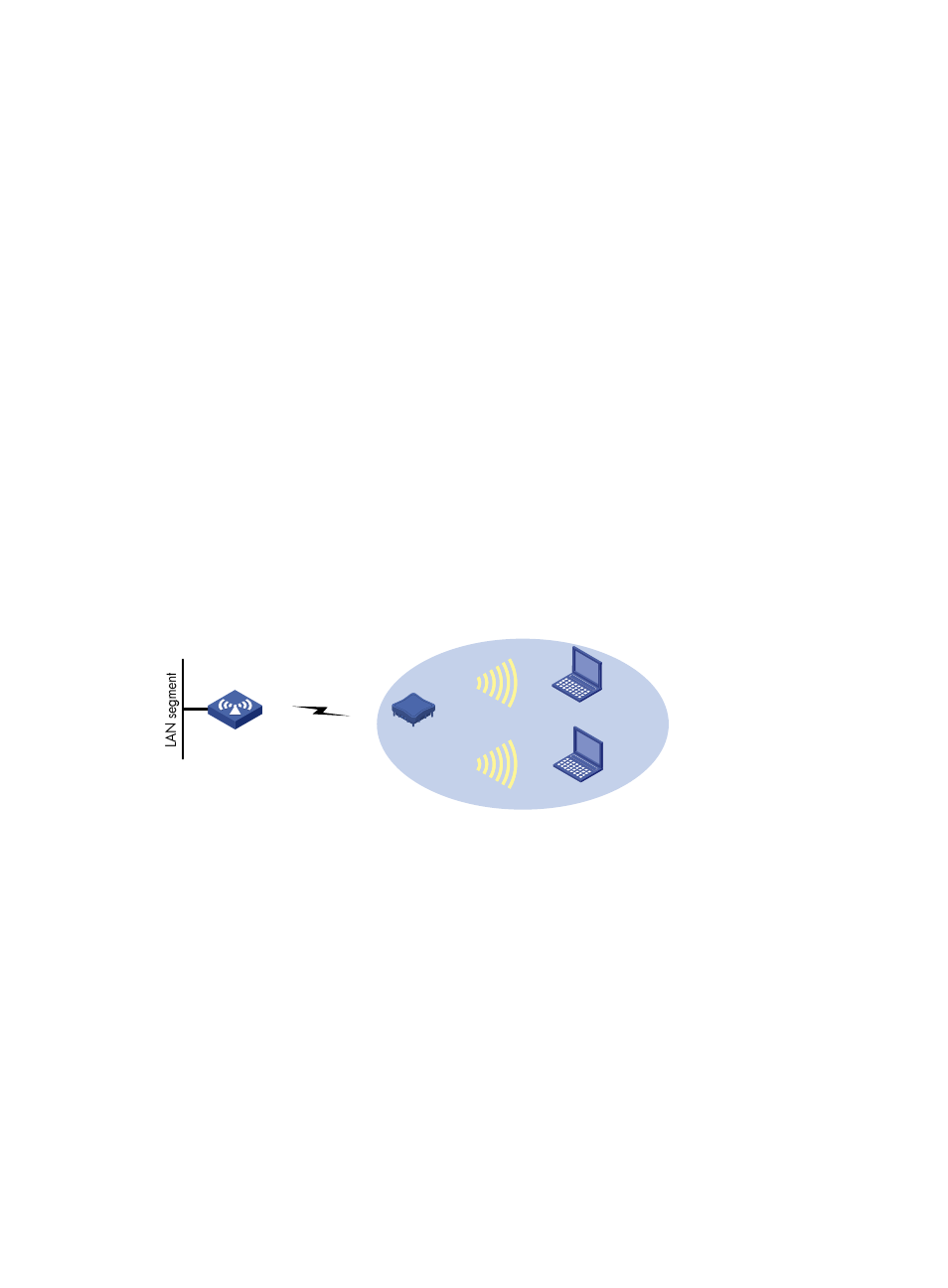
AP1 connects to the wired network. The AP acting as a repeater needs to set up a WDS link with AP 1.
At the same time, the repeater needs to provide wireless access service for clients.
•
Use the 802.11n (2.4 GHz) radio to set up a WDS link between AP 1 and the repeater.
•
Use the 802.11n (2.4 GHz) radio to connect clients to the repeater.
•
The access service and WDS link must use the same channel. In this example, channel 11 in 802.11n
(2.4 GHz) radio mode is used as the working channel.
•
Configure WDS on AP 1. For the detailed configuration procedure, see "
•
Configure WDS and access service on the repeater.
Figure 372 Network diagram
Configuring the repeater
1.
Configure WDS:
a.
Select Wireless Service > WDS from the navigation tree to enter the WDS Setup page.
AP 1
Repeater
802.11n (2.4 GHz)
Channel 11
802.11n(2.4GHz)
Channel11
802.11n(2.4GHz)
Channel11
Client 1
Client 2