User management configuration, Creating a user – H3C Technologies H3C WA3600 Series Access Points User Manual
Page 79
Advertising
66
User management configuration
In the user management part, you can perform the following configuration:
•
Create a local user, and set the password, access level, and service type for the user.
•
Set the super password for switching the current web user level to the management level.
•
Switch the current web user access level to the management level.
Creating a user
1.
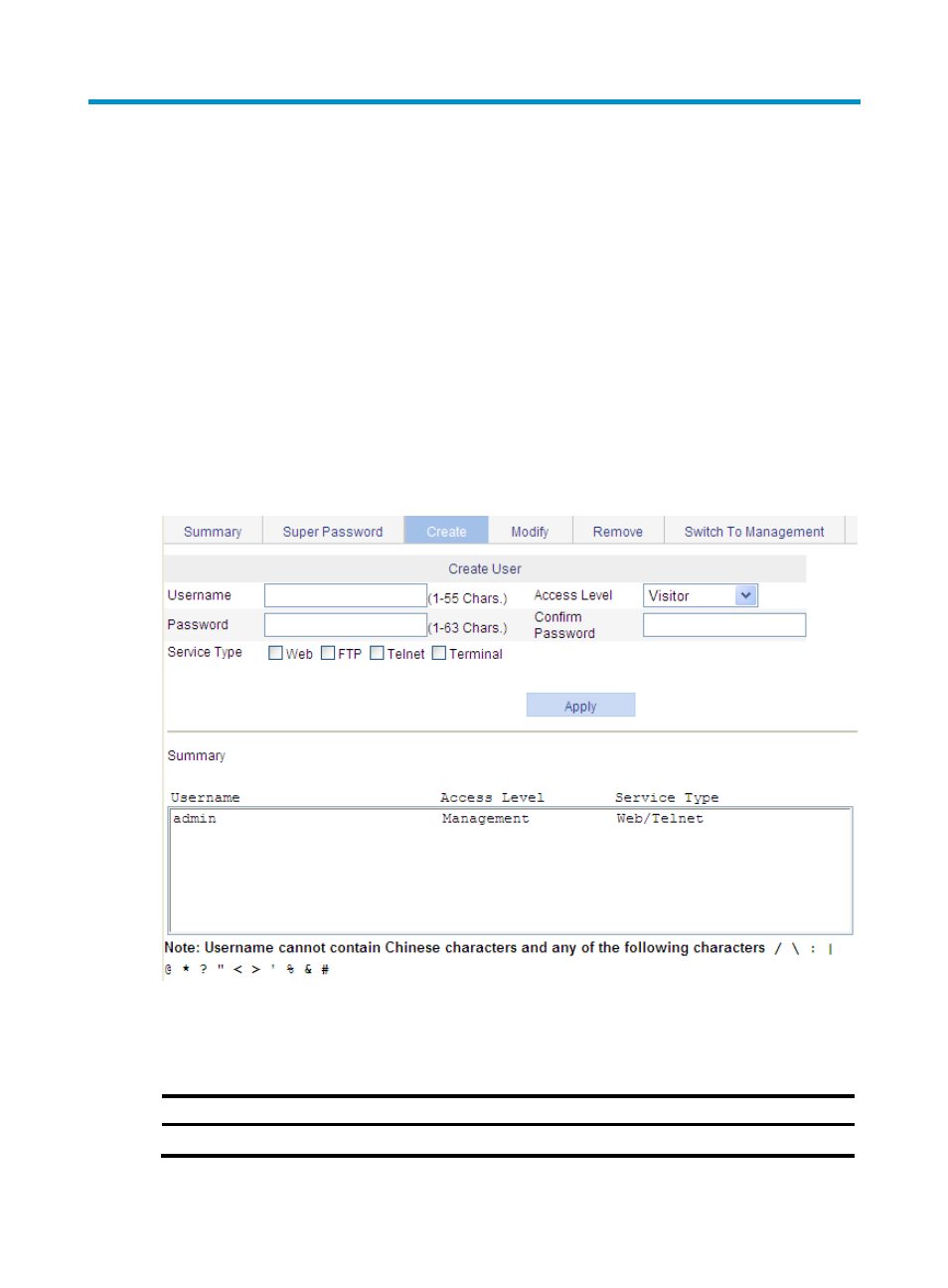
Select Device > Users from the navigation tree
2.
Click the Create tab.
The page for creating local users appears.
Figure 58 Create a user
3.
Configure the user information as described in
.
4.
Click Apply.
Table 33 Configuration items
Item Description
Username
Set the username for a user.
Advertising
This manual is related to the following products: