Configuring 802.11n rates – H3C Technologies H3C WA3600 Series Access Points User Manual
Page 195
182
MCS index
Number of
spatial streams
Modulation
Data rate (Mbps)
800ns GI
400ns GI
11 2 16-QAM
108.0 120.0
12 2 16-QAM
162.0 180.0
13 2 64-QAM
216.0 240.0
14 2 64-QAM
243.0 270.0
15 2 64-QAM
270.0 300.0
16 3 BPSK
40.5 45.0
17 3 QPSK
81.0 90.0
18 3 QPSK
121.5 135.0
19 3 16-QAM
162.0 180.0
20 3 16-QAM
243.0 270.0
21 3 64-QAM
324.0 360.0
22 3 64-QAM
364.5 405.0
23 3 64-QAM
405.0 450.0
For example, if you specify the maximum MCS index as 5 for mandatory rates, rates corresponding to
MCS indexes 0 through 5 are configured as 802.11n mandatory rates.
•
Mandatory rates must be supported by the AP and the clients that want to associate with the AP.
•
Supported rates allow some clients that support both mandatory and supported rates to choose
higher rates when communicating with the AP.
•
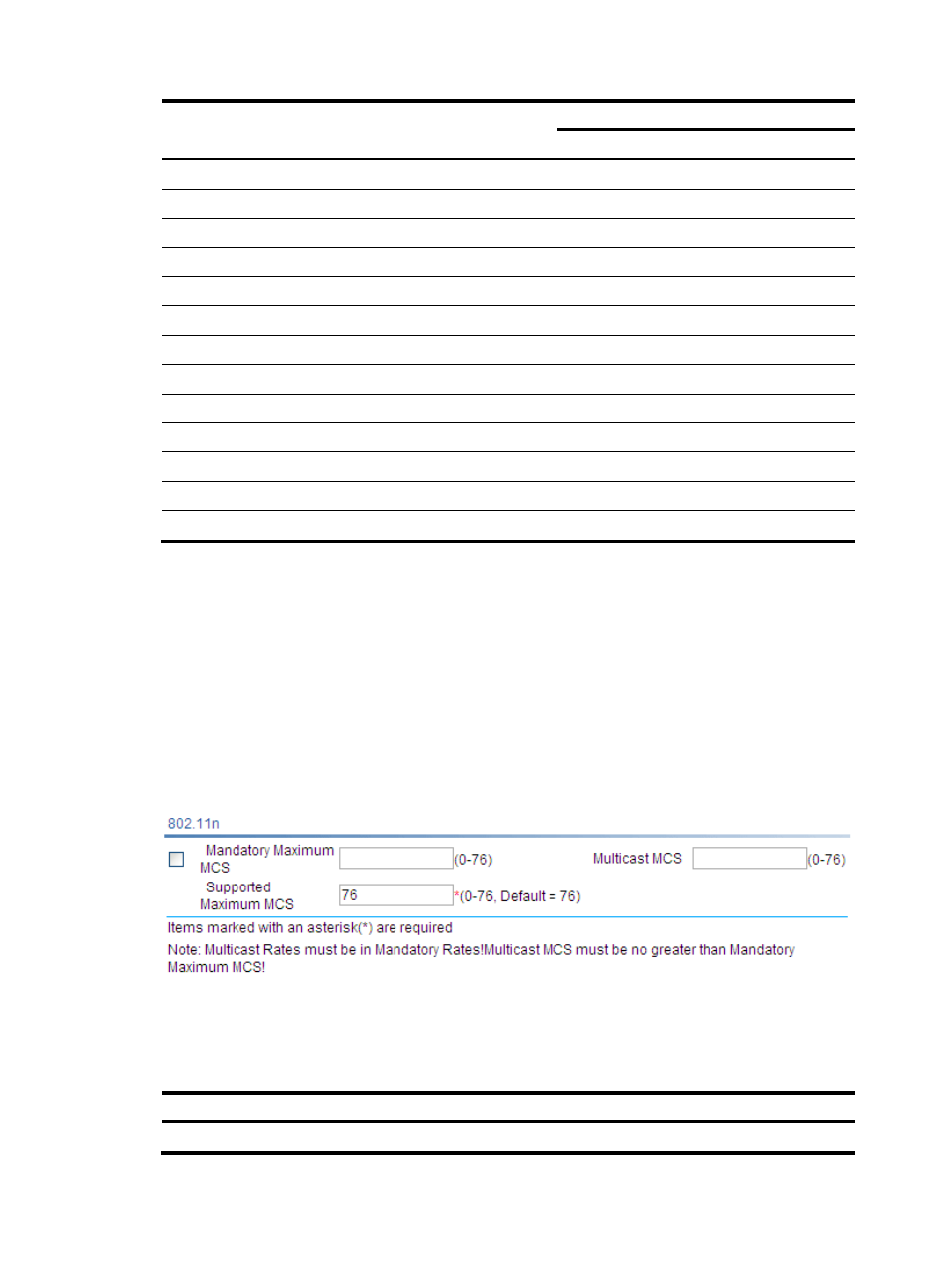
Multicast MCS: Specifies 802.11n multicast data rates.
Configuring 802.11n rates
1.
Select Radio > Rate from the navigation tree.
Figure 178 Setting 802.11n rate
2.
Configure 802.11n rates as described in
3.
Click Apply.
Table 72 Configuration items
Item Description
Mandatory Maximum MCS
Set the maximum MCS index for 802.11n mandatory rates.