Ntp configuration task list, Configuring the ntp operation modes, Configuration guidelines – H3C Technologies H3C SecPath F1000-E User Manual
Page 115
104
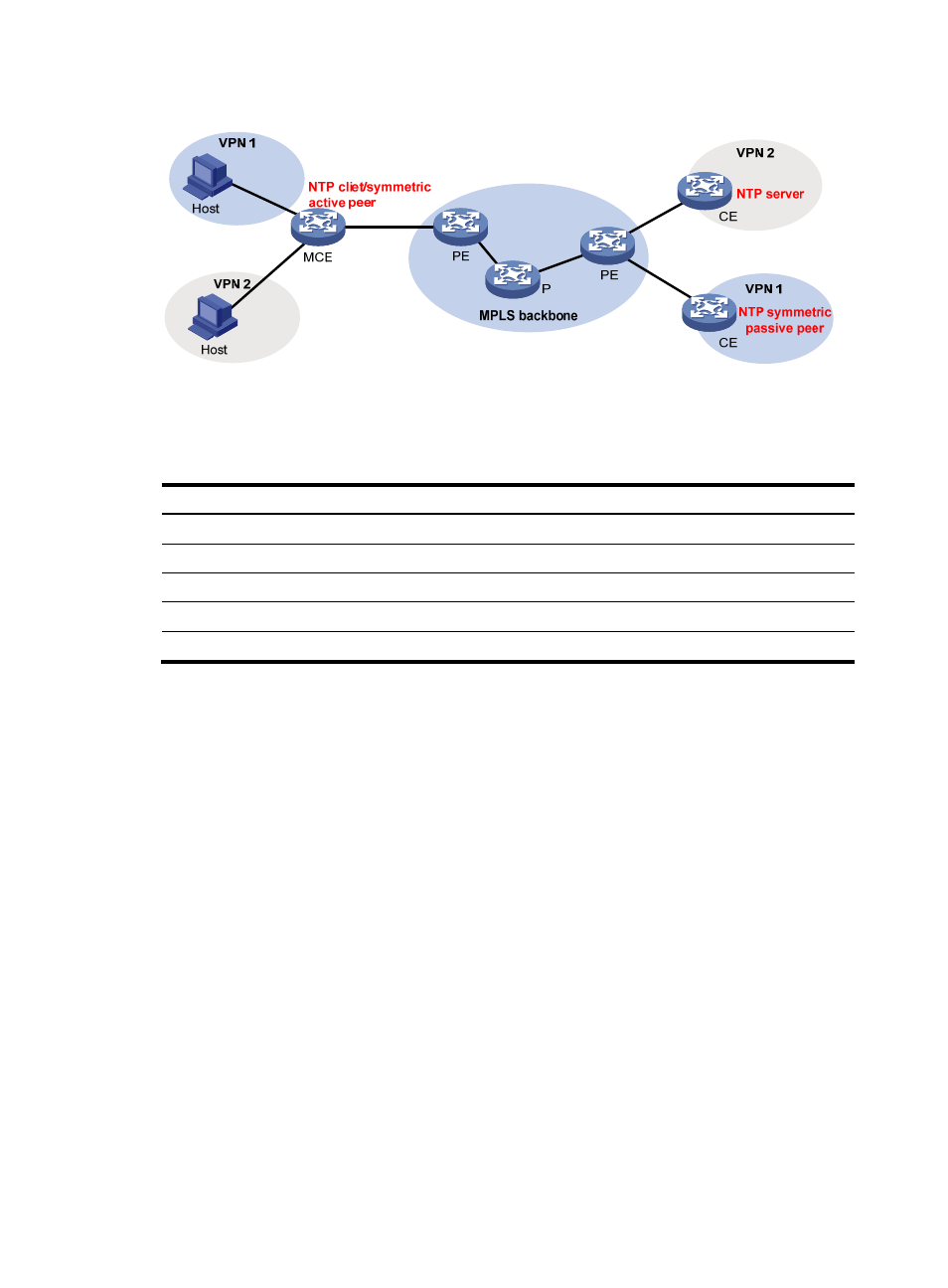
Figure 49 Network diagram
NTP configuration task list
Task Remarks
Configuring the NTP operation modes
Required.
Configuring the local clock as a reference source
Optional.
Configuring optional NTP parameters
Optional.
Configuring access-control rights
Optional.
Configuring NTP authentication
Optional.
Configuring the NTP operation modes
Devices can implement clock synchronization in one of the following modes:
•
Client/server mode—Configure only clients.
•
Symmetric mode—Configure only symmetric-active peers.
•
Broadcast mode—Configure both clients and servers.
•
Multicast mode—Configure both clients and servers.
Configuration guidelines
•
A single device can have a maximum of 128 associations at the same time, including static
associations and dynamic associations.
•
A static association refers to an association that a user has manually created by using an NTP
command.
•
A dynamic association is a temporary association created by the system during operation. A
dynamic association is removed if the system fails to receive messages from it over a specific long
time.
•
In client/server mode, for example, when you execute a command to synchronize the time to a
server, the system creates a static association, and the server simply responds passively upon the
- H3C SecPath F5000-A5 Firewall H3C SecPath F1000-A-EI H3C SecPath F1000-E-SI H3C SecPath F1000-S-AI H3C SecPath F5000-S Firewall H3C SecPath F5000-C Firewall H3C SecPath F100-C-SI H3C SecPath F1000-C-SI H3C SecPath F100-A-SI H3C SecBlade FW Cards H3C SecBlade FW Enhanced Cards H3C SecPath U200-A U200-M U200-S H3C SecPath U200-CA U200-CM U200-CS