N in, Figure 104 – H3C Technologies H3C SecPath F1000-E User Manual
Page 209
Advertising
198
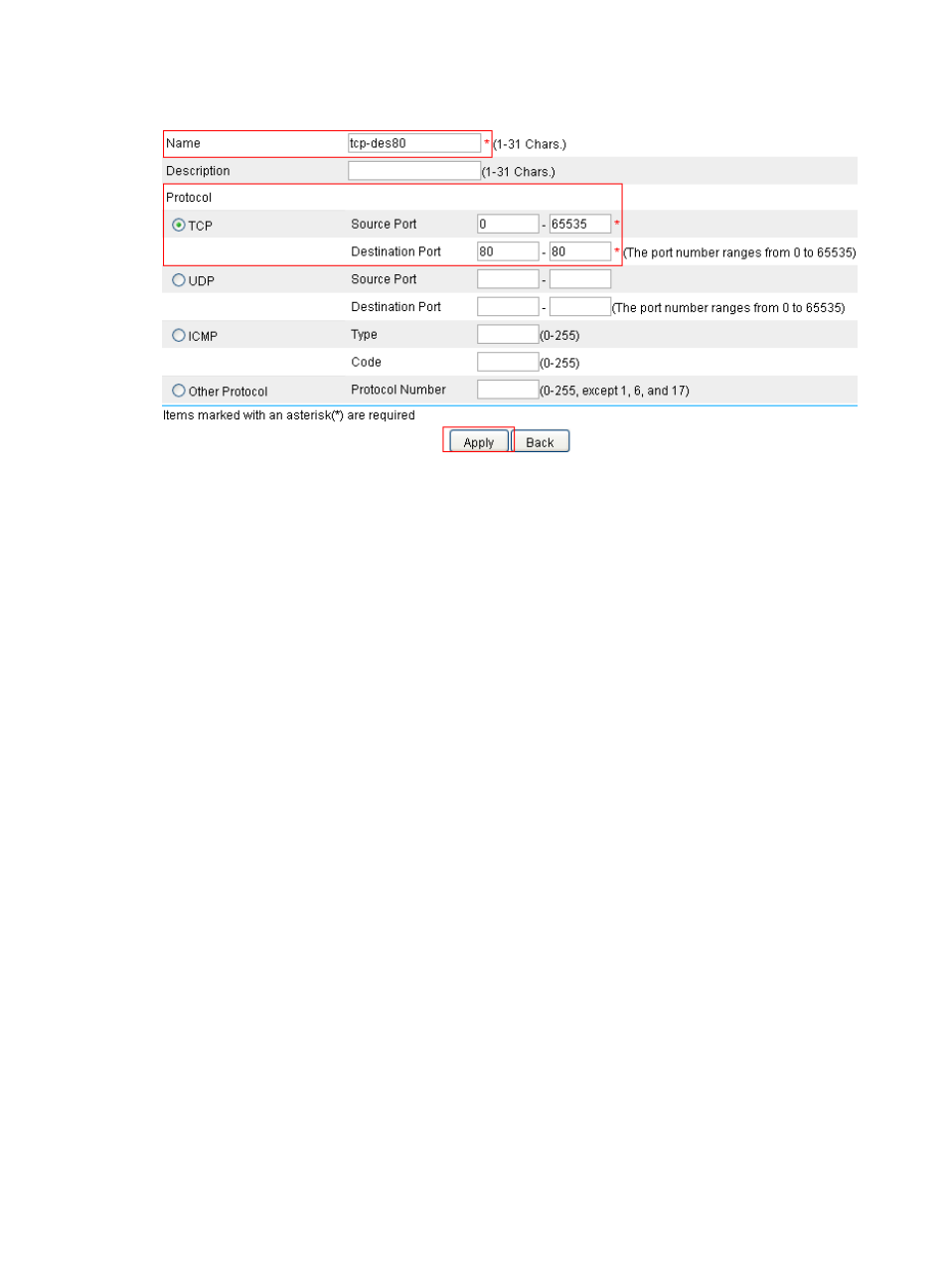
Figure 104 Configuring the customized service resource
•
Enter tcp-des80 for Name.
•
Select the TCP option.
•
Specify the Source Port range as 0 to 65535.
•
Specify the Destination Port range as 80 to 80.
•
Click Apply.
•
Click Add to perform the following configurations.
•
Enter tcp-des8080 for Name.
•
Select the TCP option.
•
Specify the Source Port range as 0 to 65535.
•
Specify the Destination Port range as 8080 to 8080.
•
Click Apply.
# Configure the service group resource.
•
Select Resource > Service > Service Group from the navigation tree and then click Add to perform
the following configurations as shown in
Advertising
This manual is related to the following products:
- H3C SecPath F5000-A5 Firewall H3C SecPath F1000-A-EI H3C SecPath F1000-E-SI H3C SecPath F1000-S-AI H3C SecPath F5000-S Firewall H3C SecPath F5000-C Firewall H3C SecPath F100-C-SI H3C SecPath F1000-C-SI H3C SecPath F100-A-SI H3C SecBlade FW Cards H3C SecBlade FW Enhanced Cards H3C SecPath U200-A U200-M U200-S H3C SecPath U200-CA U200-CM U200-CS