Configuring the audio output for a playout channel, About audio channels and tracks (and streams), Itx audio processor – Grass Valley iTX System v.2.6 User Manual
Page 202
Configuring the audio output for a playout channel
Configuring the audio output for a playout channel
Source audio content may be presented to iTX in a number of different forms; for example,
embedded in a video file or live video signal, or in a separate audio file.
To enable iTX to play out this content, you need to configure settings that relate to a particular
property of the content: the encoded-data format. This may be PCM, Dolby D or Dolby E; it
determines what type of audio codec iTX needs to process the content.
See later in this section, “Encoded-data formats for playout”.
About audio channels and tracks (and streams)
In explaining the audio configuration options, we make the following distinction between audio
channels and tracks.
•
By channel, we generally mean the distribution path for a single audio signal or data-
stream component. So, for instance, the left and right signals of a PCM stereo pair
require two channels; likewise, the two parts of a Dolby D data stream.
•
Channel may also mean the route along which audio content is carried to a speaker.
For example, the decoding of 2 channels of Dolby D data may provide content for 5.1
surround-sound channels or a pair of stereo channels.
•
A track contains one or more channels, of a specific type, and provides complete
independent audio content for an associated video stream. For example, a PCM mono
track contains just one channel; a PCM stereo track, two channels; a Dolby D track,
two channels.
•
Sometimes, the word stream is used instead of track.
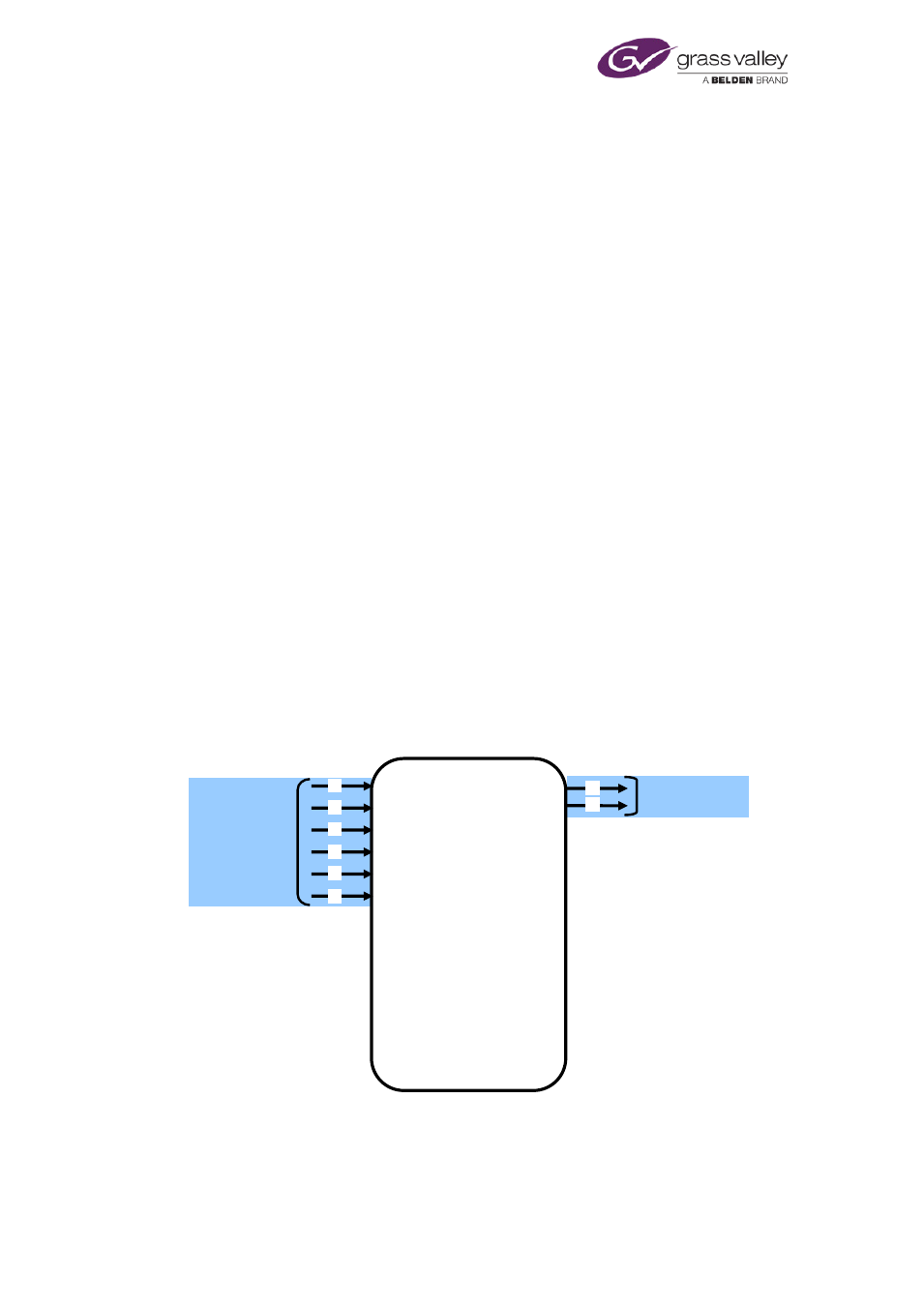
This illustration shows the output of 2 data (D) channels in a Dolby D track from 6 mono (M)
channels in a PCM track:
M
M
M
M
M
PCM track
6 mono (M) channels
D
D
Dolby D track
2 data (D) channels
M
0
1
2
3
4
5
6
7
8
9
10
11
12
13
14
15
iTX
Audio
Processor
March 2015
System Administrator Guide
Page 202 of 404