Grass Valley iTX System v.2.6 User Manual
Page 312
System resilience
1.
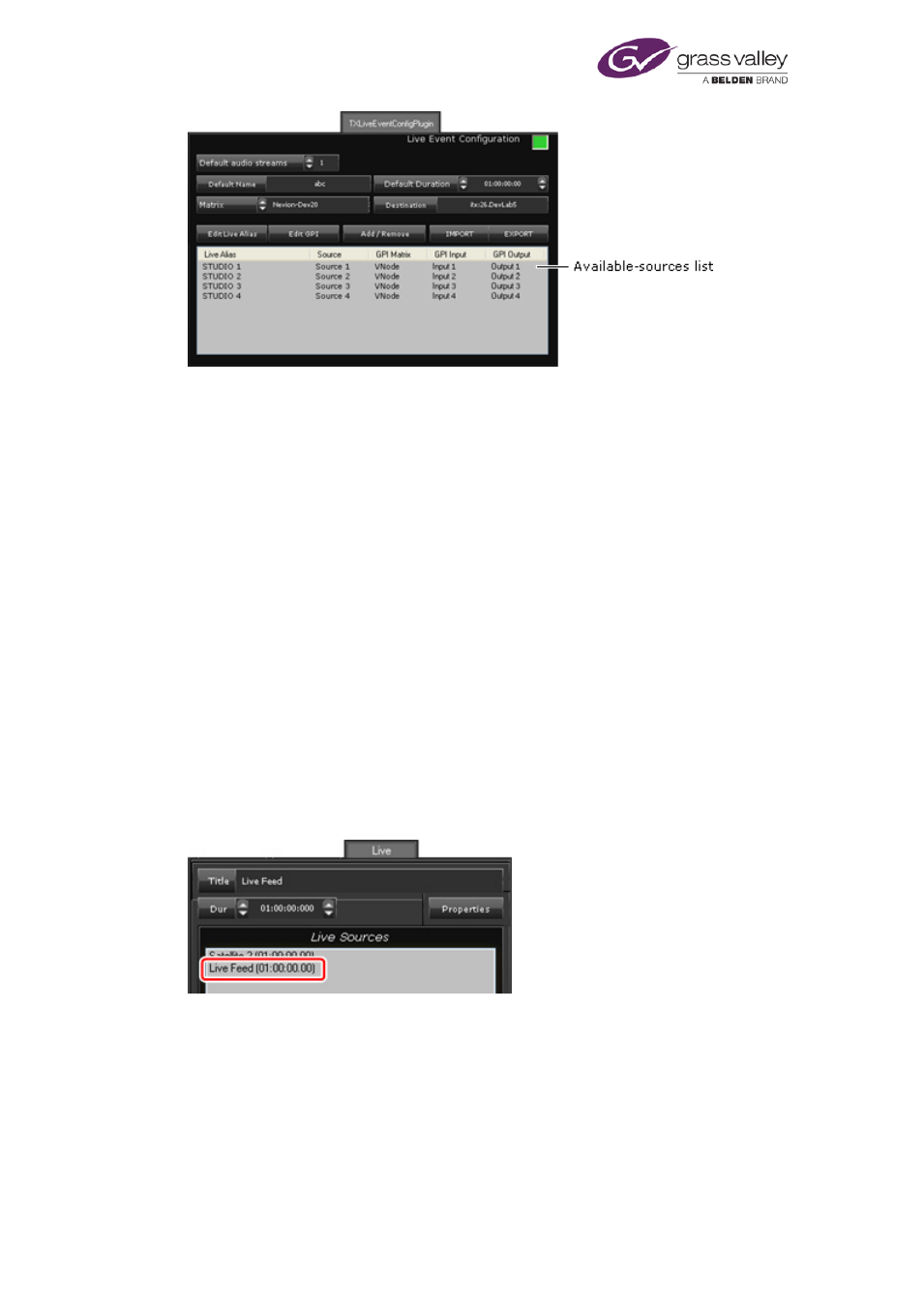
Do the following to add live sources to the available-sources list in the Live Event
Configuration panel.
•
Click Add/Remove to display the Select Sources dialog.
•
Select sources by adding them to the right pane of this dialog.
•
Click OK to close the dialog.
The selected sources appear in the available-sources list.
2.
Do the following to assign a live alias to a live source.
•
Select a router source in the available-sources list.
•
Click Edit Live Alias to display the Enter Alias dialog.
•
Enter an alias in the Alias box.
•
Click OK to close the dialog.
The alias appears in the Alias column next to the name of the selected source.
Note: After configuring live sources, you may need to refresh the Live Sources list on the
Content Selector. You can do this by selecting a different channel view and then returning
to the original one, or by restarting the iTX Desktop.
Once you have assigned live aliases to the sources on the main and back-up channels, the live
sources appear in the Live Sources list in the Content Selector on the Channel Control layout:
March 2015
System Administrator Guide
Page 312 of 404