Register and connect to a server controller – Grass Valley iTX System v.2.6 User Manual
Page 289
Using iTX Desktop layouts for system administration
Register and connect to a Server Controller
Before you can access a Server Controller from within Server Manager, you need to register the
Server Controller and connect to it.
1.
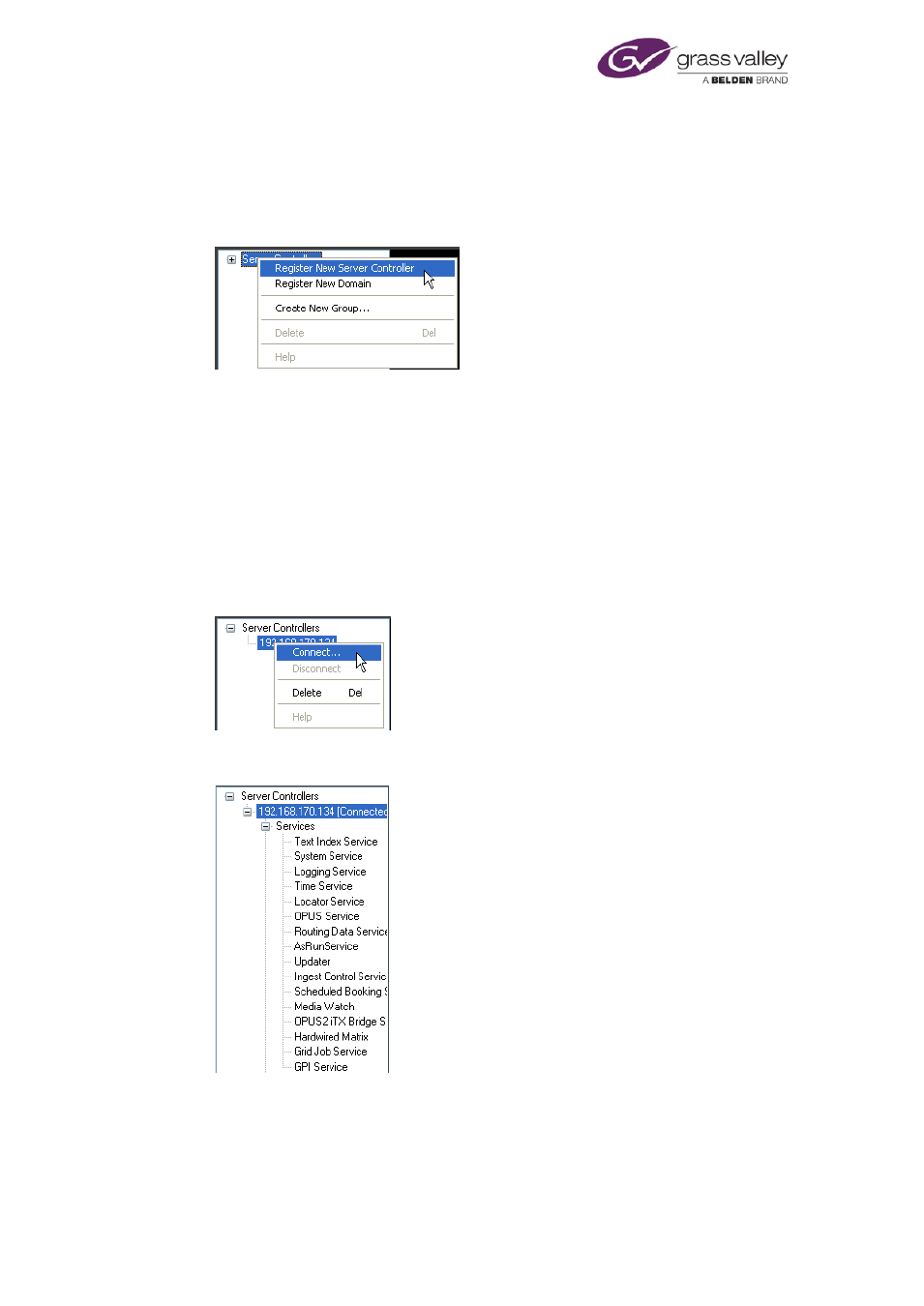
In the left pane of the Server Manager, right-click Server Controllers and select Register
New Server Controller from the displayed menu:
The Register New Server Controller dialog appears.
2.
Do the following to register a Server Controller with the Server Manager.
•
Click Browse to open the Browse Server Controllers dialog. The dialog contains a list of
the IP addresses of the Server Controllers in the iTX system.
•
Select a Server Controller by selecting its IP address from the list; click OK to close the
dialog. The IP address appears in the Server Controller box.
•
Click OK to close the Register New Server Controller dialog.
An entry for the Server Controller (its IP address) appears in the Server Controllers list.
3.
Right-click the entry and select Connect from the displayed menu:
The Server Manager connects to the Server Controller. You can view a list of the services
that are registered with this Server Controller by expanding the Server Controller entry:
March 2015
System Administrator Guide
Page 289 of 404