Epson EB-1460Ui User Manual
Page 27
Advertising
Installation Guide
26
c
•
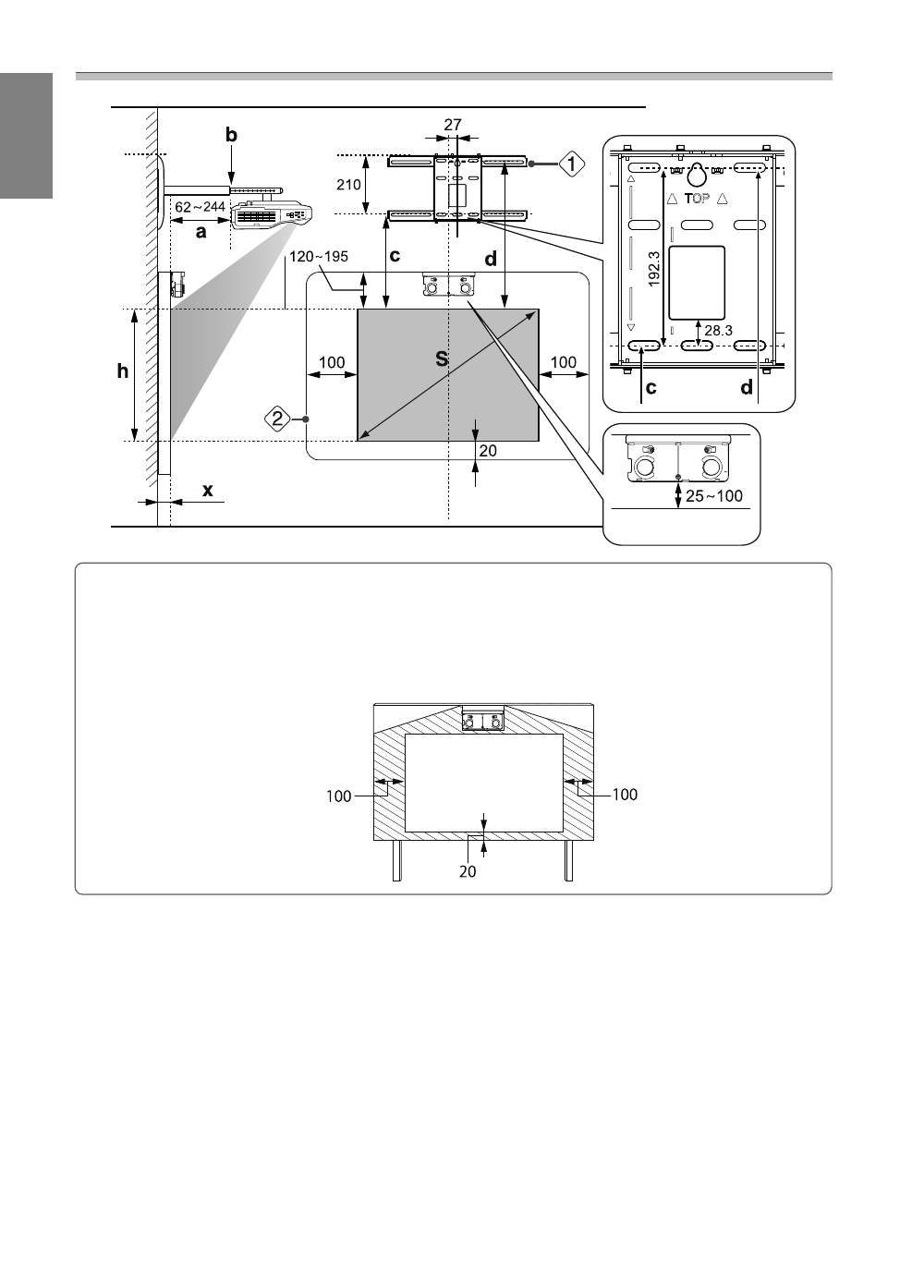
If there are any obstacles such as a frame or tray at the bottom of the screen, touch operations will not
operate correctly. Stick the supplied infrared deflectors over the locations of the obstacles (
Make sure there is a space of at least 20 mm between the place where the infrared deflector is stuck
and the bottom of the projected image.
•
If there are obstacles in the shaded areas in the following figure, such as cables, whiteboard trays,
holders, or a thick frame, touch operations will not operate correctly.
Advertising
This manual is related to the following products: