Solare Datensysteme Solar-Log User Manual
Page 119
Advertising
119
Using Solar-Log WEB
7�3�6 Total Overview
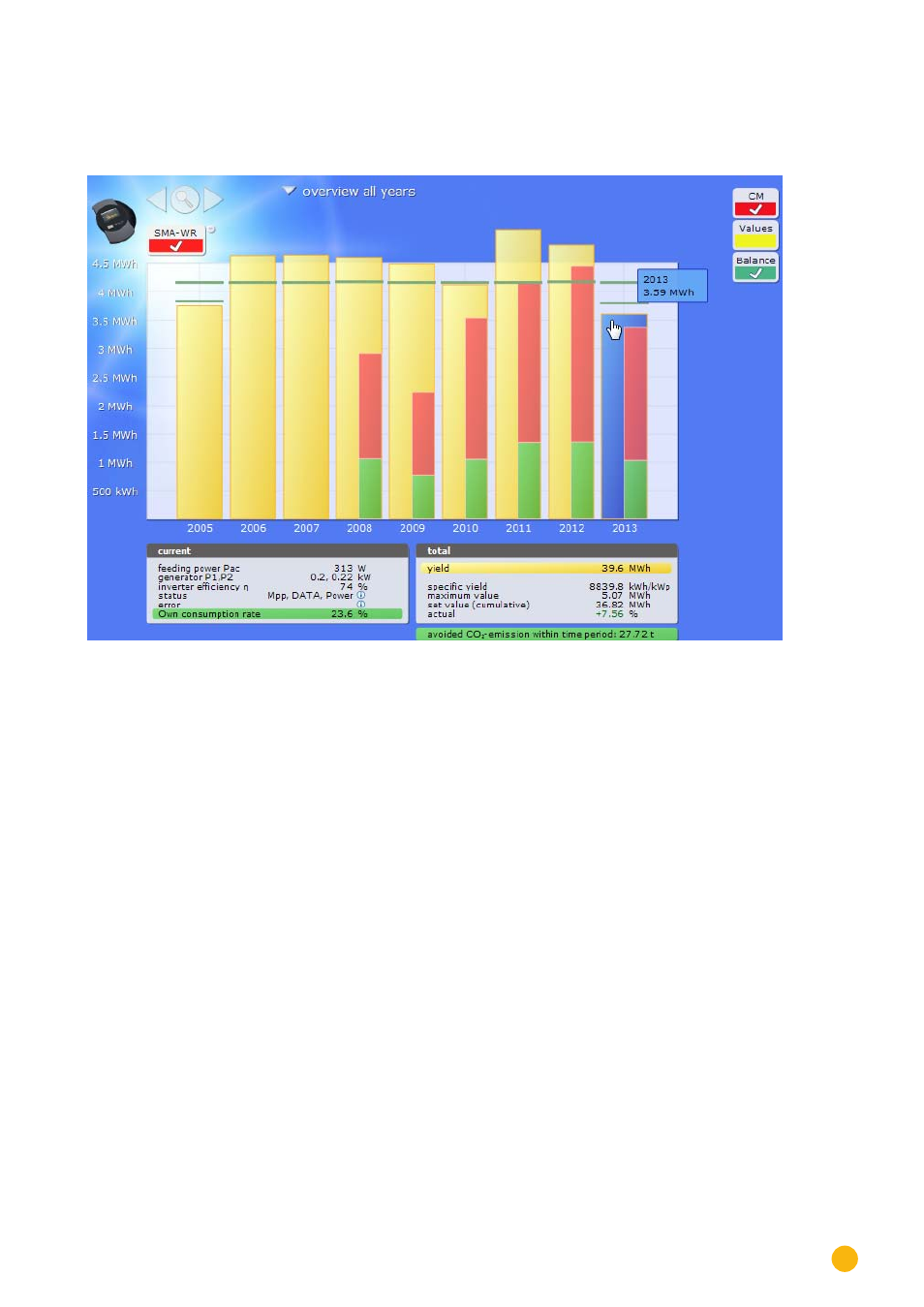
Select Overview of all Years from the navigation menu.
Fig.: Plant C2 - Total Overview
The individual annual yields are displayed as a total in a bar graph. The dark green line indicates the annual
target yield. Two green lines are then displayed for the current year:
•
The top line indicates the annual target.
•
The bottom line indicates the accumulated annual yield compared to the annual target.
Move the mouse above one of the year bars.
•
The yield from the selected year is displayed.
By clicking on a bar,
•
the corresponding annual overview is displayed.
Click on Linear Overview Years:
•
The total linear overview is then displayed.
Advertising