Inverter details – Solare Datensysteme Solar-Log User Manual
Page 39
39
Operating via a web browser within your own network
Inverter details
To access the Inverter details menu, go to
Diagnostic | Inverter Diagnostic | Inverter details.
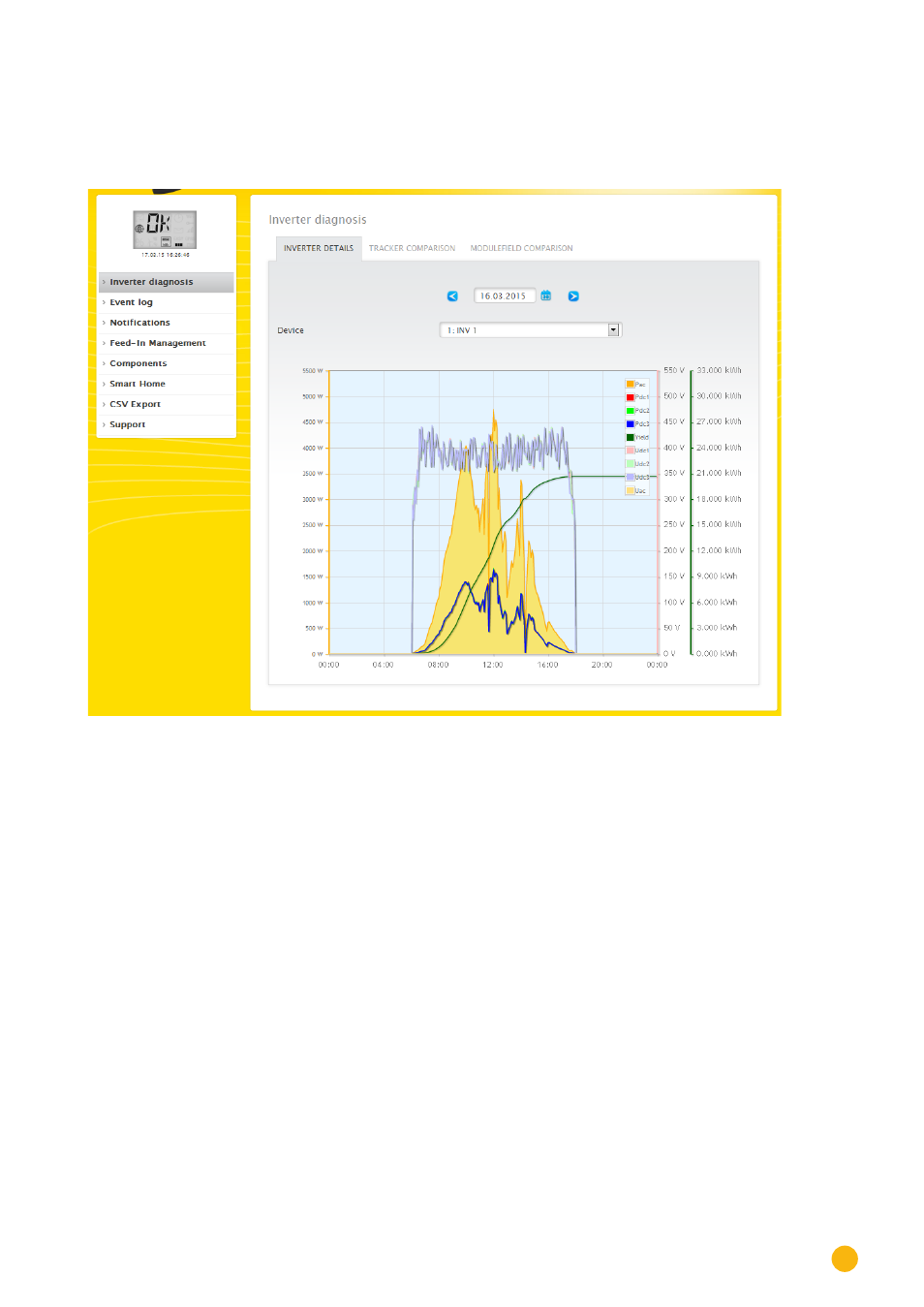
A particular date and device (e.g. inverter or sensor) can be selected under inverter details and evaluated.
Fig.: Inverter details graph
In the example (see Fig.: Inverter details graph), the following values can be displayed for the inverter:
•
Pac
•
DC power 1
•
DC power 2
•
DC power 3
•
Yield
•
DC voltage 1
•
DC voltage 2
•
DC voltage 3
•
AC voltage (Uac) – this value is displayed if the inverter supports this function).
•
Temperature – this value is displayed if the inverter supports this function. Otherwise only the
value 1/0 C° is displayed in the graph.)
All of the displayed values can be directly selected and deselected at any time by clicking in the graph key
(upper-right corner of the graph),