Solare Datensysteme Solar-Log User Manual
Page 151
151
Using the Solar-Log™ App iPhone V3 for iPhones
9�8 The Yield Data as a Slide Show
With the slide show function, you can turn your iOS device into an "electronic picture frame". The "picture
frame" alternates in displaying the various modules of the Solar-Log™ App.
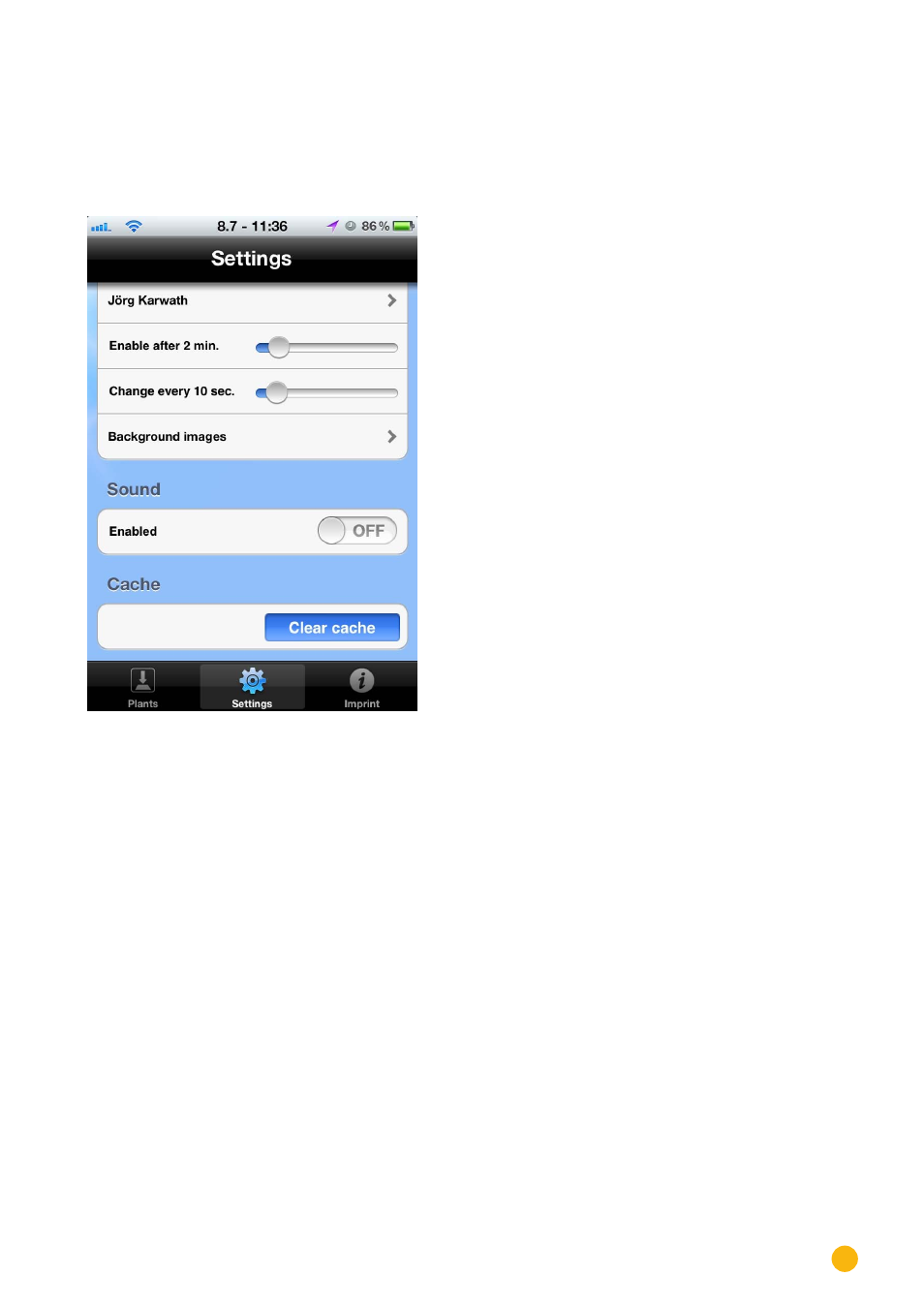
The Slide Show function can be configured in the settings menu.
Fig.: Slide Show settings.
In addition to activating the Slide Show function, the following options can be configured:
•
Enable after - adjustable from 1 to 10 minutes
•
Time settings for when the Slide Show starts
•
Change every – adjustable from 5 to 60 seconds.
•
Interval in which the images switch.
•
Background image.
•
Adjust which background image is set for the Slide Show.
•
Sound.
•
Here the standard sound can be enabled. By default, this function is deactivated.
•
Cache
•
Delete all of the App's cached data. It is then necessary to restart the App.