3 lacp system status – PLANET WGSD-10020 User Manual
Page 104
User’s Manual of WGSD-10020 Series
104
•
Role
The Role shows the LACP activity status. The Active will transmit LACP packets
each second, while Passive will wait for a LACP packet from a partner (speak if
spoken to).
Buttons
: Click to save changes.
: Click to undo any changes made locally and revert to previously saved values.
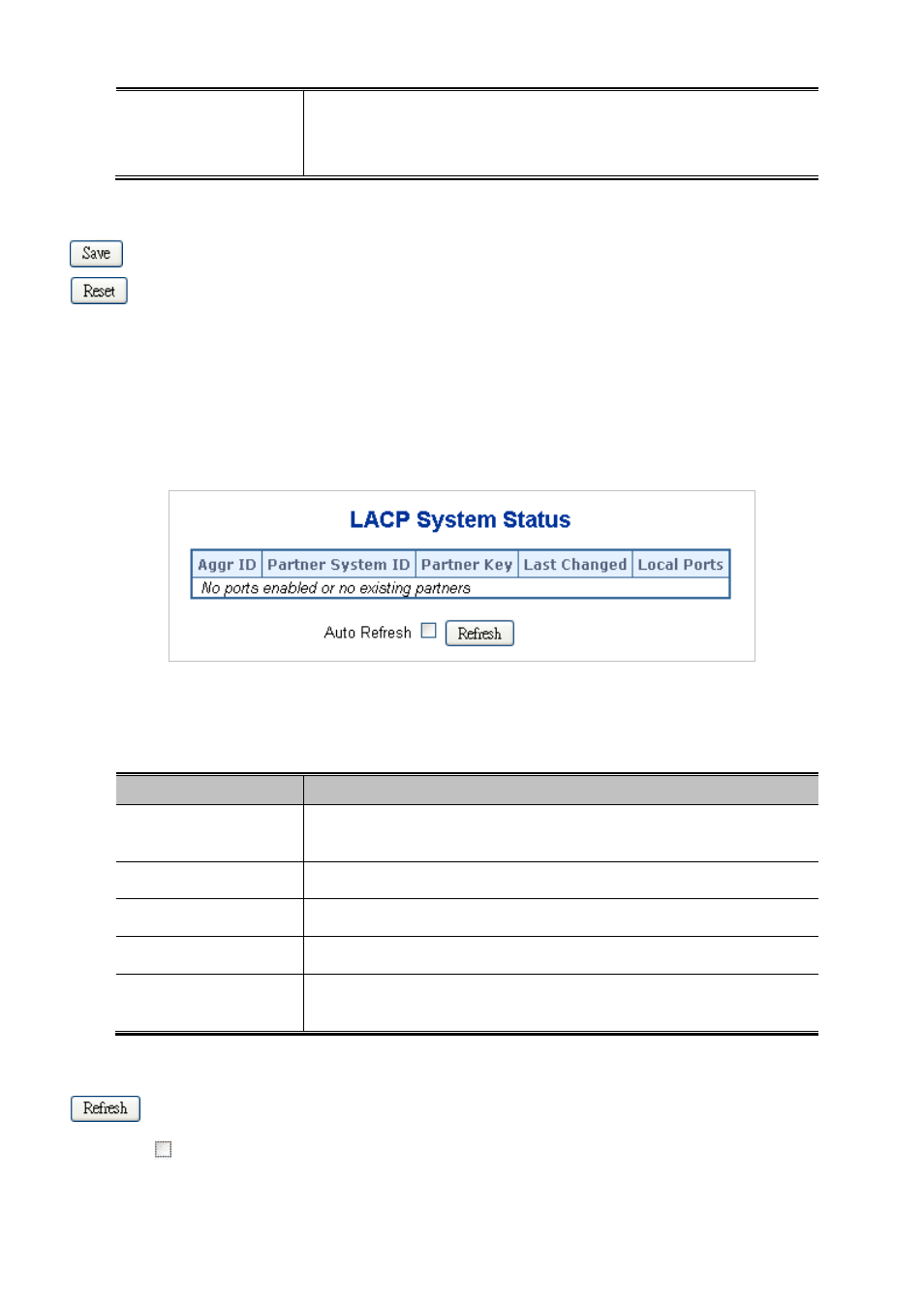
4.5.3 LACP System Status
This page provides a status overview for all LACP instances. The LACP Status page display the current LACP aggregation
Groups and LACP Port status. The LACP System Status screen in
Figure 4-5-5
appears.
Figure 4-5-5 LACP System Status page screenshot
The page includes the following fields:
Object
Description
•
Aggr ID
The Aggregation ID associated with this aggregation instance.
For LLAG the id is shown as 'isid:aggr-id' and for GLAGs as 'aggr-id'
•
Partner System ID
The system ID (MAC address) of the aggregation partner.
•
Partner Key
The Key that the partner has assigned to this aggregation ID.
•
Last changed
The time since this aggregation changed.
•
Local Ports
Shows which ports are a part of this aggregation for this switch/stack.
The format is: "Switch ID:Port".
Buttons
: Click to refresh the page immediately.
Auto-refresh
: Check this box to enable an automatic refresh of the page at regular intervals.