2 port policing – PLANET WGSD-10020 User Manual
Page 176
User’s Manual of WGSD-10020 Series
176
4.9.2 Port Policing
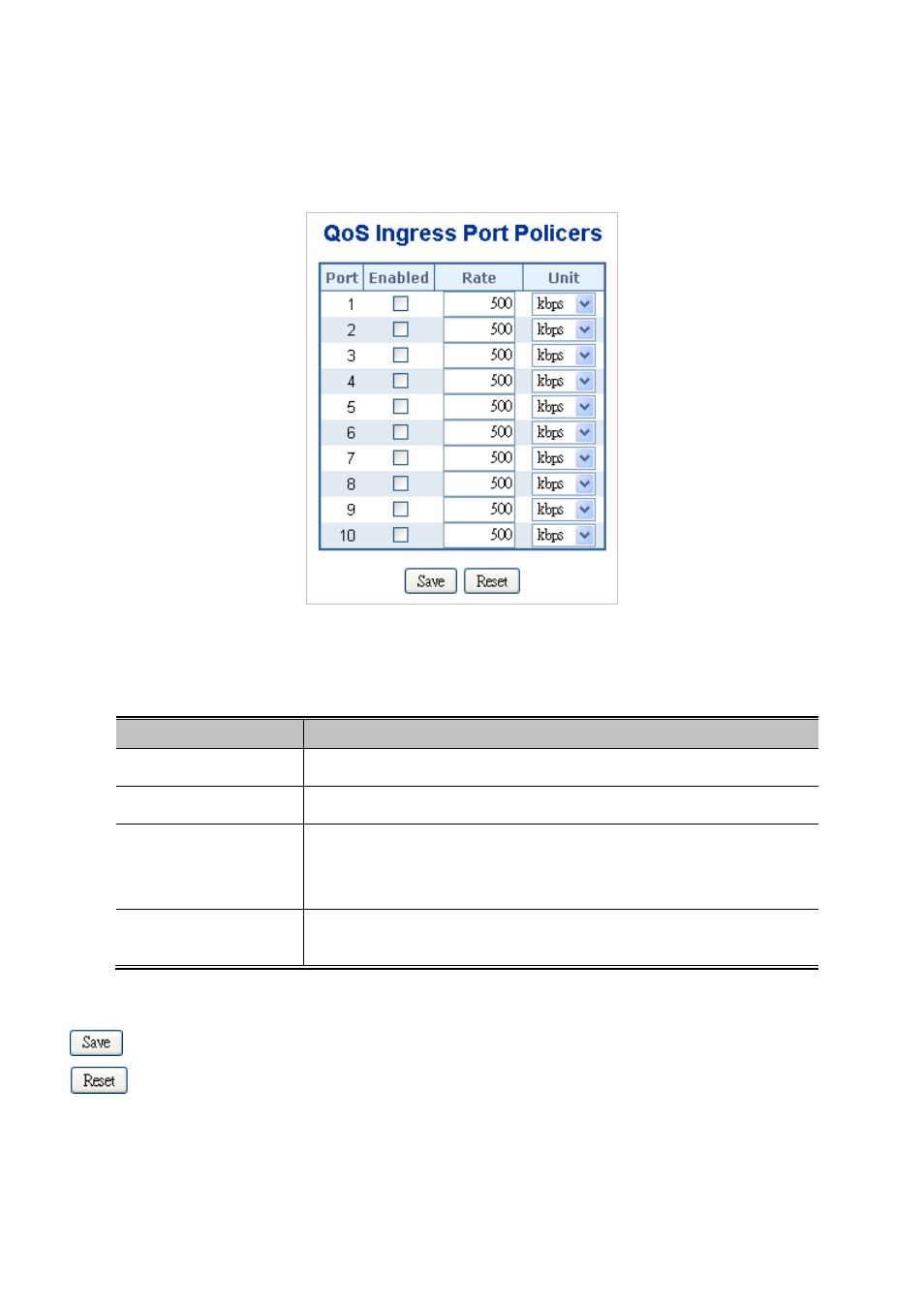
This page allows you to configure tsettings for all switch ports. The Port Policing screen in
Figure 4-9-1
appears.
Figure 4-9-1 QoS Ingress Port Policers page screenshot
The page includes the following fields:
Object
Description
•
Port
The port number for which the configuration below applies.
•
Enable
Controls whether the policer is enabled on this switch port.
•
Rate
Controls the rate for the policer. The default value is "500". This value is
restricted to 100-1000000 when the "Rate Unit" is "kbps" or "fps", and it is
restricted to 1-15000 when the "Policer Unit" is "Mbps" or "kfps".
•
Unit
Controls the unit of measure for the policer rate as kbps, Mbps, fps or kfps . The
default value is "kbps".
Buttons
: Click to save changes.
: Click to undo any changes made locally and revert to previously saved values.