PLANET WGSD-10020 User Manual
Page 165
User’s Manual of WGSD-10020 Series
165
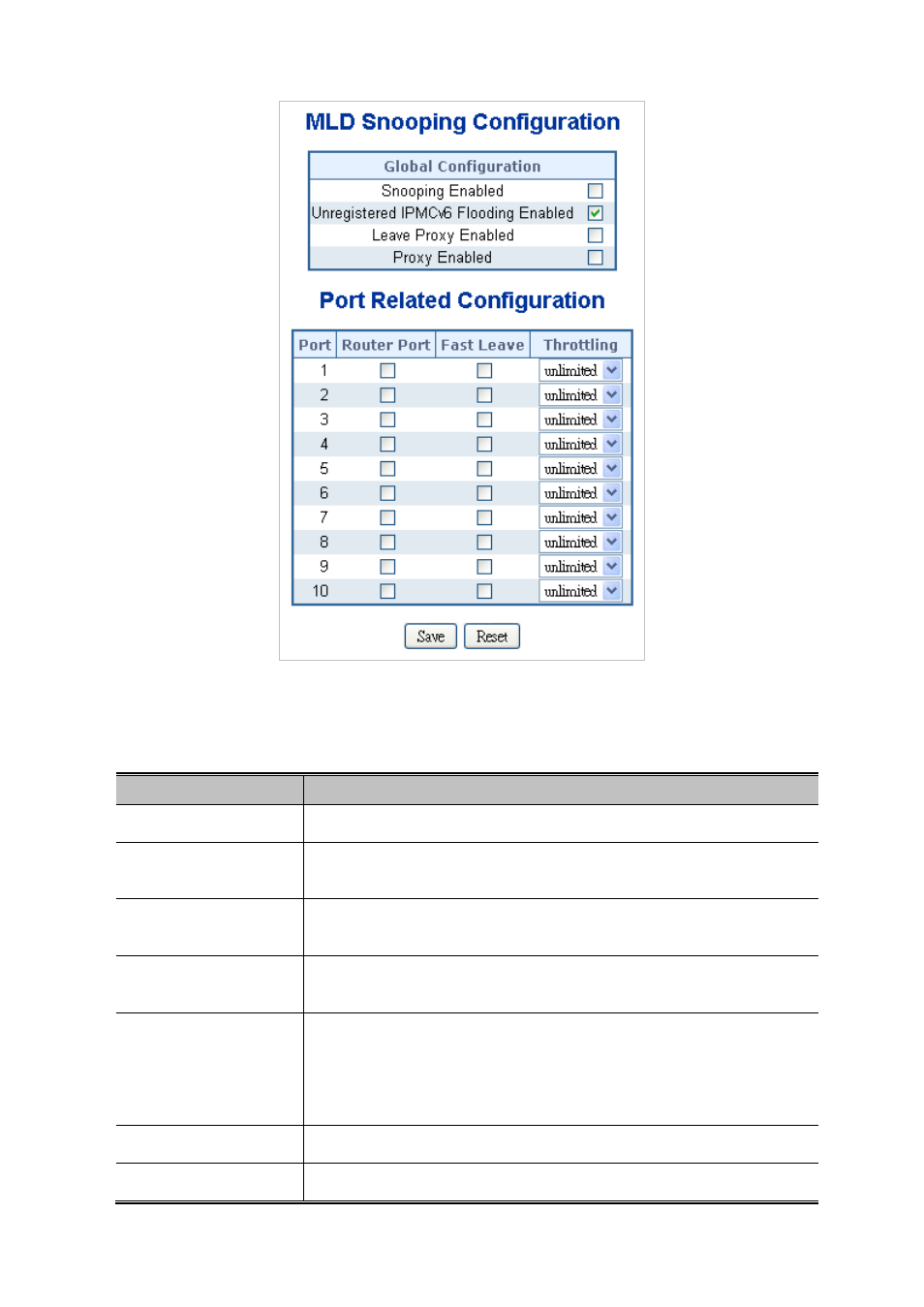
Figure 4-8-11 MLD Snooping Configuration page screenshot
The page includes the following fields:
Object
Description
•
Snooping Enabled
Enable the Global MLD Snooping.
•
Unregistered IPMC
Flooding enabled
Enable unregistered IPMCv6 traffic flooding. Please note that disabling
unregistered IPMCv6 traffic flooding may lead to failure of Neighbor Discovery.
• Leave Proxy Enable
Enable MLD Leave Proxy. This feature can be used to avoid forwarding
unnecessary leave messages to the router side.
• Proxy Enable
Enable MLD Proxy. This feature can be used to avoid forwarding unnecessary
join and leave messages to the router side.
• Router Port
Specify which ports act as router ports. A router port is a port on the Ethernet
switch that leads towards the Layer 3 multicast device or MLD querier.
If an aggregation member port is selected as a router port, the whole aggregation
will act as a router port.
• Fast Leave
Enable the fast leave on the port.
• Throtting
Enable to limit the number of multicast groups to which a switch port can belong.