Camera, Taking photos and recording videos – Sony Xperia XA1 User Manual
Page 93
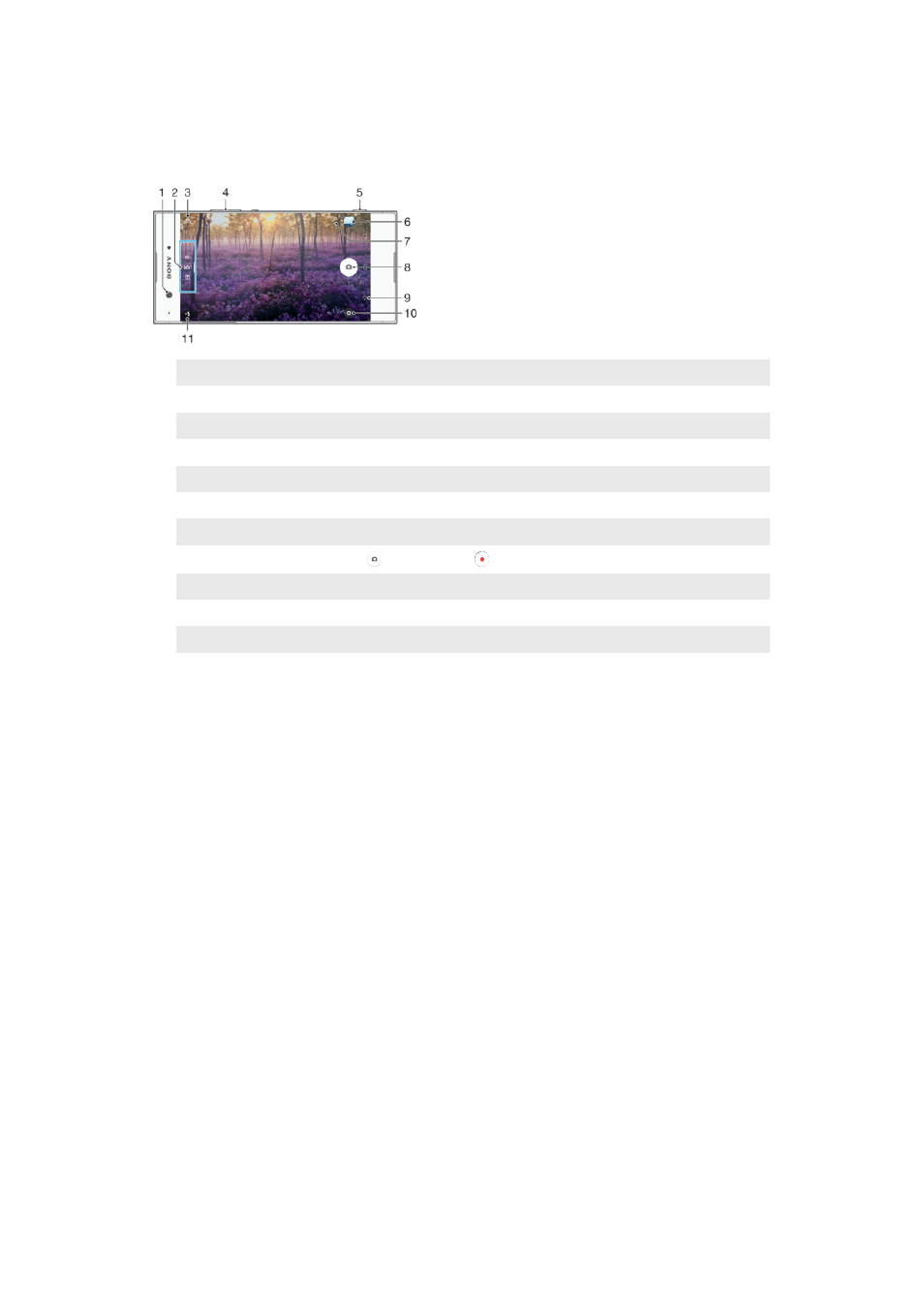
Camera
Taking Photos and Recording Videos
1
Front camera lens
2
Select capturing mode
3
Switch between the front and main camera
4
Zoom in or out
5
Camera key – Activate the camera/Take photos/Record videos
6
View photos and videos
7
Save location
8
Shutter button – Take photos or record videos
9
Go back a step or exit the camera
10 Capturing mode settings
11 Flash settings
To Take a Photo From the Lockscreen
1
To activate the screen, briefly press the power key .
2
To activate the camera, touch and hold , then swipe it anywhere.
3
After the camera opens, tap .
You can activate the camera when the screen is locked and inactive. To do this, press the
camera key fully. Press again to take a photo.
To take a photo using the camera key
1
Activate the camera.
2
Press the camera key fully down.
To Take a Selfie Using the Front Camera
1
Activate the camera.
2
Tap
.
3
To take the photo, press the camera key.
To use the still camera flash
1
When the camera is open, tap .
2
Select your desired flash setting.
3
Take the photo.
To Use the Zoom Function
•
When the camera is open, pinch or spread on the camera screen.
•
You can also use the volume key, pressing up or down. To enable this function,
tap , then tap
More > Use Volume key as.
93
This is an internet version of this publication. © Print only for private use.