Choosing subjects to focus on (tracking af) – Canon PowerShot ELPH 360 HS Digital Camera (Silver) User Manual
Page 60
60
Before Use
Basic Guide
Advanced Guide
Camera Basics
Auto Mode /
Hybrid Auto Mode
Other Shooting Modes
P Mode
Playback Mode
Wi-Fi Functions
Setting Menu
Accessories
Appendix
Index
2
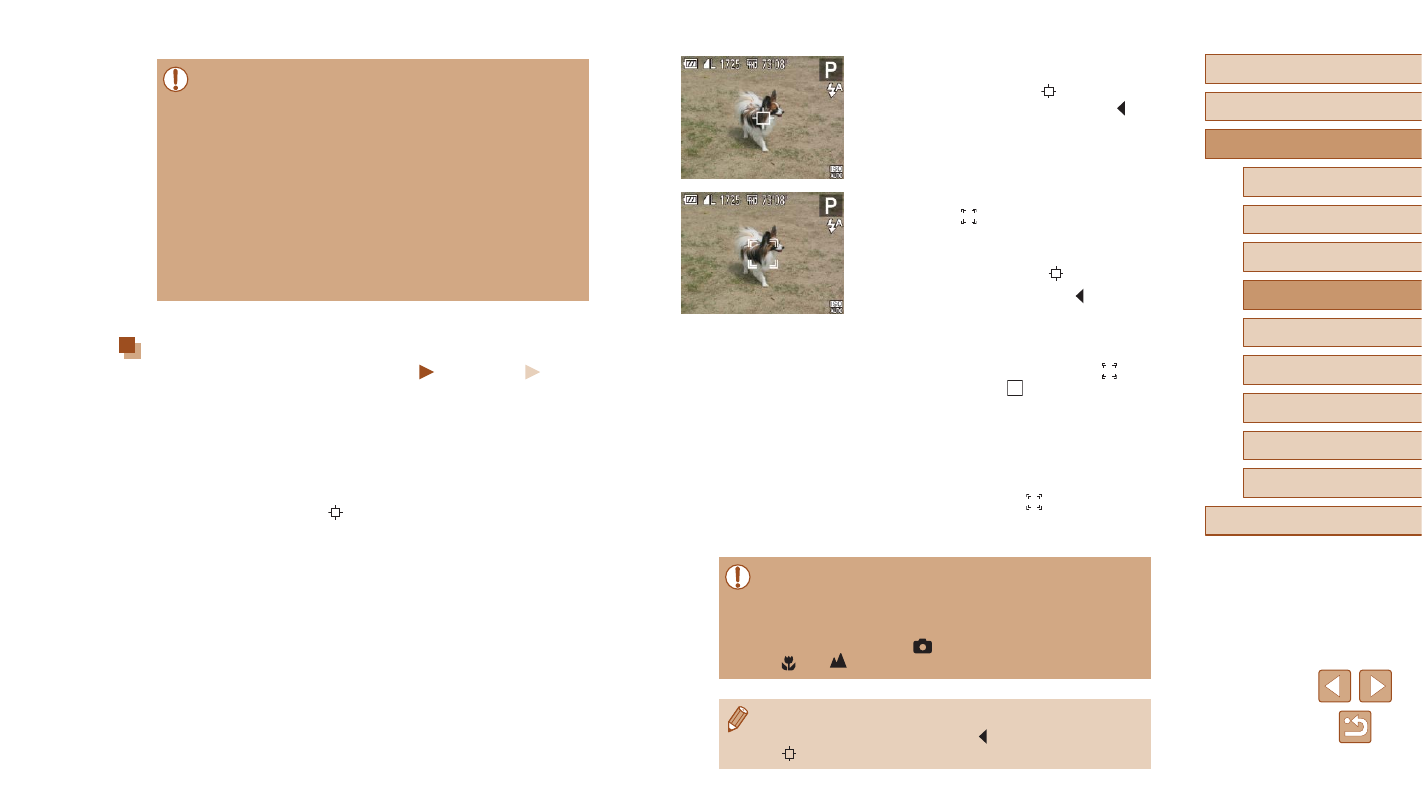
Choose a subject to focus on.
●
Aim the camera so that [ ] is on the
desired subject, and then press the [ ]
button.
●
When the subject is detected, the camera
beeps and [ ] is displayed. Even if the
subject moves, the camera will continue
to track the subject within a certain range.
●
If no subject is detected, [ ] is displayed.
●
To cancel tracking, press the [ ] button
again.
3
Shoot.
●
Press the shutter button halfway. [ ]
changes to a blue [ ], which follows
the subject as the camera continues to
adjust the focus and exposure (Servo AF)
●
Press the shutter button all the way down
to shoot.
●
Even after your shot, [ ] is still displayed
and the camera continues to track the
subject.
●
[Servo AF] (
61) is set to [On] and cannot be changed.
●
Tracking may not be possible when subjects are too small or
move too rapidly, or when subject color or brightness matches
that of the background too closely.
●
[AF-Point Zoom] on the [
] tab is not available.
●
[ ] and [
] are not available.
●
The camera can detect subjects even if you press the shutter
button halfway without pressing the [ ] button. After your shot,
[ ] is displayed in the center of the screen.
●
If faces are not detected, or when only gray frames are displayed
(without a white frame), up to nine green frames are displayed in
the areas in focus when you press the shutter button halfway.
●
If faces are not detected when Servo AF (
the AF frame is displayed in the center of the screen when you
press the shutter button halfway.
●
Examples of faces that cannot be detected:
-
Subjects that are distant or extremely close
-
Subjects that are dark or light
-
Faces in profile, at an angle, or partly hidden
●
The camera may misinterpret non-human subjects as faces.
●
No AF frames are displayed if the camera cannot focus when you
press the shutter button halfway.
Choosing Subjects to Focus On (Tracking AF)
Still Images
Movies
Shoot after choosing a subject to focus on as follows.
1
Choose [Tracking AF].
●
Follow the steps in “Changing the AF
[Tracking AF].
●
[ ] is displayed in the center of the
screen.