Image viewing options, Magnifying images viewing slideshows, 70), tagging as favorites – Canon PowerShot ELPH 360 HS Digital Camera (Silver) User Manual
Page 70: Images, 70), and “viewing slideshows, 70). y, 70). by, Viewing slideshows, Magnifying images
70
Before Use
Basic Guide
Advanced Guide
Playback Mode
Camera Basics
Auto Mode /
Hybrid Auto Mode
Other Shooting Modes
P Mode
Wi-Fi Functions
Setting Menu
Accessories
Appendix
Index
Viewing Slideshows
Still Images
Movies
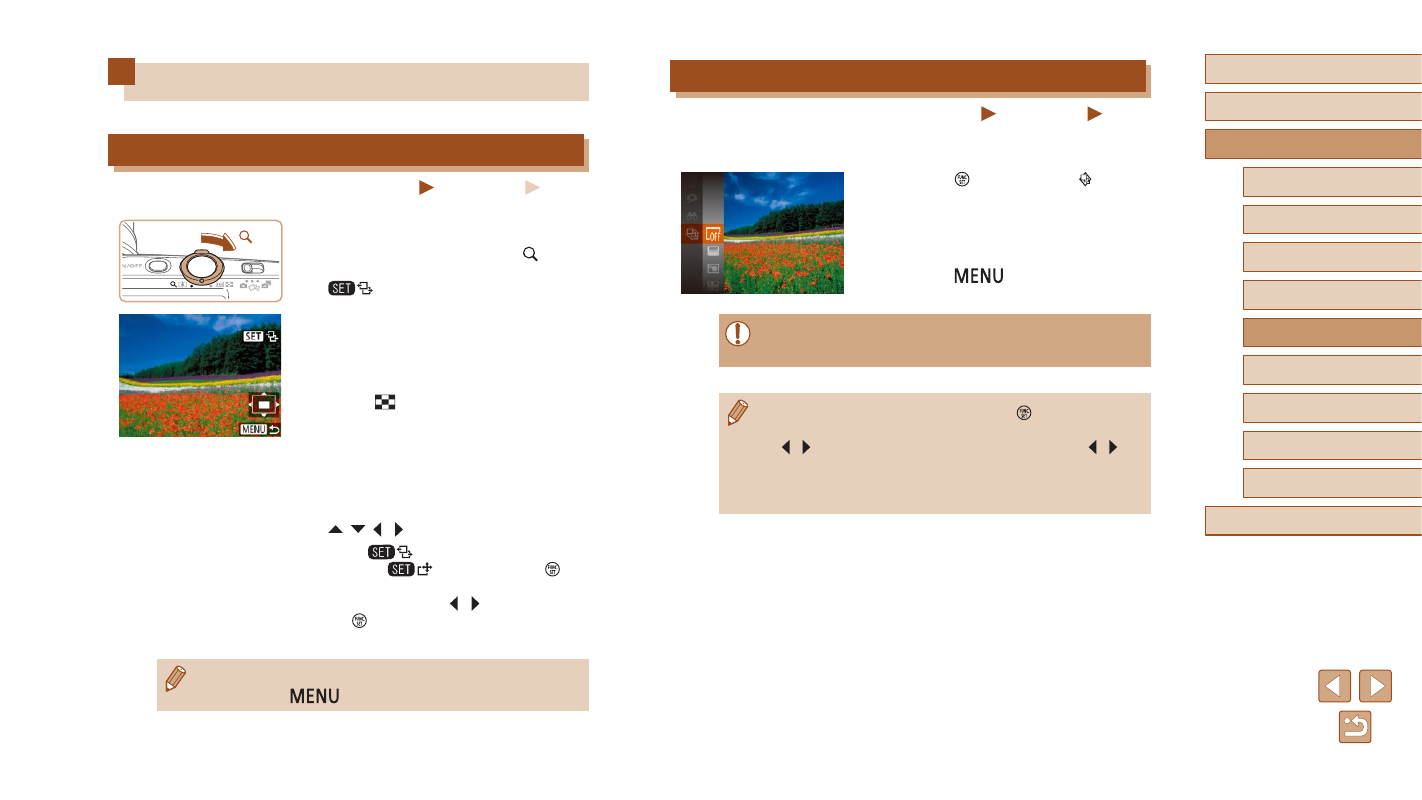
Automatically play back images from a memory card as follows. Each
image is displayed for about three seconds.
●
Press the [ ] button, choose [ ] in the
menu, and choose the desired option
●
The slideshow will start after [Loading
image] is displayed for a few seconds.
●
Press the [
] button to stop the
slideshow.
●
The camera’s power-saving functions (
during slideshows.
●
To pause or resume slideshows, press the [ ] button.
●
You can switch to other images during playback by pressing the
[ ][ ] buttons. For fast-forward or fast-rewind, hold the [ ][ ]
buttons down.
●
In filtered display (
68), only images matching search
conditions are played.
Image Viewing Options
Magnifying Images
Still Images
Movies
1
Magnify an image.
●
Moving the zoom lever toward [ ] will
zoom in and magnify the image, and
[
] is displayed. You can magnify
images up to about 10x by continuing to
hold the zoom lever.
●
The approximate position of the displayed
area (1) is shown for reference.
●
To zoom out, move the zoom lever
toward [
]. You can return to single-
image display by continuing to hold it.
2
Move the display position and
switch images as needed.
●
To move the display position, press the
[ ][ ][ ][ ] buttons.
●
While [
] is displayed, you can
switch to [
] by pressing the [ ]
button. To switch to other images while
zoomed, press the [ ][ ] buttons. Press
the [ ] button again to restore the
original setting.
●
You can return to single-image display from magnified display by
pressing the [
] button.