Connecting the main unit to input devices, Ab c d – Canon DP-V2421 4K Reference Display User Manual
Page 19
19
Installation/Connection
Connecting the Main Unit to Input Devices
The video display has SDI and HDMI input terminals to connect input devices.
CAUTION
• Check that the power of the video display and input devices is switched off before connecting.
■
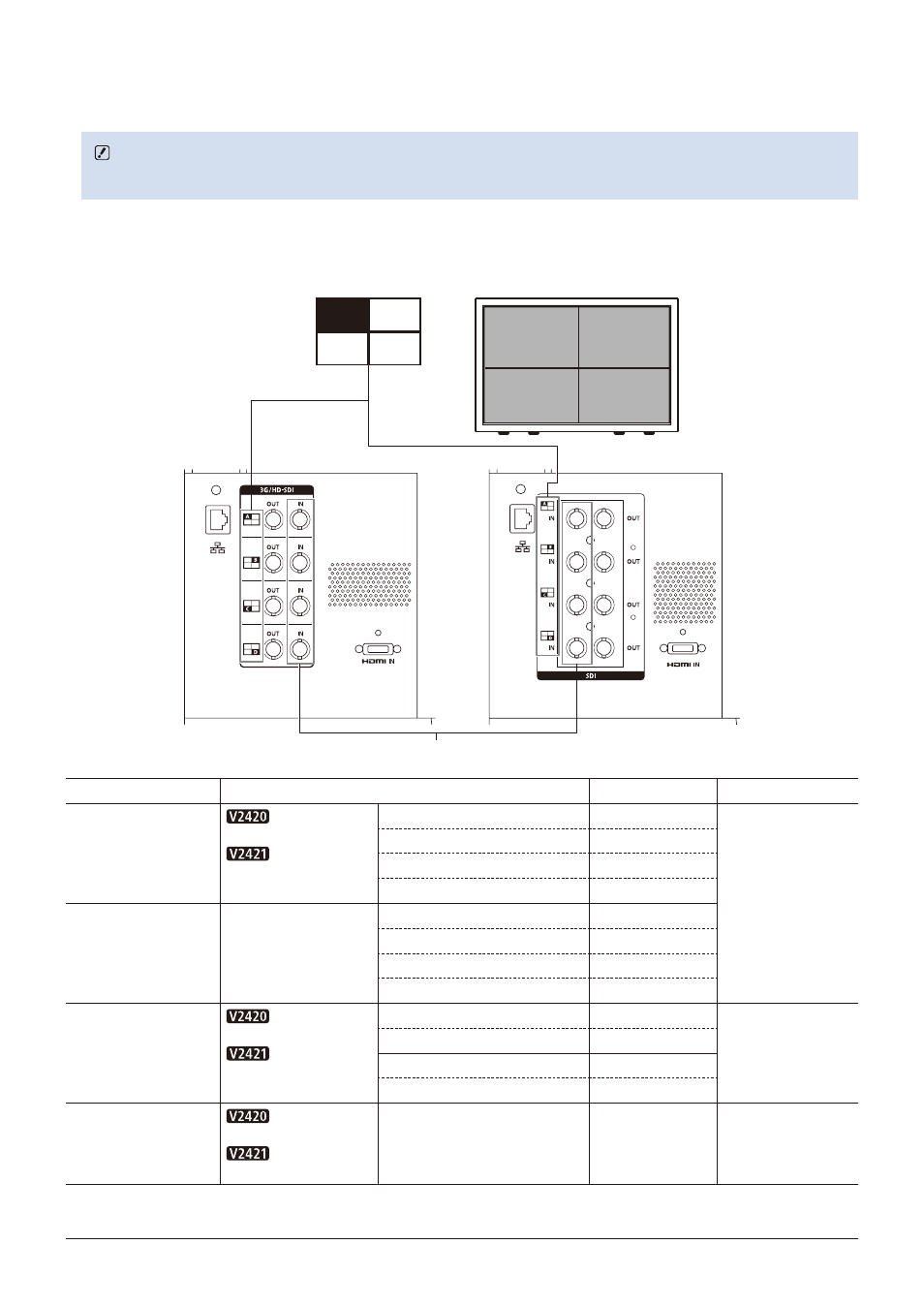
SDI input signals
Refer to the SDI input terminals diagram when connecting to the desired input signal. (A, B, C, D)
Actual screen display location
A
B
C
D
C
B
D
A
DP-V2421
DP-V2420
Display area icon
SDI (IN) terminal
Input signal
Input terminal
Quad Link
(Square Division)
3G/HD-SDI
12G/6G/3G/HD-SDI
Top left, Mapping signal
Input A
Single input system
Top right, Mapping signal
Input B
Bottom left, Mapping signal
Input C
Bottom right, Mapping signal
Input D
Quad Link*
(2 Sample Interleave)
3G-SDI
Link 1
Input A
Link 2
Input B
Link 3
Input C
Link 4
Input D
Dual Link*
3G-SDI
6G/3G-SDI
Link 1
Input A
Two input systems
Link 2
Input B
Link 1
Input C
Link 2
Input D
Single Link
3G/HD/SD-SDI
12G/6G/3G/HD/SD-SDI
—
Input A/Input B/
Input C/Input D
Four input systems
* The signals are automatically switched when "Link Order" is set to "Automatic".