4 managing the user log, Viewing the user log details, User log – Fujitsu Ricoh Fujitsu N7100E Network Image Scanner User Manual
Page 162: P.162)
4.15 Viewing the Scanner Details
162
4.15.4 Managing the User Log
User log entries are saved in the scanner.
■
Viewing the User Log Details
The user log summary is shown in date/time order. Even if the [Region / Timezone] or
[Date / Time] settings are changed, the order of the log entries will not be changed.
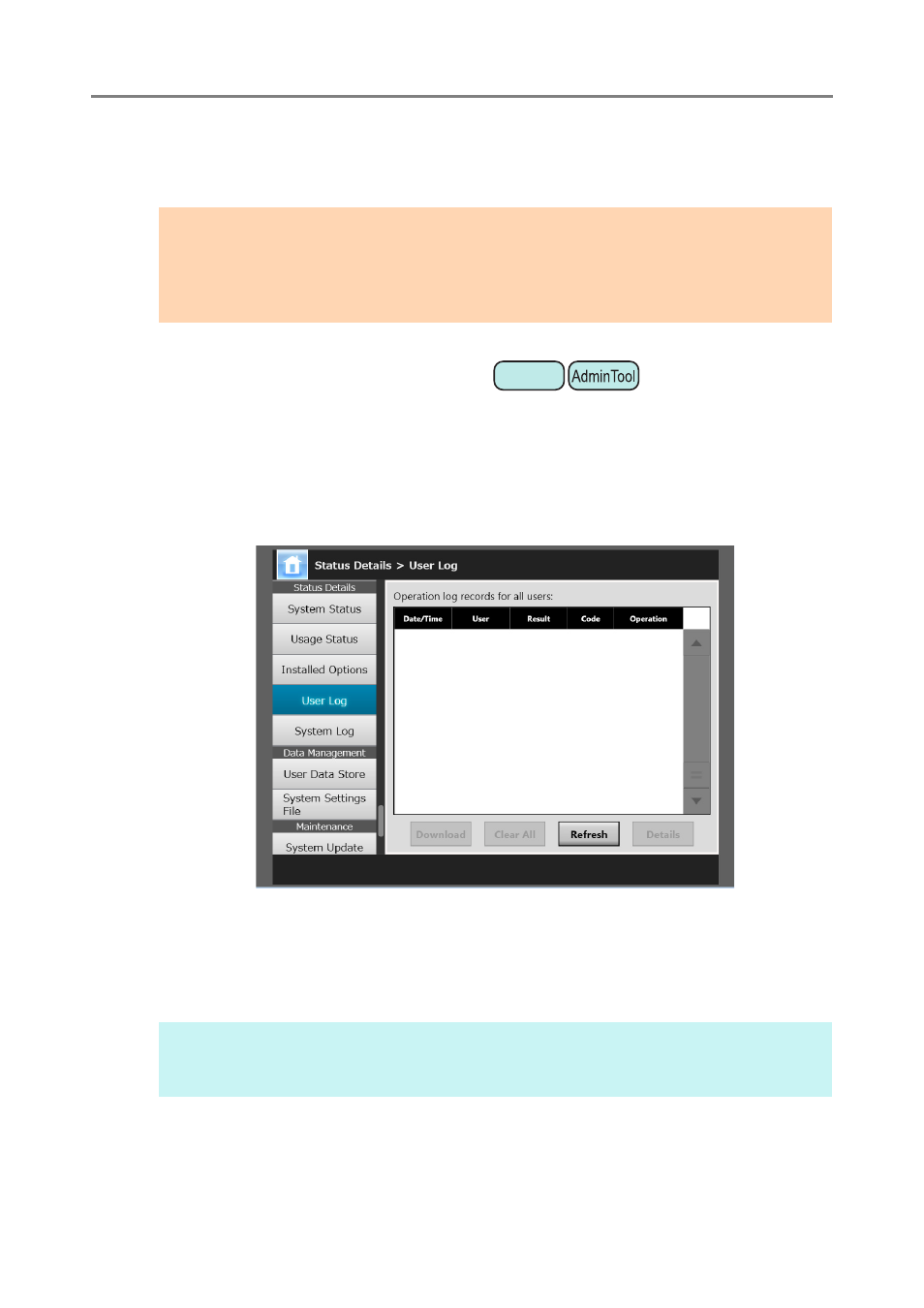
1. Select [User Log] under [Status Details].
The [User Log] window appears.
(Example of the Administrator Windows via the Admin Tool)
2. Select the user log you wish to view and press the [Details] button.
The details of the selected log are displayed.
Pressing the [OK] button returns to the [User Log] window.
ATTENTION
User logs may contain private information such as information on e-mail senders and fax
numbers, so care should be taken when managing such data.
If a log file error is detected during scanner operation, the log file will be cleared and the log
entry "Error 81001004 Corrupted user log file was deleted." is recorded.
HINT
The [Date] format specified on the [Date / Time] window is used. For details, refer to
Setting the Date/Time" (page 82)
Touch
Panel