Fluke Biomedical 601PRO XL User Manual
Page 31
Advertising
S E T T I N G U P T H E 6 0 1 P R O
2 - 7
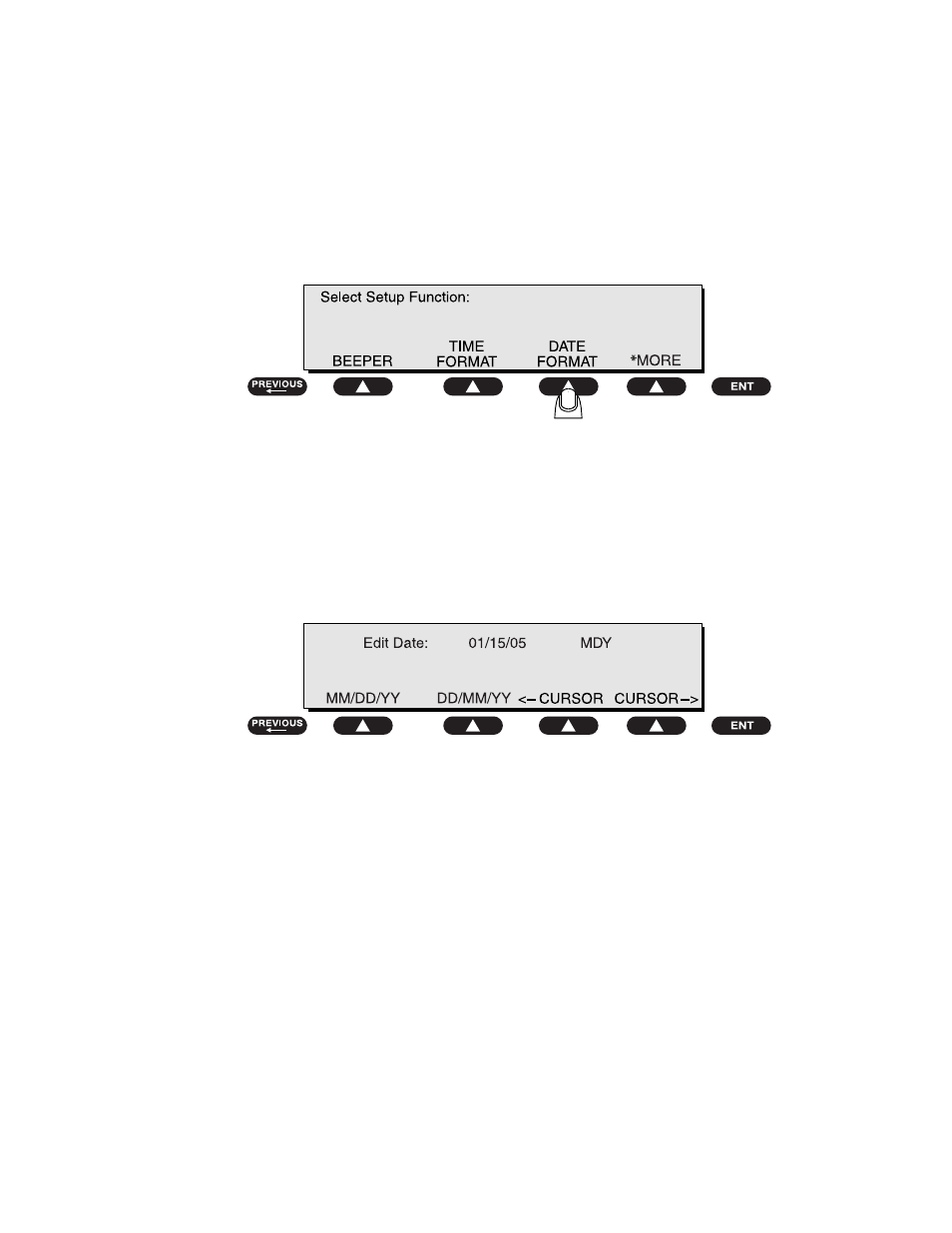
To set the date format:
• From the 601PRO
MAIN MENU
, press
SYSTEM SETUP
to access the
Select Setup Function
menu. Press
*MORE
until the following menu is
displayed, then press
DATE FORMAT
:
baw029f.eps
To set the date:
• At the following menu, press a
SOFT KEY
to select either
MM/DD/YY
or
DD/MM/YY
. Press a
SOFT KEY
to move the cursor in either direction. Use
the
test-shortcut keys
to enter the date.
baw014f.eps
Default Setting:
MDY
• Press
enter
to save the settings and return to the
Select Setup Function
menu. Press
previous
to return to the
MAIN MENU
.
Advertising