Figure 44 – H3C Technologies H3C SecPath F1000-E User Manual
Page 45
37
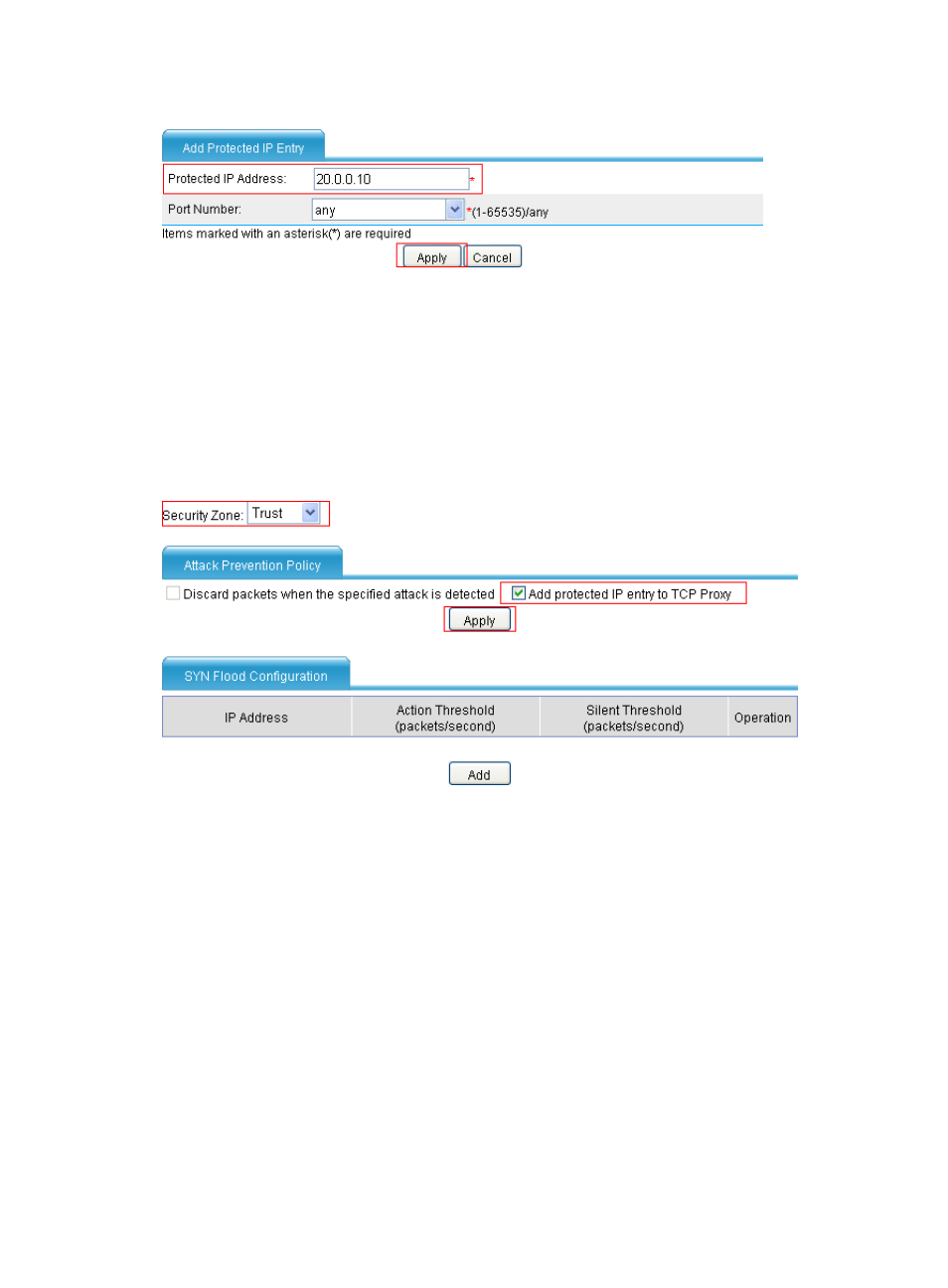
Figure 44 Adding an IP address entry for protection
•
Enter 20.0.0.10 in the Protected IP Address field.
•
Click Apply.
# Configure the SYN flood detection feature, specifying to automatically add protected IP address
entries.
•
Select Intrusion Detection > Traffic Abnormality > SYN Flood from the navigation tree. In the Attack
Prevention Policy area, configure the action to be taken upon detecting a SYN flood attack, as
shown in
Figure 45 Configuring the action to be taken upon detecting a SYN flood
•
Select Trust from the Security Zone list.
•
Select the Add protected IP entry to TCP Proxy box in the Attack Prevention Policy area.
•
Click Apply.
•
In the SYN Flood Configuration area, click Add. Configure global settings as shown in
.
- H3C SecPath F5000-A5 Firewall H3C SecPath F1000-A-EI H3C SecPath F1000-E-SI H3C SecPath F1000-S-AI H3C SecPath F5000-S Firewall H3C SecPath F5000-C Firewall H3C SecPath F100-C-SI H3C SecPath F1000-C-SI H3C SecPath F100-A-SI H3C SecBlade FW Cards H3C SecBlade FW Enhanced Cards H3C SecPath U200-A U200-M U200-S H3C SecPath U200-CA U200-CM U200-CS