Sealey EU908 User Manual
Page 15
Advertising
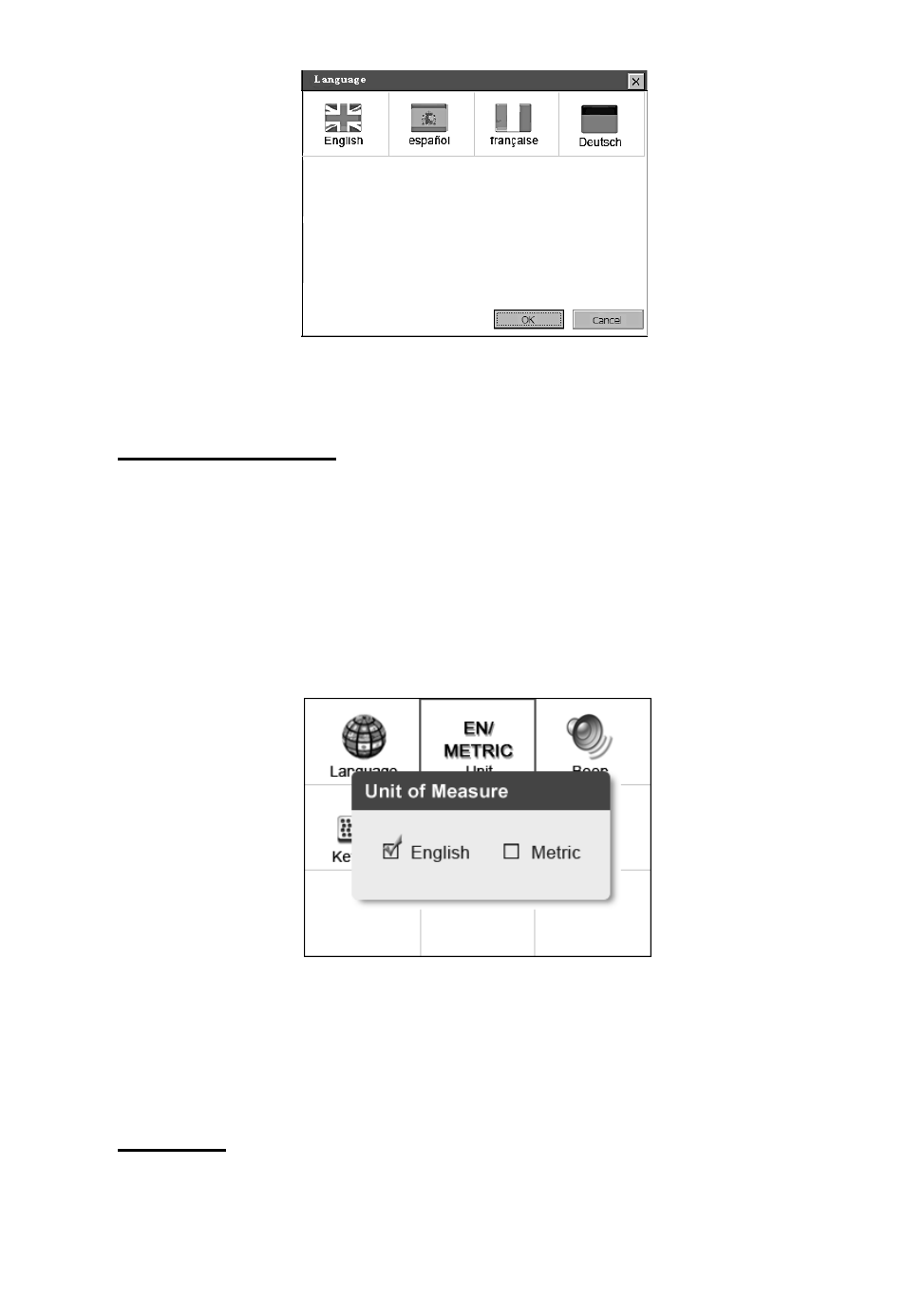
Figure 3.3
Unit of Measure
• Metric is the default measurement unit.
1)
From System Setup screen, use the LEFT/RIGHT scroll button
to select EN/METRIC unit and press the OK button.
2) From Unit of Measure screen, use the LEFT/RIGHT scroll
button to select the desired unit of measurement. (Figure 3.4 )
Figure 3.4
3) Press the OK button to save your selection and return to previous
menu. Or, press the ESC button to exit without saving.
Beep Set
•
The default setting is Beep On.
14
Advertising
See also other documents in the category Sealey Measuring instruments:
- BT91/10 (2 pages)
- BT91/10 (2 pages)
- BT2003 (5 pages)
- BT2003 (2 pages)
- BT2003 (4 pages)
- BT91/10 (2 pages)
- TA301 (2 pages)
- BT91/10 (3 pages)
- AK9636D (2 pages)
- AK9635D (2 pages)
- AK9638D (2 pages)
- AK9621EV (2 pages)
- AK9623EV (2 pages)
- AK962EV (2 pages)
- VAG505 (80 pages)
- TS401 (74 pages)
- VS8624 (8 pages)
- VS8622 (36 pages)
- VS8625 (4 pages)
- VS921 (3 pages)
- VS921 (2 pages)
- VS921 (5 pages)
- VS921 (1 page)
- VS8626 (4 pages)
- VS925 (3 pages)
- VS926 (3 pages)
- BT2002 (2 pages)
- BT91/1 (2 pages)
- BT91/10 (4 pages)
- BT91/3 (2 pages)
- BT91/5 (2 pages)
- BT91/7 (2 pages)
- BT91/7PF (2 pages)
- BT91D (2 pages)
- VS2073 (2 pages)
- TA060 (2 pages)
- PP4 (2 pages)
- VS007 (2 pages)
- VS0052 (2 pages)
- VS0071 (1 page)
- VS602 (2 pages)
- VS0061 (2 pages)
- TA070 (2 pages)
- VSAC002 (2 pages)