LEICA V-Lux 5 Digital Camera User Manual
Page 117
117
4K Photo and Drive Settings
Recording with the 4K Photo function and selecting pictures to save
4
Recording with the 4K Photo function
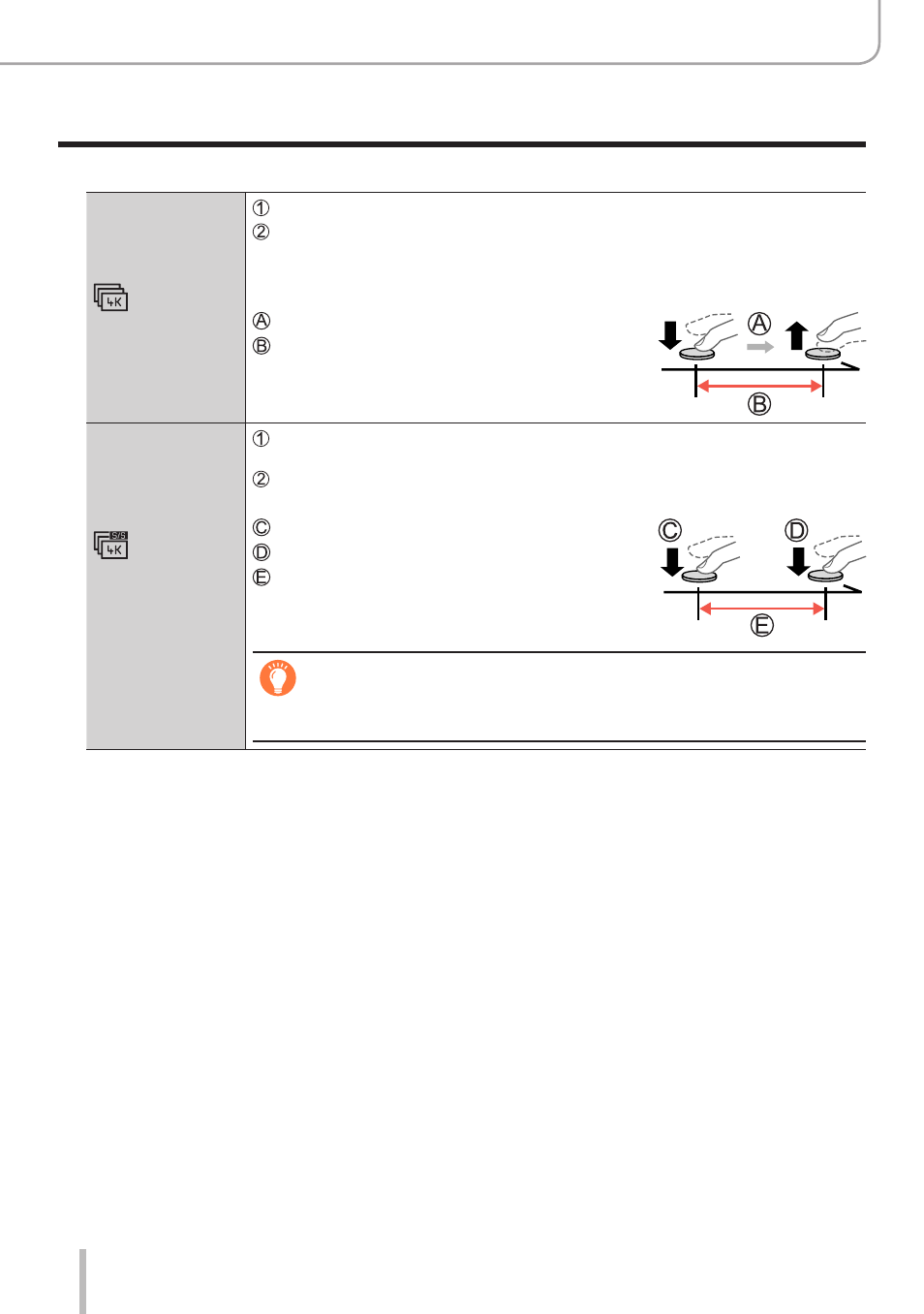
[4K Burst]
Press the shutter button halfway
Press and hold the shutter button fully for as long as you want to
perform recording
•
Recording will start approximately 0.5 seconds after you press the
shutter button fully. Therefore, press the button fully slightly in advance.
Press and hold
Recording is performed
[4K Burst(S/S)]
“S/S” is an
abbreviation of
“Start/Stop”.
Press the shutter button fully
•Recording will start.
Press the shutter button fully again
•Recording will stop.
Start (First)
Stop (Second)
Recording is performed
When you press the [FN6] button while recording, you can add a
marker. (Up to 40 markers for each recording.) When selecting and
saving pictures from a 4K burst file, you can skip to the positions
where you added markers.