Viewing a list of pictures “multi playback, Move the zoom lever toward w side, Use to select recording date and press [menu/set – LEICA V-Lux 5 Digital Camera User Manual
Page 165
165
Playing Back and Editing Pictures
Switching the playback method
Viewing a list of pictures “Multi Playback”
1
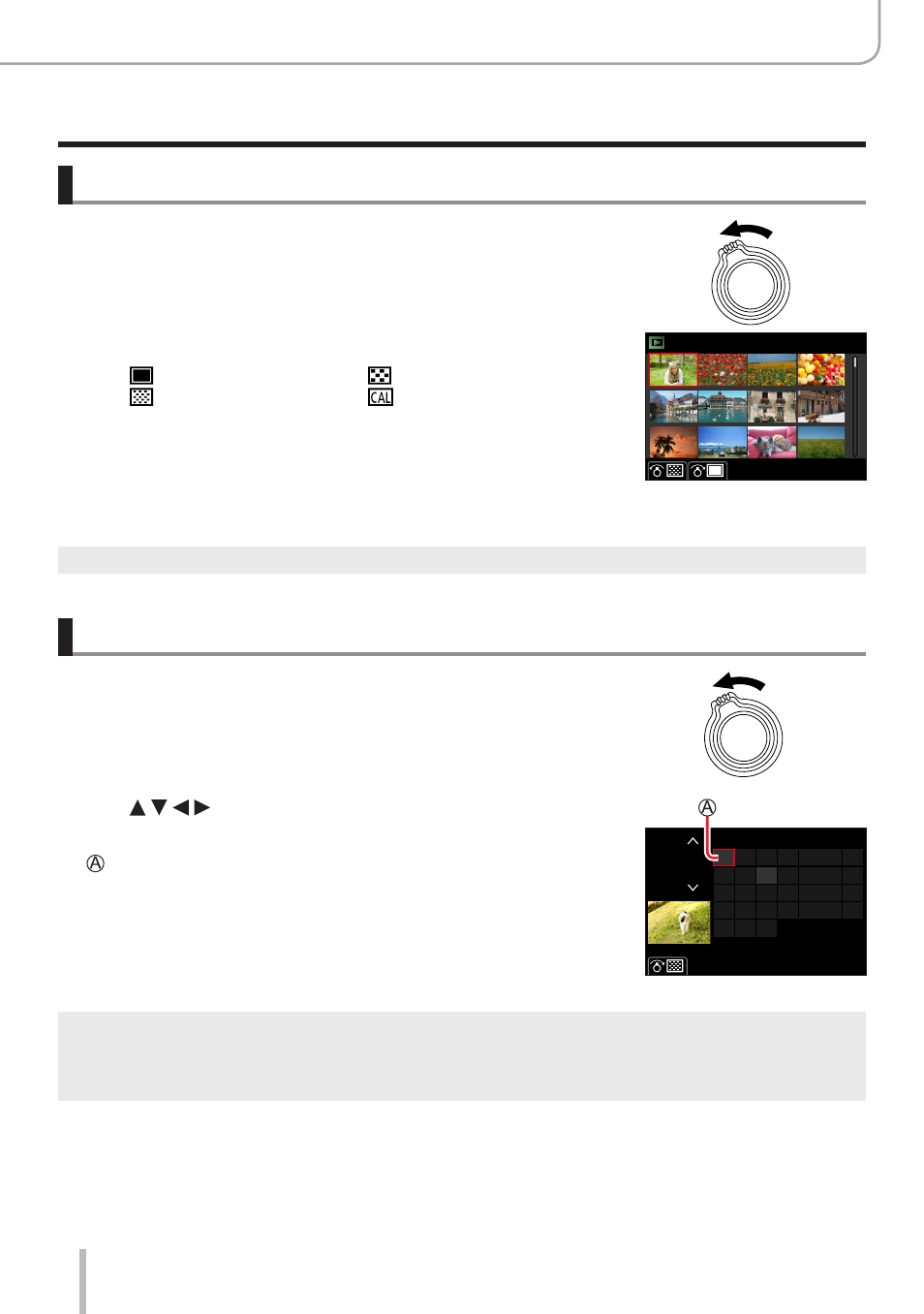
Move the zoom lever toward W side
•Move the zoom lever toward the W side and you can switch the
display methods in the following order: 1-picture screen (full-
screen) → 12-picture screen → 30-picture screen → Calendar
screen. (Move the lever to the T side to return.)
•It is possible to switch the playback screen by touching the
following icons.
– [ ]: 1-picture screen
– [ ]: 12-picture screen
– [
]: 30-picture screen
– [ ]: Calendar screen
(→
165)
•The screen can be switched gradually by dragging the screen up
or down.
•When you select a picture using the cursor button and press
[MENU/SET
] on the 12-picture or 30-picture screen, the selected
picture is displayed on the 1-picture screen (full-screen). (When
you select a video, it is automatically played back.)
●
Pictures displayed with [!] cannot be played back.
Viewing pictures by their recording date “Calendar Playback”
1
Move the zoom lever toward the W side to display the
calendar screen
2
Use to select recording date and press
[MENU/SET]
Selected date
•Pictures are displayed in a 12-picture screen.
•Turn the zoom lever toward the W side to return to the Calendar
screen display.
2019
12
SUN
MON TUE WED THU
FRI SAT
7
6
5
4
3
2
14
13
12
11
10
9
21
20
19
18
17
16
28
27
26
25
24
23
31
30
1
8
15
22
29
●
You can display the calendar between January 2000 to December 2099.
●
Pictures taken without clock settings are displayed with the date 1st January, 2019.
●
Pictures taken with destination settings made in [World Time] are displayed in the calendar screen
using the appropriate date for the destination’s time zone.