Assigning frequently used button functions – LEICA V-Lux 5 Digital Camera User Manual
Page 52
52
Basics
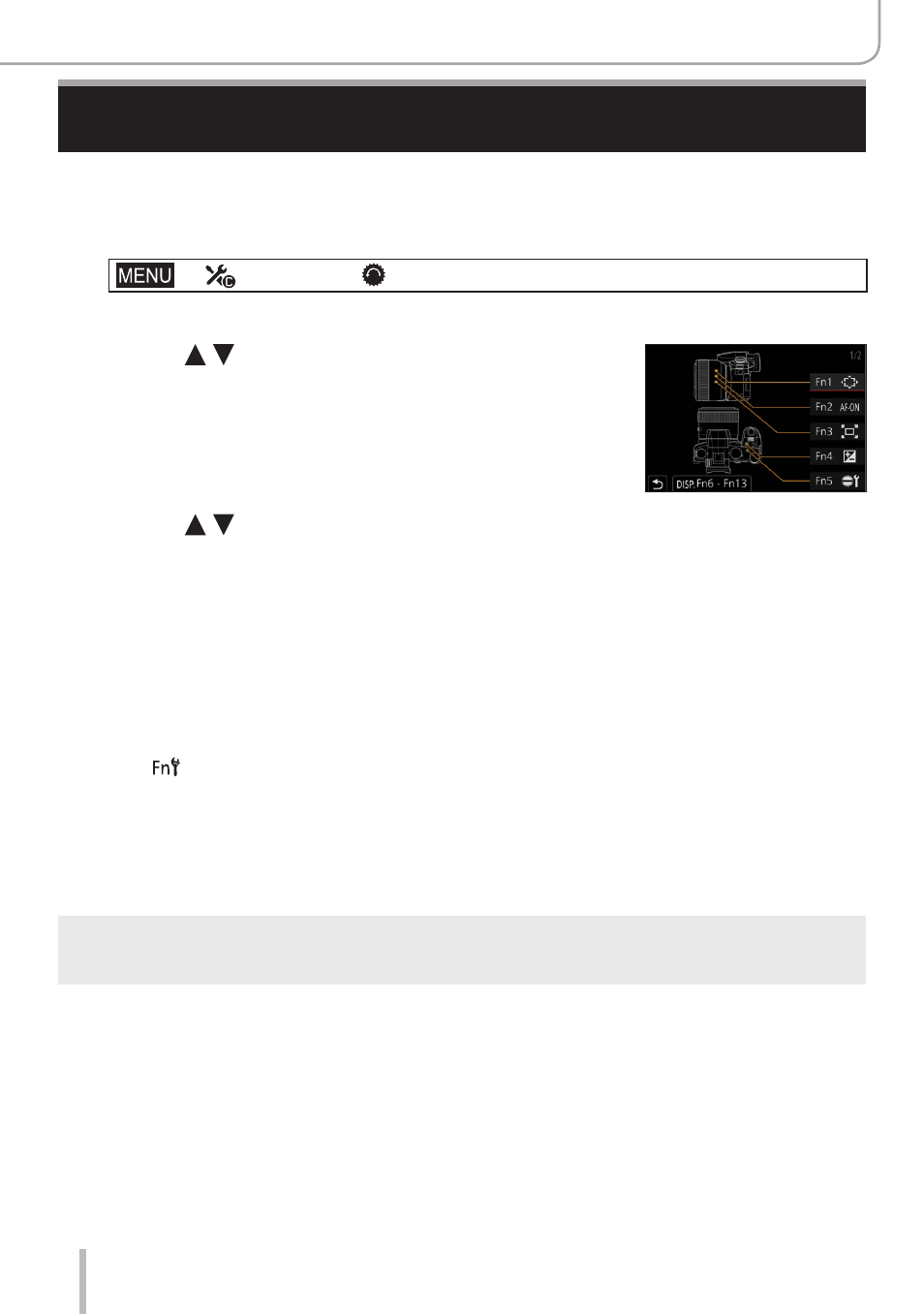
You can assign frequently-used functions to specific function buttons ([FN1] - [FN8]) or
icons displayed on the screen ([FN9] - [FN13]).
1
Set the menu
→
[Custom
] →
[Operation
] → [
Fn Button Set]
Settings: [Setting in REC mode] / [Setting in PLAY mode]
2
Press to select the function button
you want to assign a function to and
press [MENU/SET]
•Press the [DISP] button to switch pages.
3
Press to select the function you want to assign and press
[MENU/SET]
•For details on the functions that can be assigned in [Setting in REC mode], refer
to
(→
53).
•For details on the functions that can be assigned in [Setting in PLAY mode], refer
to
(→
55).
■
Configuring the function button settings from the monitor recording information
screen
Touching [ ] on the monitor recording information screen
(→
43) also allows you to
display the screen in step
2
.
■
Quick function assignment
The screen displayed in Step
3
can be displayed by holding a function button ([FN1] to
[FN8]) for 2 seconds. (Depending on the registered function or displayed screen, it may
not be possible to display the assignment screen.)
●
Certain functions cannot be assigned to some function buttons.
●
The function assigned to the function button may not work in some modes or on some display
screens.
Assigning frequently used button functions
(Function buttons)