Extension summary, Department summary – Welltech SIPPBX 6200 V.3.1.1 User Manual
Page 100
Welltech Technology Co., Ltd.
SIPPBX 6200S, 6200GS, 6200N Release 3.1.1
User Guide
- 100 -
•
Total Connected Calls: The total connected calls count that satisfied the
queried condition.
•
Total Talk Time: The total talk time that satisfied the queried condition.
•
Total Non-Connected Calls: The total disconnected calls count that satisfied
the queried condition.
Extension Summary
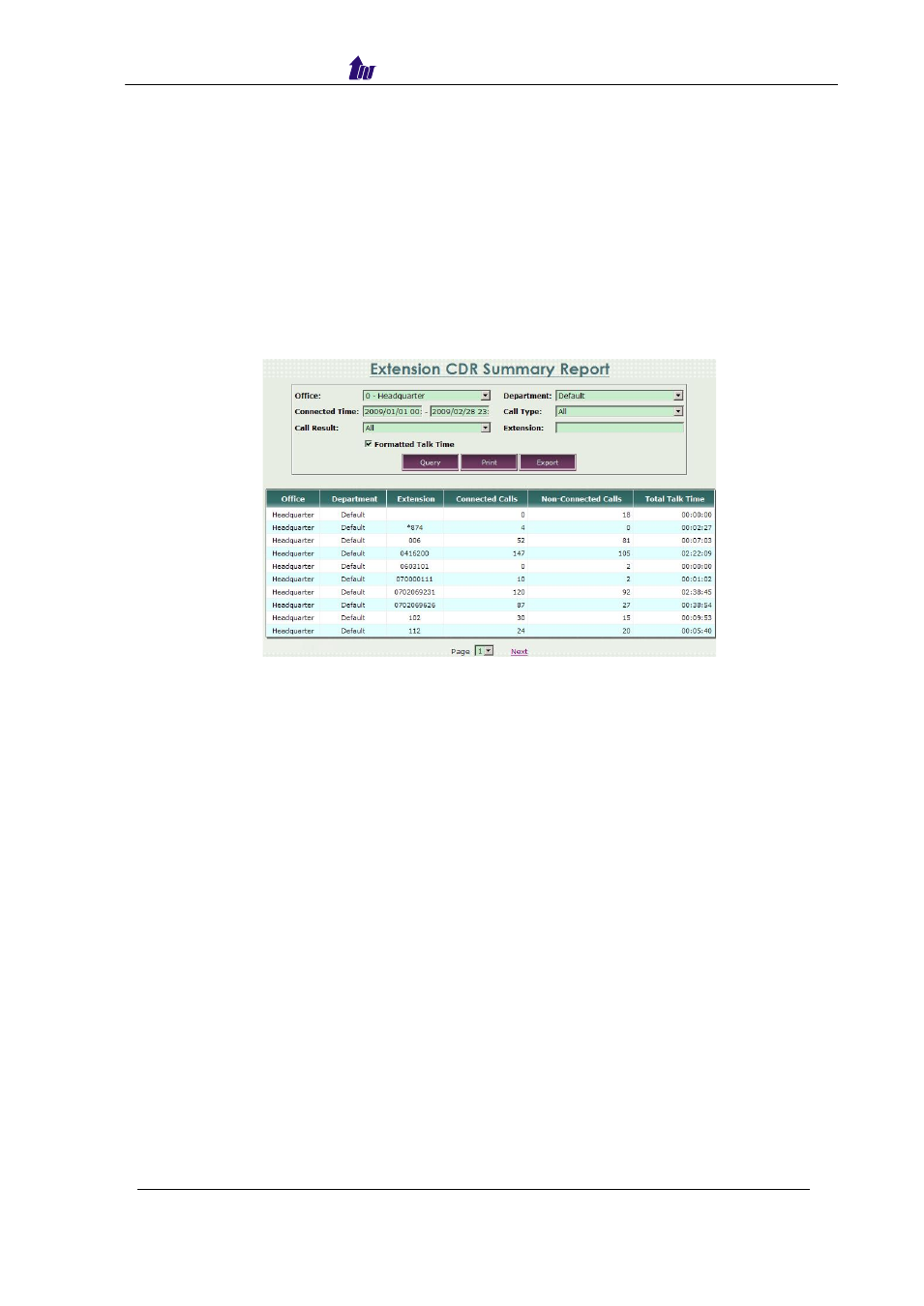
This report provides the extension CDR summary report.
Start Path: CDR > CDR Report > Extension Summary
Enter the condition you want to query and then click the
Query button, the
items display as figure 6.19-2:
Figure 6.19-2
Parameter Description:
•
Office: We can query the call summary report via office ID.
•
Department: We can query the call summary report via department ID.
•
Connected Time: We can query the call summary report via the connected
time range.
•
Call Type: We can query the call summary report via the call type.
•
We can query the call summary report via the call result.
•
Extension: We can query the call summary report via the extension
number.
•
Formatted Talk Time: Whether to show the call detail report talk time in a
formatted form or not.
•
Office: The office ID belonged.
•
Department: The department belonged.
•
Extension: The extension number queried.
•
Connected Calls: The connected calls count that satisfied the queried
condition.
•
Non-Connected Calls: The disconnected calls count that satisfied the
queried condition.
•
Total Talk Time (sec): The total talk time that satisfied the queried condition.
Department Summary
This report provides the department call summary report.