Welltech SIPPBX 6200 V.3.1.1 User Manual
Page 36
Advertising
Welltech Technology Co., Ltd.
SIPPBX 6200S, 6200GS, 6200N Release 3.1.1
User Guide
- 36 -
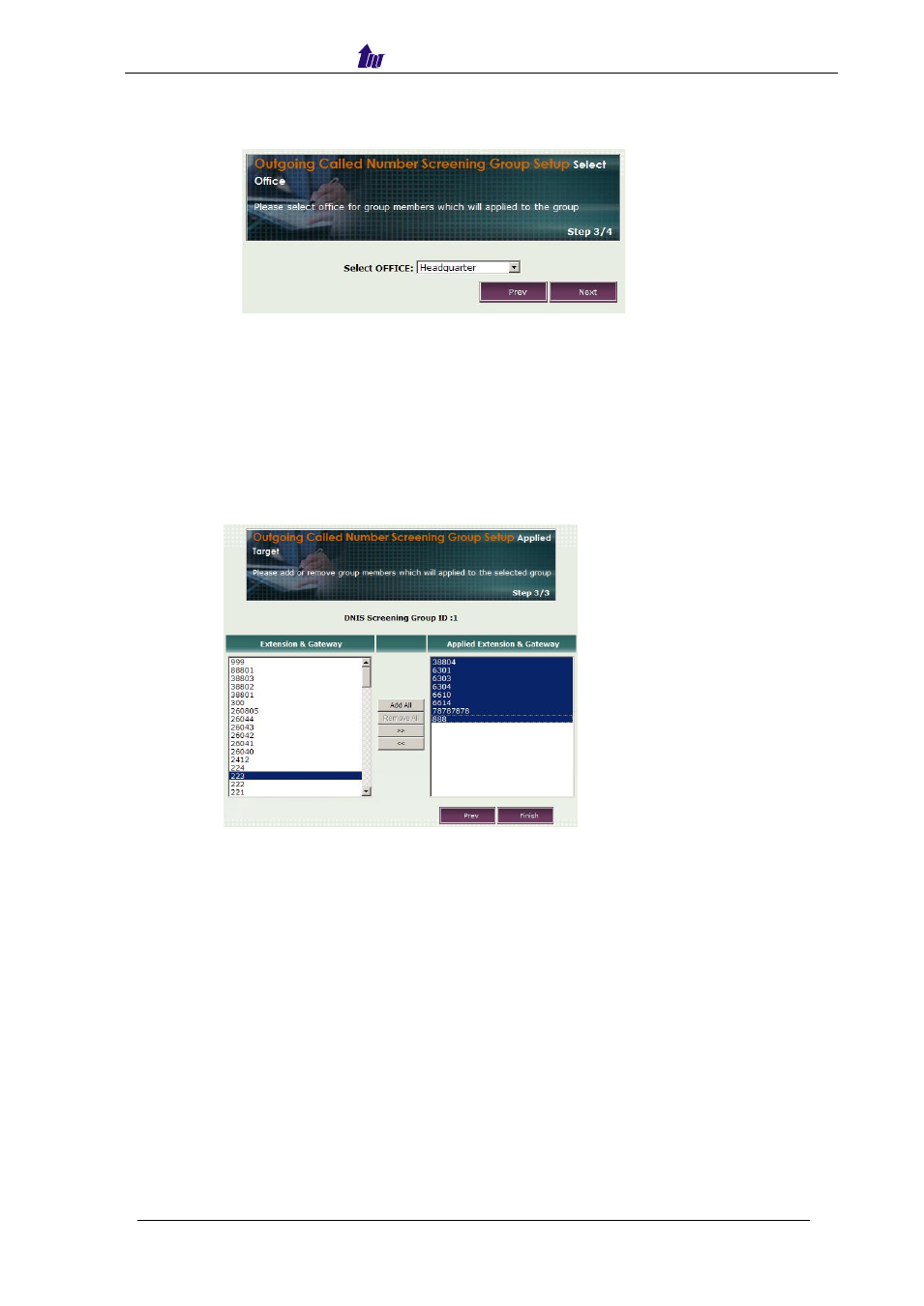
Step 3: Select one office for the group members which were defined at STEP 2.
Figure 3.8-3
Parameter Description:
•
Select Office: Select the office for group members which apply the screening
group.
Step 4: Add or remove Extensions which were applied to the selected group.
Figure 3.8-4
Parameter Description:
•
Extension & Gateway: Display all the extension and gateway number.
•
Applied Extension & Gateway: the extension and gateway number which will
be applied to the screening group ( DNIS Screening group).
Advertising