Welltech SIPPBX 6200 V.3.1.1 User Manual
Page 20
Welltech Technology Co., Ltd.
SIPPBX 6200S, 6200GS, 6200N Release 3.1.1
User Guide
- 20 -
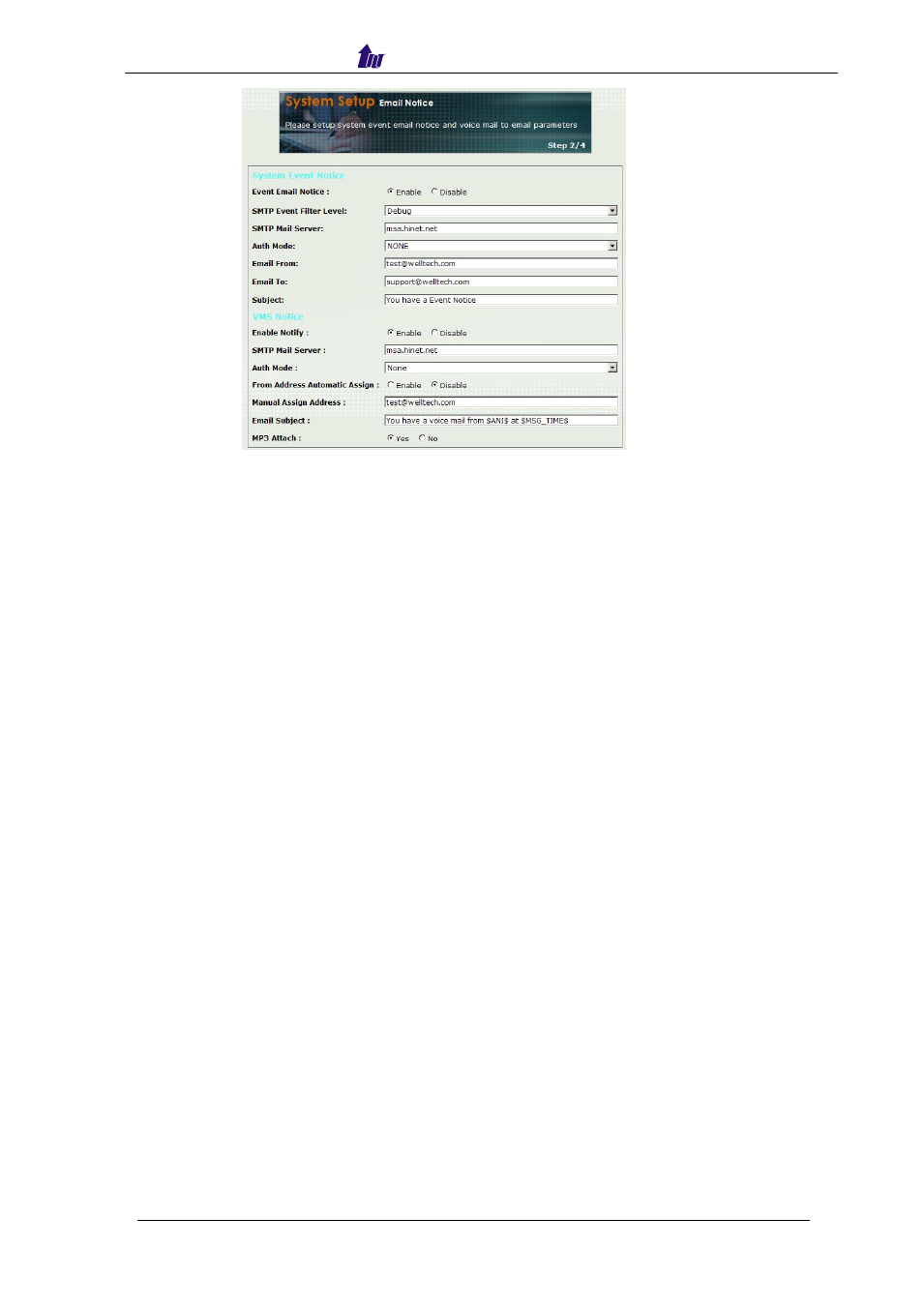
Figure 3.2-2
Parameter Description:
System Event Notice
•
Event Email Notice : To Enable or Disable Email notice.
•
SMTP Event Filter Level : There are 8 types events to be selected.
The output
messages from low to high level as Emergency, Alert, Critical, Error, Warning,
Notice, Information and Debug
. For instance, if
Warning
level was selected,
the output messages include
Emergency, Alert, Critical and Error
level. The
Warning level is most used during monitoring or debugging stage.
•
SMTP Mail Server : SMTP server host for email notice
•
Auth Mode: The authentication type for the SMTP server. If “
Login
” was
selected, there are “
User Name
” and “
Password
” to be entered for
authentication.
•
Email From: Sender’s Email address.
•
Email To: Email receiver (semicolon is used for multiple receivers)
•
Subject: Email subject to be sent to receivers. The following variable
parameters can be used to create dynamic subject for system notice:
- $LOGLEVEL$: Information Level
- $HOSTNAME$: Host name
- $HOSTIP$: Host IP address
VMS/FAX Notice
•
Enable Notify: Enable or Disable email notice of Voice mail box was left
message or an FAX incoming message was left.
•
SMTP Mail Server: SMTP E-Mail Server address.
•
Auth Mode: The authentication type for the SMTP server. If “
Login
” was
selected, there are “
User Name
” and “
Password
” to be entered for
authentication.
•
From Address Automatic Assign: Enable or Disable this feature. If it was set
to Enable, the email From address will be
Telno@SIPPBX_IP
.
Where “telno”
is extension number of SIPPBX 6200x, and “SIPPBX_IP” is IP address of
SIPPBX 6200x.
•
Manual Assign Address: If “From Address Automatic Assign” was set to
Disable, enter email address manually here.