3 ntp configuration – PLANET HPOE-1200G User Manual
Page 26
User’s Manual of HPOE-1200G / HPOE2400G
26
4.3.3 NTP Configuration
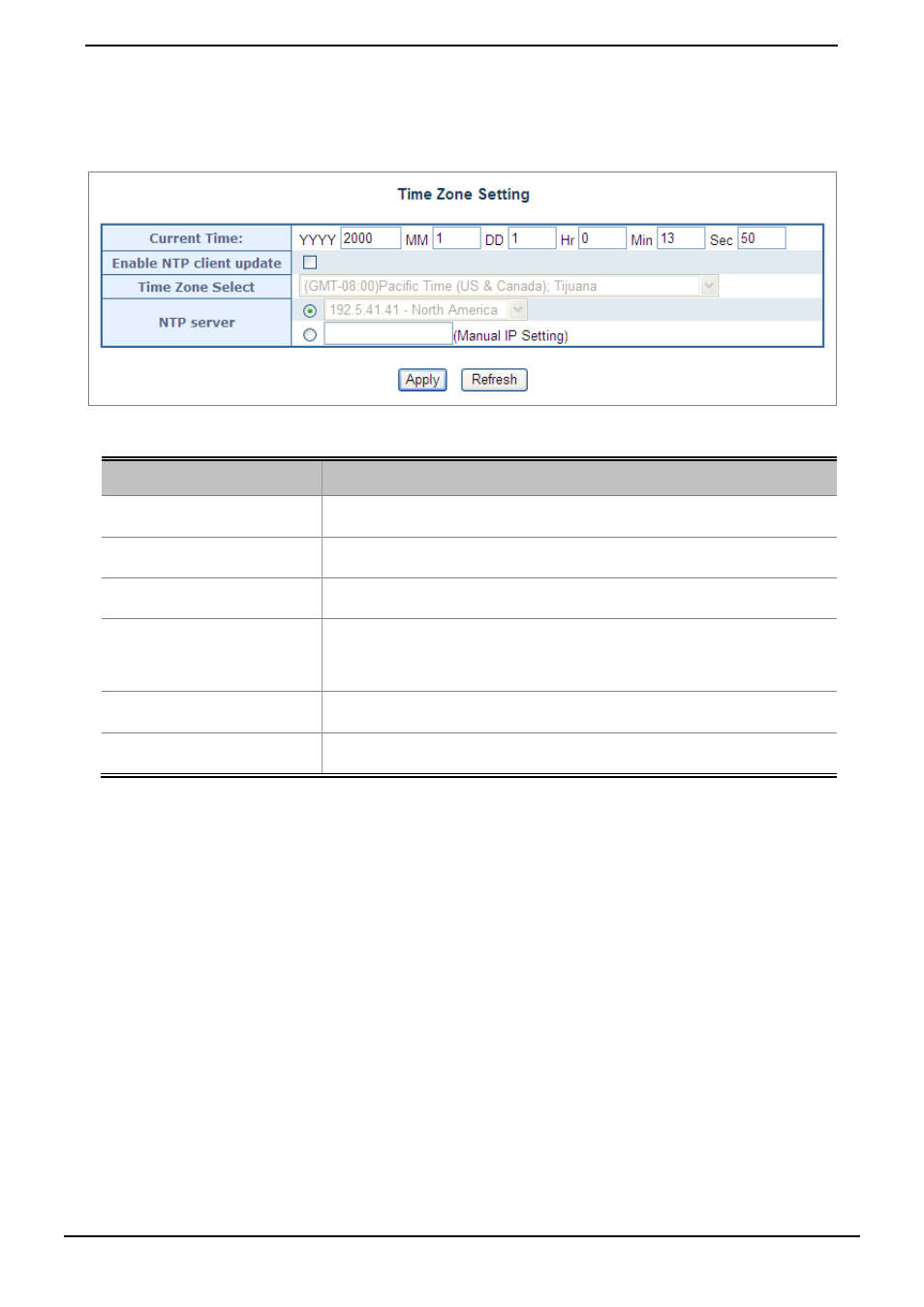
This section provides the NTP Configuration of PoE Injector Hub, the screen in
Figure 4-3-3
appears and
Table 4-3-3
describes the NTP Configuration object of PoE Injector Hub.
Figure4-3-3: NTP Configuration Web page screen
Object
Description
• Current Time
Allow input current time information of PoE Injector Hub.
• Enable NTP client update
Allow disable or enable time update from NTP server of PoE Injector Hub.
• Time Zone Select
Allow select the time zone according to current location of PoE Injector Hub.
• NTP Server
Allow choose one list NTP server or assign one NTP server IP address manually
for PoE Injector Hub.
• Apply
Press this button to take effect.
• Refresh
Press this button to refresh current Web page.
Table 4-3-3: Descriptions of the NTP Configuration Web page screen Objects