PLANET HPOE-1200G User Manual
Page 43
Advertising
User’s Manual of HPOE-1200G / HPOE2400G
43
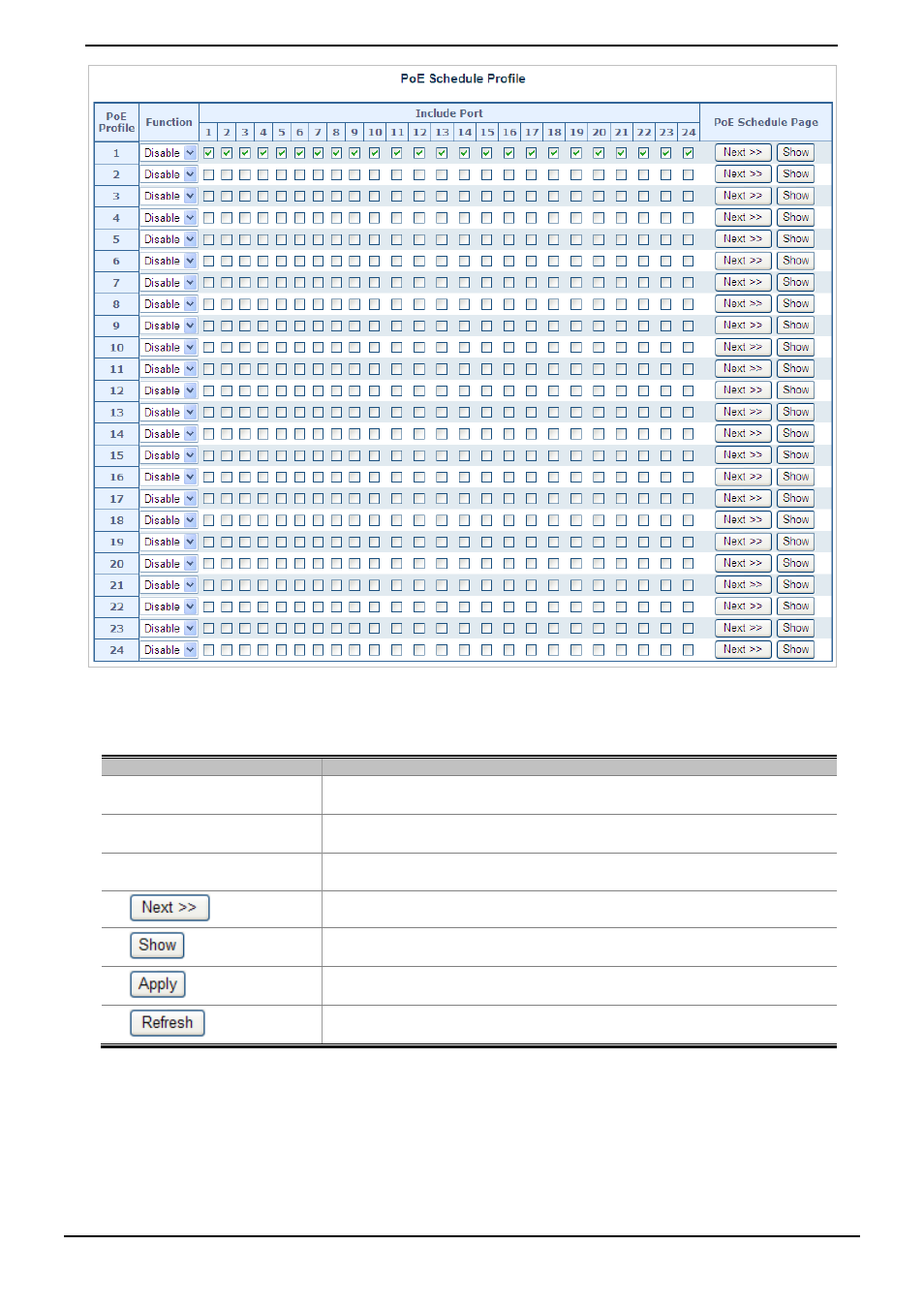
Figure 4-5-3: PoE Configuration Web page screen
The page includes the following information:
Object
Description
• Power Profile
This PoE hub offers totally 24 profiles for user configure PoE schedule.
• Function
Allows user to enable or disable the profile.
• Include Port
Provides user to select which PoE port want to apply to the profile.
•
button
Go to PoE schedule page.
•
button
Display PoE schedule profile information.
•
button
Save current configuration.
•
button
Refresh WEB page and rest current configuration if user didn’t save it.
Table 4-5-4: Descriptions of the PoE Schedule Profile Web page screen Objects
Advertising
This manual is related to the following products: