6 configuration setting, Configuration download – PLANET HPOE-1200G User Manual
Page 29
User’s Manual of HPOE-1200G / HPOE2400G
29
4.3.6 Configuration Setting
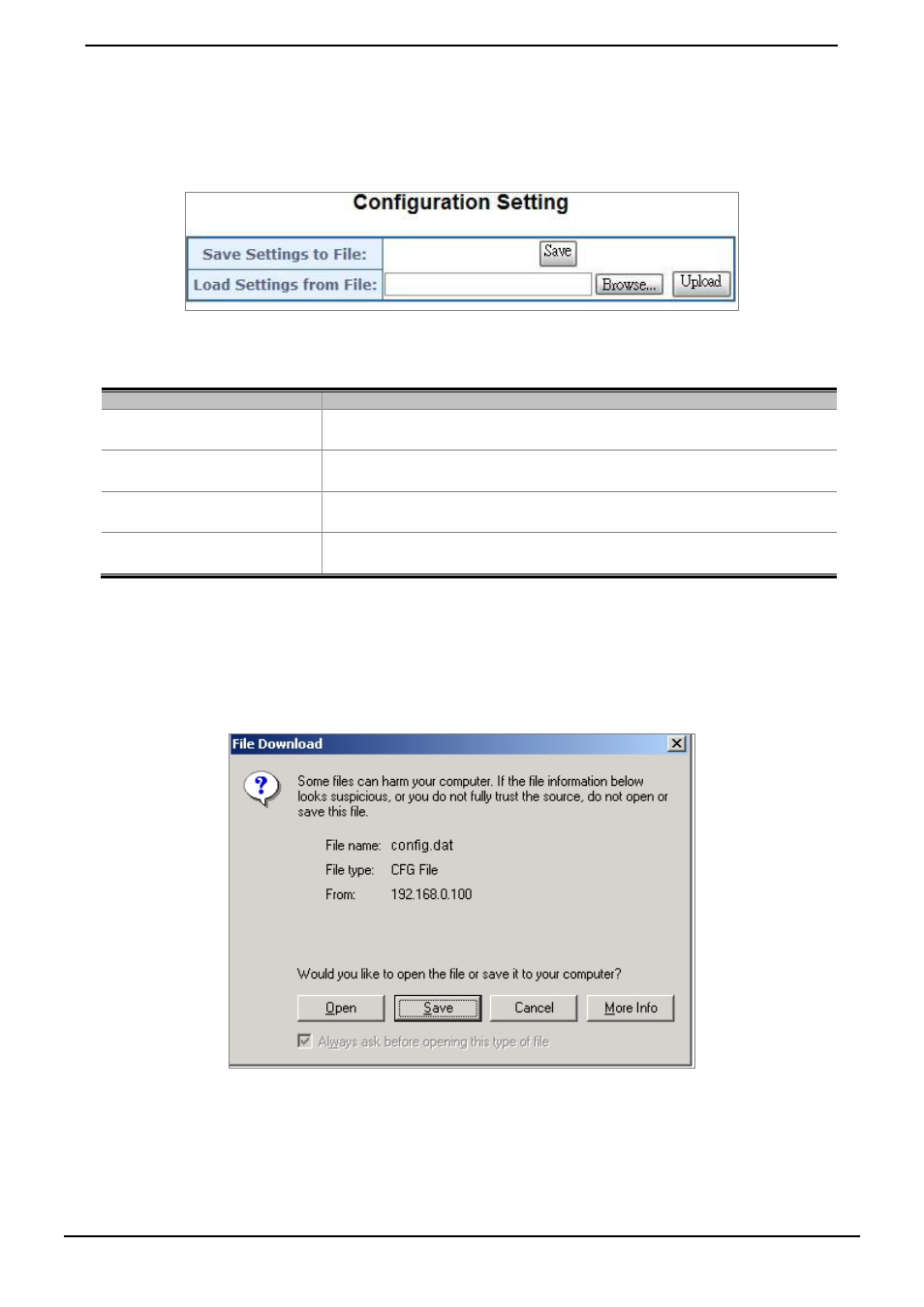
This function allows output the current PoE Injector Hub configuration as a file, and upload it to other PoE injector Hub for
quick multi-devices setting. The description of the procedure and screens in following appears. The screen in
Figure 4-3-8
appears and
Table 4-3-5
describes the Configuration Setting object of PoE Injector Hub.
Figure 4-3-8: Configuration Backup screen
Object
Description
• Save Settings to File
Allow to save system configuration to a file and download to manager workstation.
• Load Settings form File
Allow to restore system configuration to PoE Injector Hub.
• Browse…
Allow to specify the system configuration file locate path.
• Upload
Upload system configuration file to PoE Injector Hub.
Table 4-3-5: Descriptions of the Configuration Setting Web page screen Objects
■
Configuration Download
All current configurations (except IP Configuration) will output as a configuration file once the “Save” button is pressed,
save the current configuration in manager workstation and the screen in
Figure 4-3-9 to Figure 4-3-11
appears.
Figure 4-3-9: File Download screen