Tagging images as favorites, Using the menu, Tagging as favorites (= 100), editing – Canon PowerShot SX540 HS User Manual
Page 100: 100) by pressing the, Displays images tagged as favorites (= 100)
100
Before Use
Basic Guide
Advanced Guide
1
Camera Basics
2
Auto Mode /
Hybrid Auto Mode
3
Other Shooting Modes
4
P Mode
6
Playback Mode
7
Wi-Fi Functions
8
Setting Menu
9
Accessories
10
Appendix
Index
5
Tv, Av, and M Mode
3
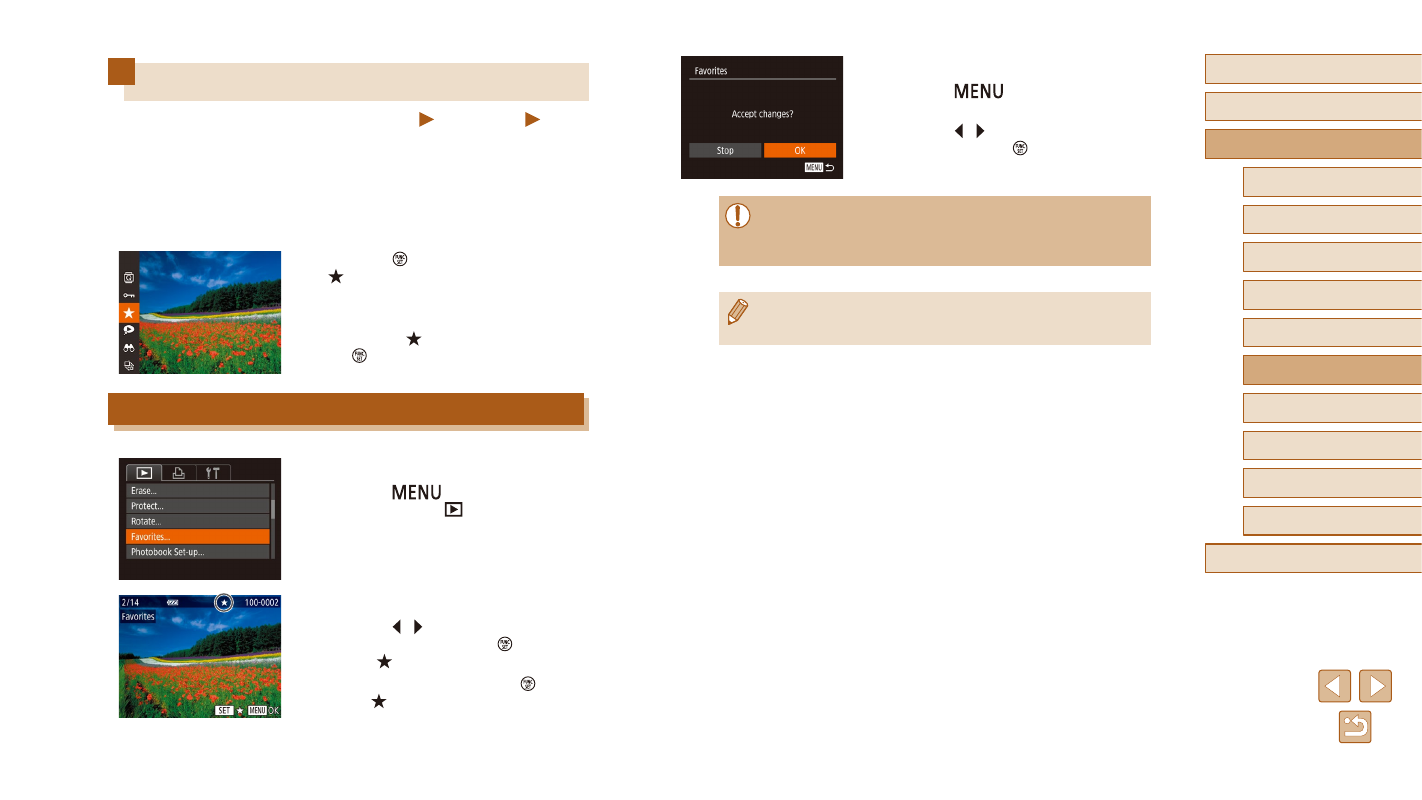
Finish the setup process.
●
Press the [
] button to display the
confirmation screen.
●
Press the [ ][ ] buttons to choose [OK],
and then press the [ ] button.
●
Images will not be tagged as favorites if you switch to Shooting
mode or turn the camera off before finishing the setup process in
step 3.
●
Images which are set as Favorites can easily be extracted when
creating an album (= 106).
Tagging Images as Favorites
Still Images
Movies
You can organize images by tagging them as favorites. By choosing a
category in filtered playback, you can restrict the following operations to
all of those images.
●
“Viewing” (= 84), “Viewing Slideshows” (= 92), “Protecting
Images” (= 94), “Erasing Images” (= 96), “Adding Images to the
Print List (DPOF)” (= 157), “Adding Images to a Photobook” (= 159)
●
Press the [ ] button, and then choose
●
[Tagged as Favorite] is displayed.
●
To untag the image, repeat this process
and choose [ ] again, and then press
the [ ] button.
Using the Menu
1
Choose [Favorites].
●
Press the [
] button and choose
[Favorites] on the [
] tab (= 29).
2
Choose an image.
●
Press the [ ][ ] buttons to choose an
image, and then press the [ ] button to
display [ ].
●
To untag the image, press the [ ] button
again. [ ] is no longer displayed.
●
Repeat this process to choose additional
images.