Choosing images individually selecting a range – Canon PowerShot SX540 HS User Manual
Page 95
95
Before Use
Basic Guide
Advanced Guide
1
Camera Basics
2
Auto Mode /
Hybrid Auto Mode
3
Other Shooting Modes
4
P Mode
6
Playback Mode
7
Wi-Fi Functions
8
Setting Menu
9
Accessories
10
Appendix
Index
5
Tv, Av, and M Mode
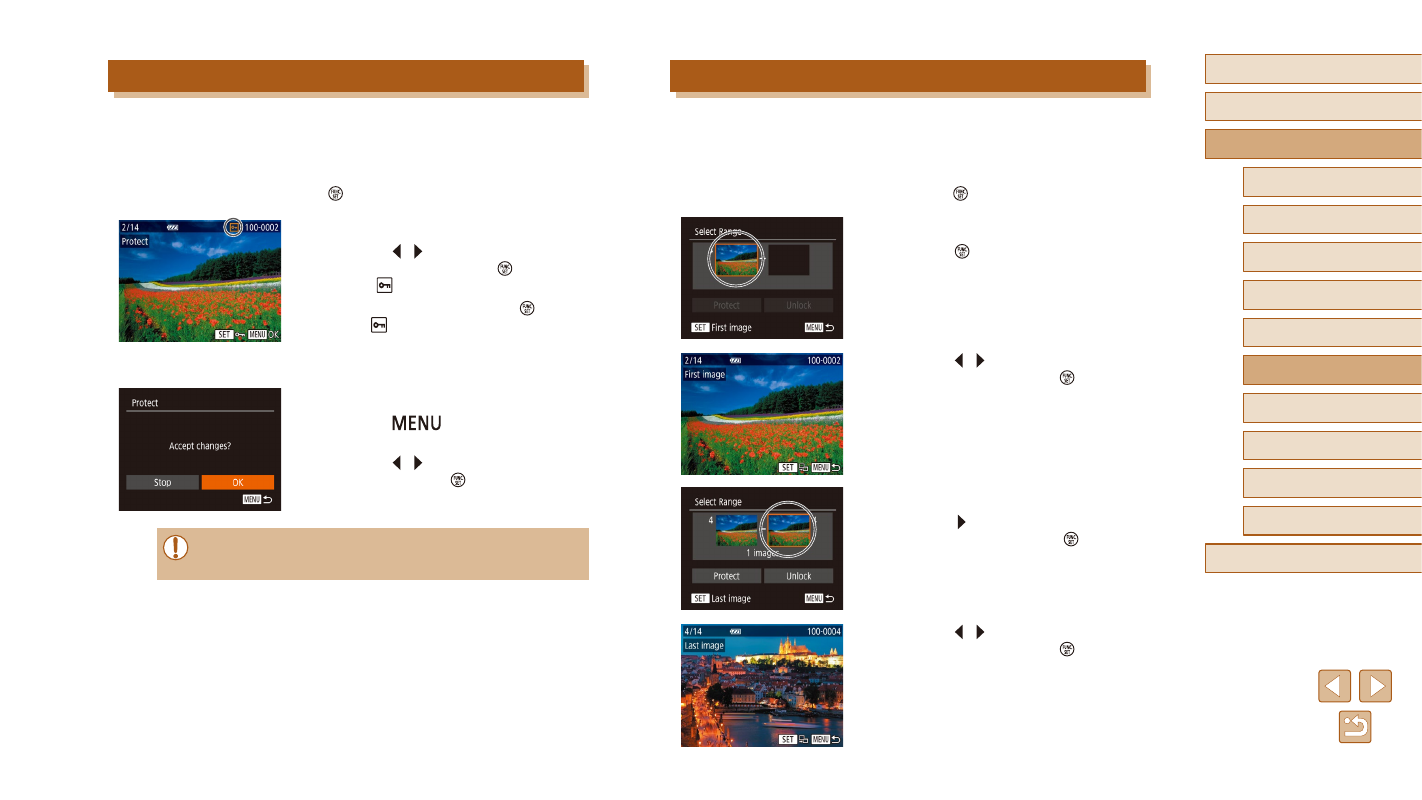
Selecting a Range
1
Choose [Select Range].
●
Following step 2 in “Using the Menu”
(= 94), choose [Select Range] and
press the [ ] button.
2
Choose a starting image.
●
Press the [ ] button.
●
Press the [ ][ ] buttons to choose an
image, and then press the [ ] button.
3
Choose an ending image.
●
Press the [ ] button to choose [Last
image], and then press the [ ] button.
●
Press the [ ][ ] buttons to choose an
image, and then press the [ ] button.
●
Images before the first image cannot be
selected as the last image.
Choosing Images Individually
1
Choose [Select].
●
Following step 2 in “Using the Menu”
(= 94), choose [Select], and press the
[ ] button.
2
Choose an image.
●
Press the [ ][ ] buttons to choose an
image, and then press the [ ] button to
display [ ].
●
To cancel selection, press the [ ] button
again. [ ] is no longer displayed.
●
Repeat this process to specify other
images.
3
Protect the image.
●
Press the [
] button to display the
confirmation screen.
●
Press the [ ][ ] buttons to choose [OK],
and then press the [ ] button.
●
Images will not be protected if you switch to Shooting mode or
turn the camera off before finishing the setup process in step 3.