Canon PowerShot SX540 HS User Manual
Page 39
39
Before Use
Basic Guide
Advanced Guide
1
Camera Basics
2
Auto Mode /
Hybrid Auto Mode
3
Other Shooting Modes
4
P Mode
6
Playback Mode
7
Wi-Fi Functions
8
Setting Menu
9
Accessories
10
Appendix
Index
5
Tv, Av, and M Mode
●
Some shooting information is not displayed while the camera is
zoomed out.
●
During movie shooting, the white frame is not displayed if you
press the [
] button. Also note that a changed zoom factor and
camera operating sounds are recorded.
●
If you prefer to shoot at the zoom factor of the screen in step 1,
press the shutter button all the way down.
●
You can adjust the zoom factor that the camera reverts to when
you release the [
] button by moving the zoom lever to resize
the white frame while you hold the [
] button.
●
To adjust the area displayed when the [
] button is pressed,
] tab > [
Display Area], and
choose one of the three options (= 29).
●
The zoom factor cannot be changed with the [
] button even
after you press the shutter button all the way down in self-timer
mode (= 43).
●
To deactivate digital zoom, choose MENU (= 29) > [
] tab >
[Digital Zoom] > [Off].
Easily Reacquiring Subjects after Manual
Zooming (Framing Assist – Seek)
Still Images
Movies
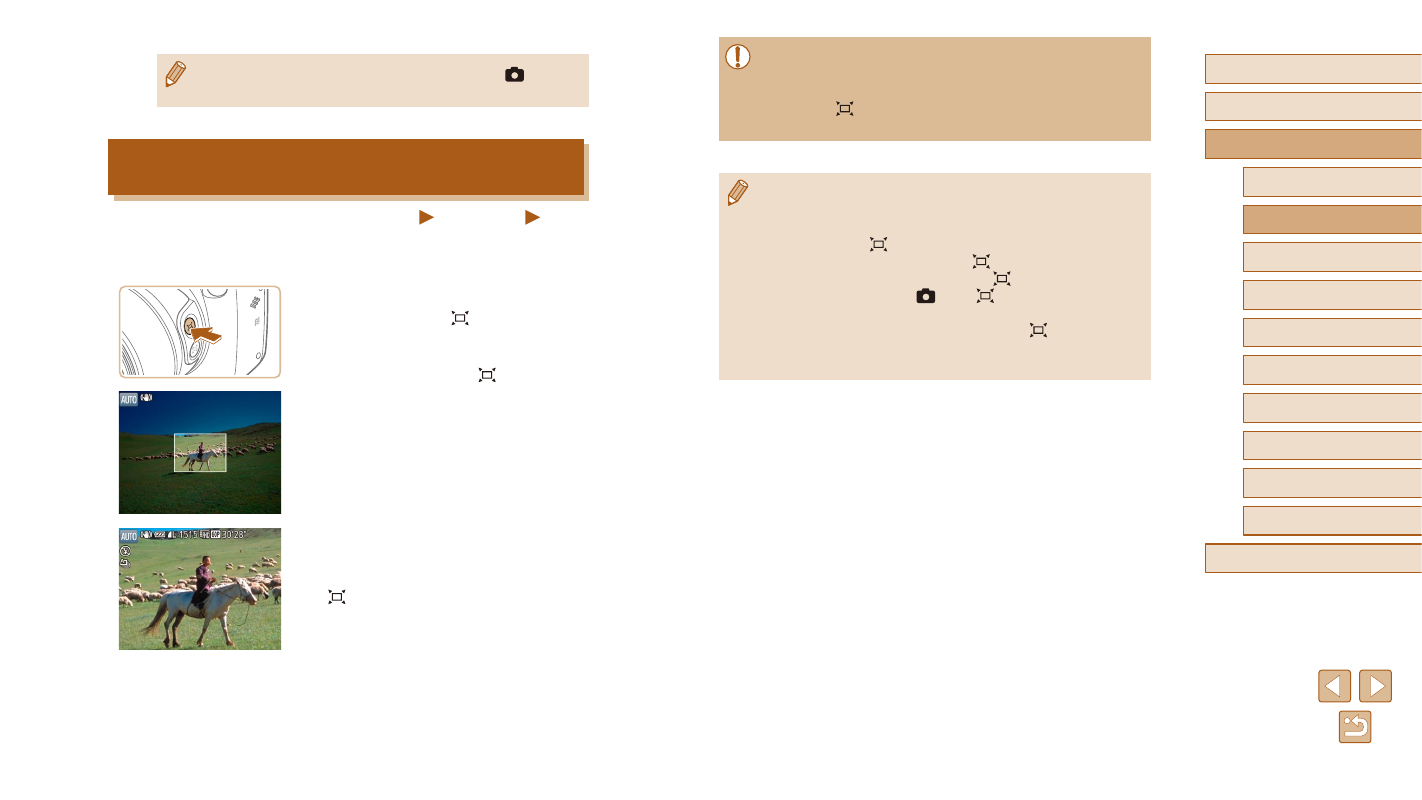
If you lose track of a subject while zoomed in, you can find it more easily
by temporarily zooming out.
1
Look for the lost subject.
●
Press and hold the [ ] button.
●
The camera zooms out and displays
a white frame around the area shown
before you pressed the [ ] button.
2
Reacquire the subject.
●
Aim the camera so that the subject enters
the white frame, and then release the
[ ] button.
●
The previous magnification is now
restored, so that the area within the white
frame fills the screen again.