Focus point selection – Nikon Z9 Mirrorless Camera User Manual
Page 123
123
Focus
Focus Point Selection
Except when [
Auto-area AF
] is selected for AF-area mode, the focus
point can be selected manually, allowing photographs to be composed
with the subject positioned almost anywhere in the frame.
•
Use the multi selector to select the focus point while the standby
timer is on.
•
Pressing
J
selects the center focus point.
A
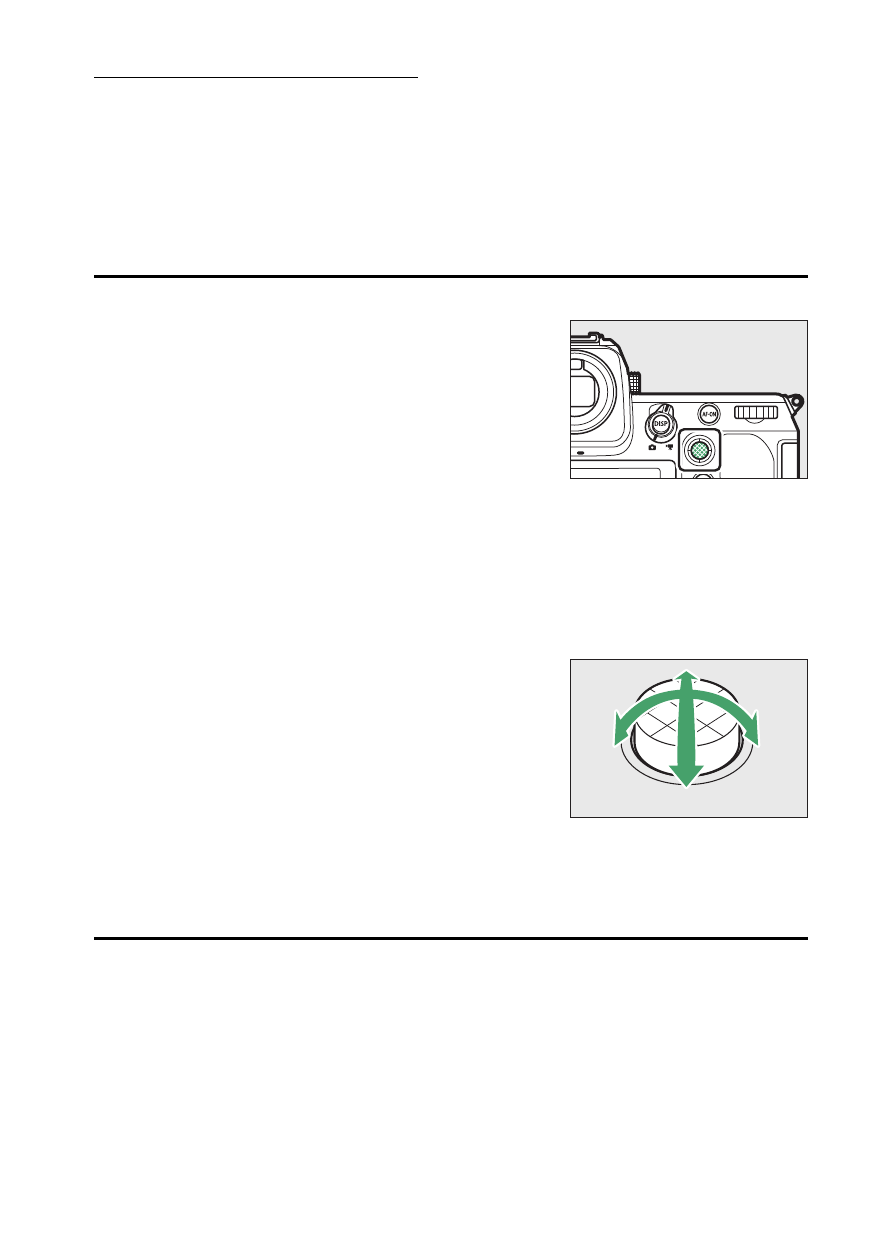
The Sub-Selector
•
The sub-selector can be used for focus-point
selection in place of the multi selector.
•
Exposure and focus lock while the center of the
sub-selector is pressed.
•
Be careful not to put your fingers in your eye
while using the sub-selector with your eye to
the viewfinder.
A
Portrait (“Tall”) Orientation
You may find it convenient to use the vertical multi selector when taking
photographs in portrait (“tall”) orientation.
A
Using the Sub-Selector and Vertical Multi Selector
You can press the centers of the sub-selector and
vertical multi selector or tilt them as shown. The
controls may not function as expected when
pressed from the side.
A
Focus-Point Lock
Focus-point selection can be locked by choosing [
ON
] for Custom Setting f4
or g3 [
Control lock
] > [
Focus-point lock
].