Focus lock – Nikon Z9 Mirrorless Camera User Manual
Page 126
Advertising
126
Focus
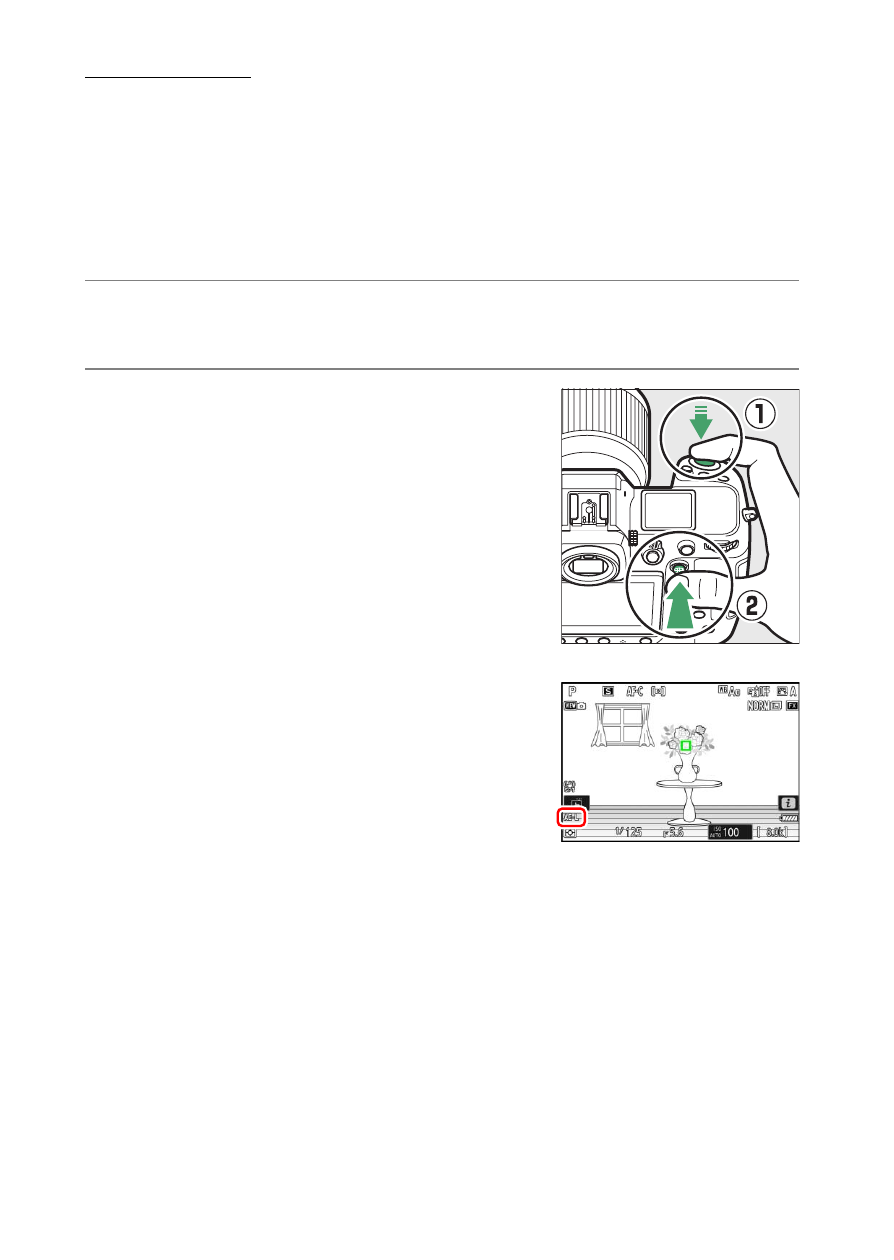
Focus Lock
Use focus lock in cases in which the camera has trouble focusing with
autofocus.
•
Use focus lock to lock focus on the current subject when
AF-C
is
selected for focus mode.
•
When using focus lock, choose an AF-area mode other than [
Auto-
area AF
].
1
Position the subject in the selected focus point and press the
shutter-release button halfway.
2
Press the center of the sub-selector.
•
Keeping the shutter-release button
pressed halfway (
q
), press the center of
the sub-selector (
w
) to lock focus. Focus
will remain locked while the center of
the sub-selector is pressed, even if you
lift your finger from the shutter-release
button.
•
Exposure will also lock.
•
AE-L
icons will appear in the displays.
Advertising