Inserting memory cards, A memory card – Nikon Z9 Mirrorless Camera User Manual
Page 81
Advertising
81
Inserting Memory Cards
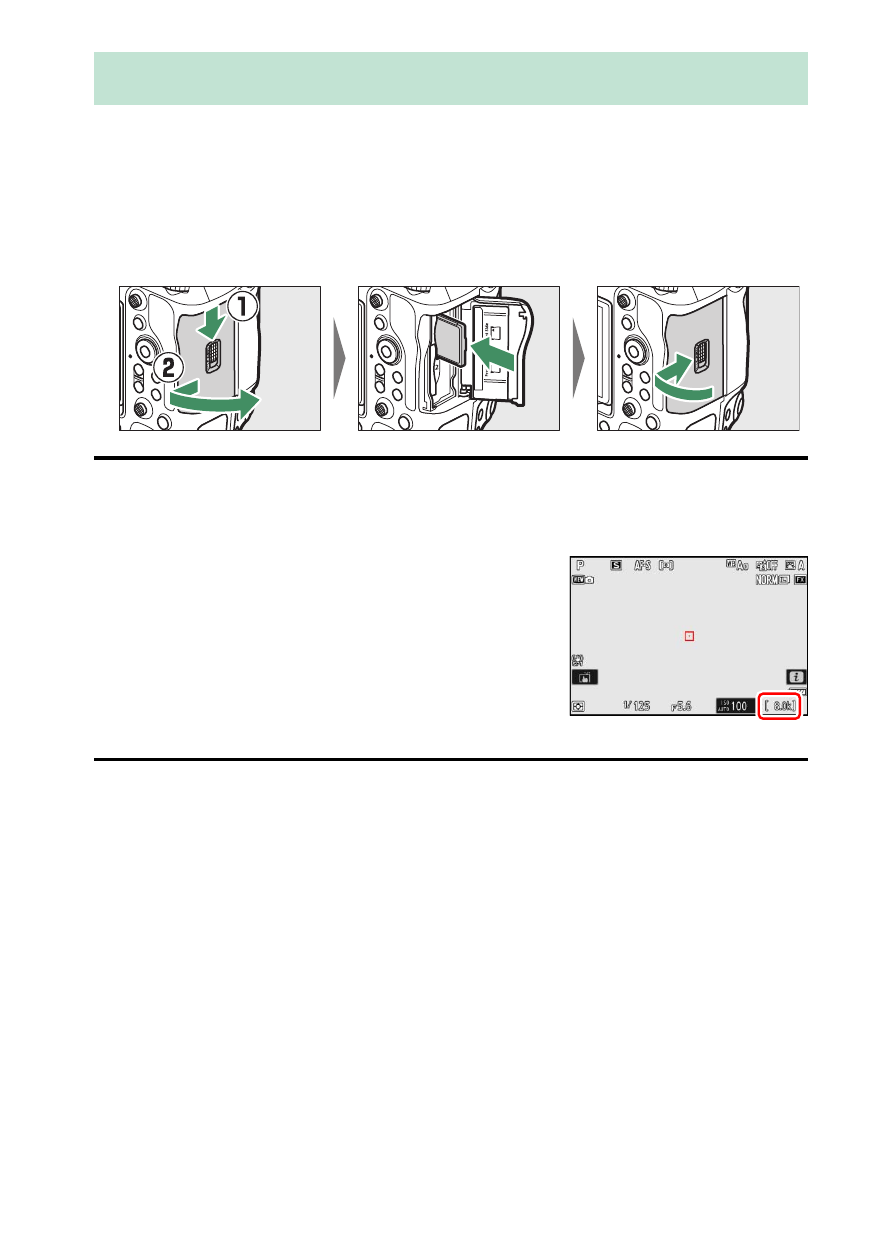
The camera is equipped with two memory card slots (Slots 1 and 2),
allowing simultaneous use of two memory cards.
•
Turn the camera off before inserting or removing memory cards.
•
Holding the memory card in the orientation shown, slide it straight
into the slot until it clicks into place.
A
Number of Exposures Remaining
•
When the camera is on, the shooting display and control panel show the
number of photographs that can be taken at current settings.
•
Values over 1000 are rounded down to the
nearest hundred. For example, values between
8000 and 8099 are shown as 8.0 k.
•
If no memory cards are inserted, an
[–E–]
indicator will be displayed.
Inserting Memory Cards
128
GB
Advertising