Cleaning the image sensor at shutdown – Nikon Z9 Mirrorless Camera User Manual
Page 859
859
Caring for the Camera
❚❚
Cleaning the Image Sensor at Shutdown
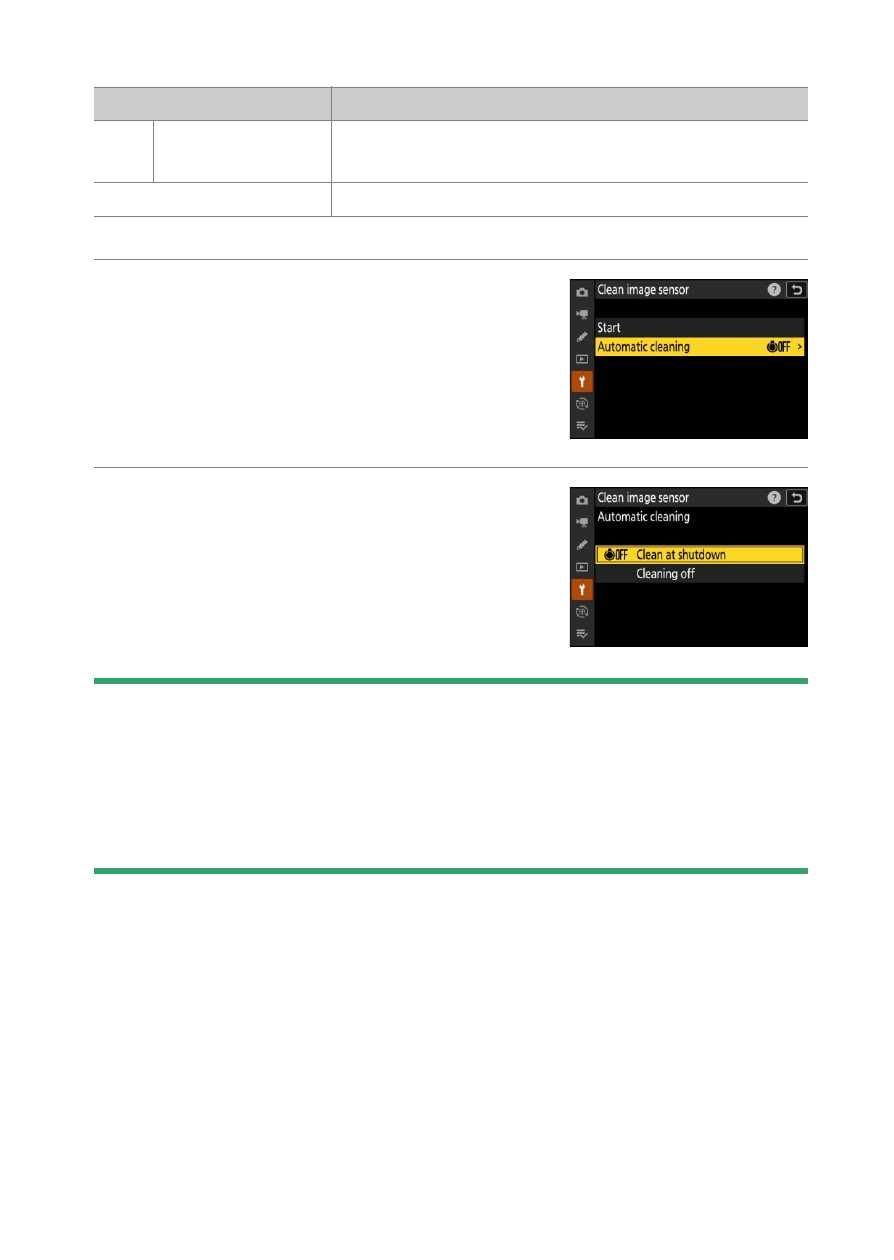
1
Select [Automatic cleaning] for [Clean
image sensor].
Pressing
2
when [
Automatic cleaning
] is
highlighted displays [
Automatic
cleaning
] options.
2
Highlight an option.
Press
J
to select the highlighted option.
D
Cautions: Image Sensor Cleaning
•
Using camera controls interrupts any image sensor cleaning begun in
response to the operation of the power switch.
•
If image sensor cleaning is performed several times in succession, image
sensor cleaning may be temporarily disabled to protect the camera’s
internal circuitry. Cleaning can be performed again after a short wait.
Option
Description
6
[
Clean at
shutdown
]
The image sensor is automatically cleaned during
shutdown each time the camera is turned off.
[
Cleaning off
]
Automatic image sensor cleaning off.