Uploading pictures – Nikon Z9 Mirrorless Camera User Manual
Page 389
Advertising
389
FTP Servers: Connecting via Ethernet or Wireless LAN
Uploading Pictures
Pictures can be selected for upload during playback. They can also be
uploaded automatically as they are taken.
•
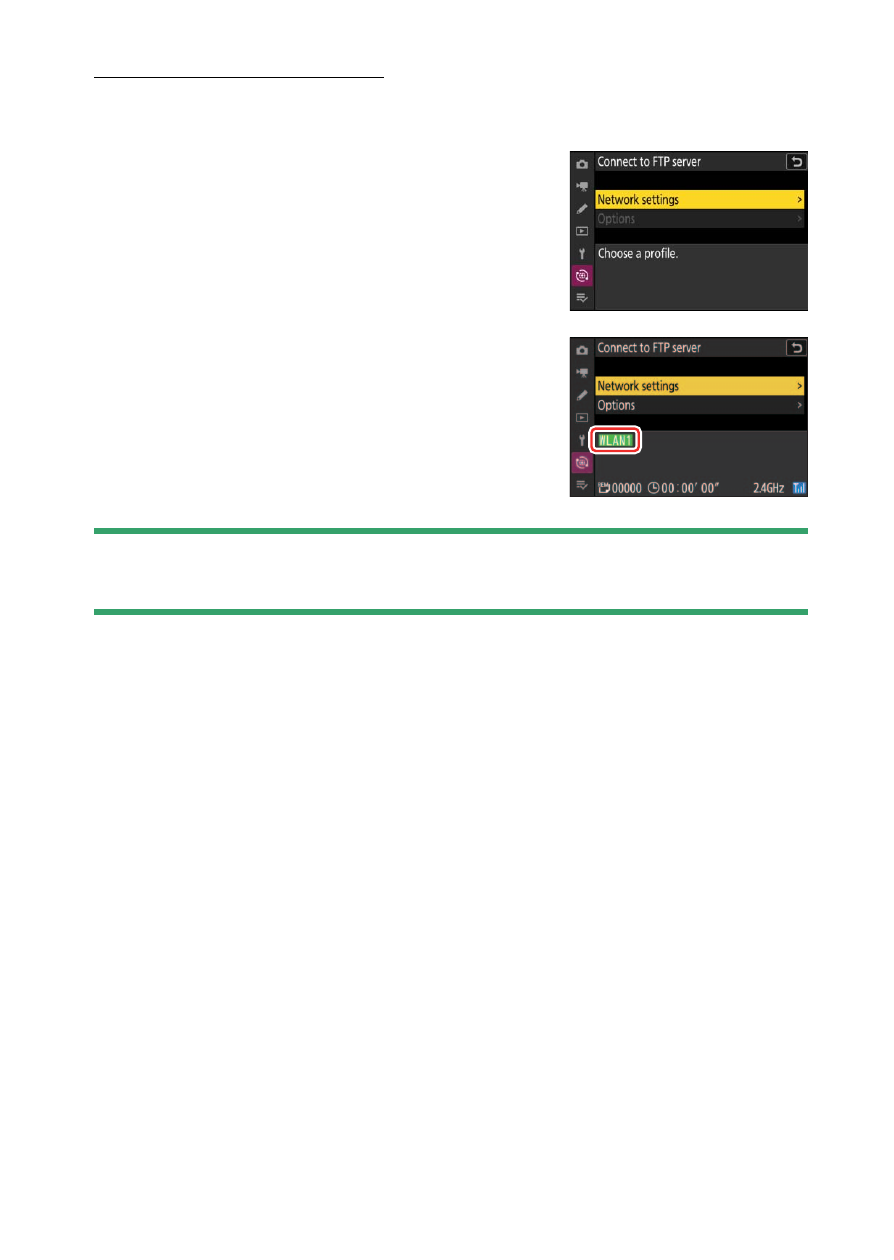
Before uploading pictures, connect the
camera and FTP server via Ethernet or a
wireless network. Connect using a host
profile selected via the [
Connect to FTP
server
] > [
Network settings
] list.
•
When a connection is established, the
profile name will be displayed in green in
the camera [
Connect to FTP server
] menu.
D
Caution: Access Point Mode
Select a host profile and enable camera Wi-Fi before connecting.
Advertising
See also other documents in the category Nikon Cameras:
- D800 (472 pages)
- D800 (38 pages)
- D800 (48 pages)
- N80 (116 pages)
- n65 (116 pages)
- D300 (452 pages)
- D80 (162 pages)
- F100 (57 pages)
- D200 (48 pages)
- D200 (221 pages)
- D40X (139 pages)
- D100 (212 pages)
- D60 (204 pages)
- D40 (139 pages)
- Coolpix S3000 (184 pages)
- Coolpix L110 (156 pages)
- F3 (3 pages)
- F3 (71 pages)
- D50 (148 pages)
- D700 (472 pages)
- COOLPIX-P100 (216 pages)
- COOLPIX-S8100 (220 pages)
- D90 (300 pages)
- D90 (2 pages)
- D3000 (68 pages)
- D3000 (216 pages)
- D5000 (256 pages)
- D3100 (224 pages)
- D300s (432 pages)
- EM (34 pages)
- FG (34 pages)
- fe (49 pages)
- fe2 (66 pages)
- f2 (70 pages)
- n2000 (54 pages)
- COOLPIX P500 (252 pages)
- Coolpix S550 (2 pages)
- Coolpix 5400 (4 pages)
- Coolpix 775 (2 pages)
- Coolpix 2500 (120 pages)
- Coolpix S4 (28 pages)
- Coolpix S4 (8 pages)
- Coolpix S560 (172 pages)
- SQ (116 pages)
- Coolpix 990 (50 pages)