Starting dut tests with nupad – Xtramus NuStreams-P9M V2.1 User Manual
Page 46
46
5.3. Starting DUT Tests with NuPAD
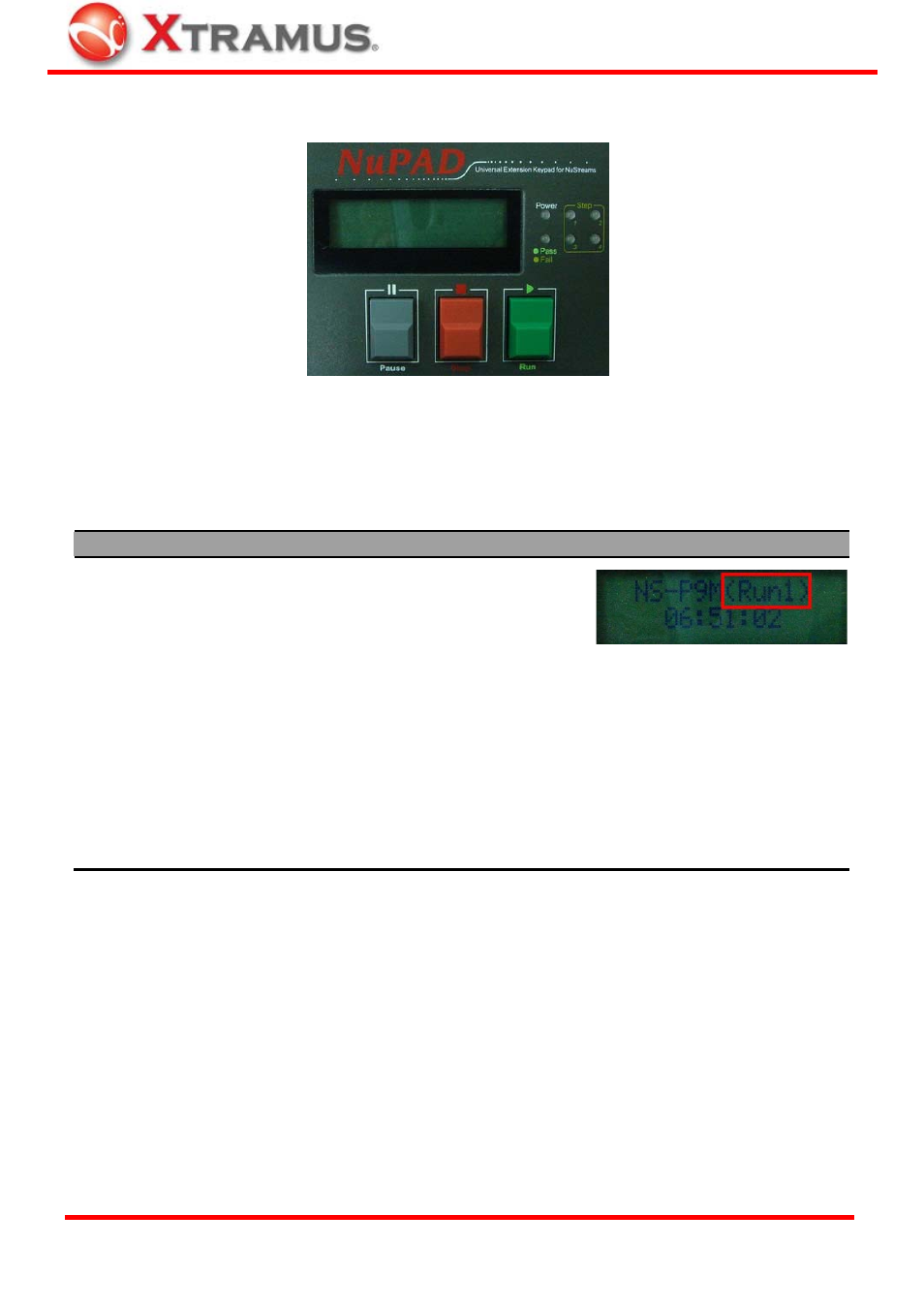
NuPAD has 3 buttons on its front panel: “|| Pause”, “■ Stop”, and “
►
Run”. After connecting NuPAD
with NuStreams-P9M with Cat-5 cable, you can start/pause/stop DUT tests with these 3 buttons.
Please see the table down below for a detailed description about these buttons’ functions.
Function
Button
Description
Start Testing All Tasks
in Current Run
►
Run Press
“
►
Run” to start all Tasks in
the current Run. The current Run
(Run 1~3) about to be tested will
be displayed on the upper-right
part of LCD.
Switching Current Run
|| Pause
+
■
Stop
To change the current Run (Run 1~3), press both “|| Pause” and “■
Stop” buttons at the same time. If NuPAD is current in Run 1, pressing
both “|| Pause” and “■Stop” buttons at the same time will switch the
current Run from Run 1 to Run 2.
Pause Current Running
Test
|| Pause Press “|| Pause” button once to pause the current running test. Press “||
Pause” button again to resume the test.
Stop Current Running
Test
■
Stop
Press “■Stop” button once to stop the current running test.
XTRAMUS TECHNOLOGIES
®
E-mail: [email protected]
Website: www.Xtramus.com