H3C Technologies H3C SecPath F1000-E User Manual
Page 86
Advertising
76
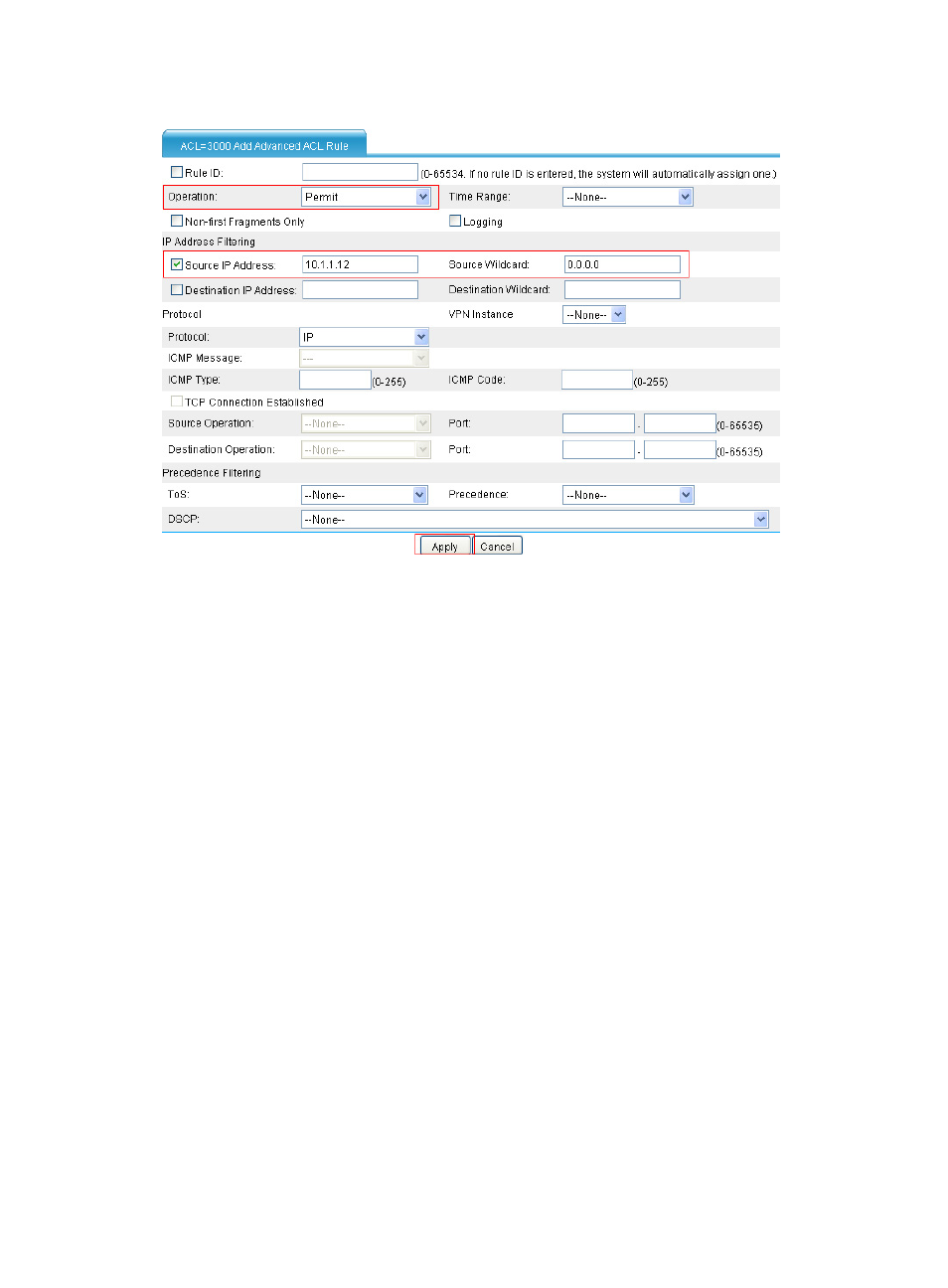
Figure 80 Allow the host Public to access the external network at any time
•
Select Permit as the operation.
•
Select the Source IP Address box, and type 10.1.1.12 and 0.0.0.0 in the following fields.
•
Click Apply.
# Configure a rule to deny access of all the other hosts to the external network during working time.
•
On the page that lists the rules, click Add.
Advertising
This manual is related to the following products:
- H3C SecPath F5000-A5 Firewall H3C SecPath F1000-A-EI H3C SecPath F1000-E-SI H3C SecPath F1000-S-AI H3C SecPath F5000-S Firewall H3C SecPath F5000-C Firewall H3C SecPath F100-C-SI H3C SecPath F1000-C-SI H3C SecPath F100-A-SI H3C SecBlade FW Cards H3C SecBlade FW Enhanced Cards H3C SecPath U200-A U200-M U200-S H3C SecPath U200-CA U200-CM U200-CS