Nikon D780 DSLR Camera (Body Only) User Manual
Page 222
Advertising
176
Shooting Settings
•
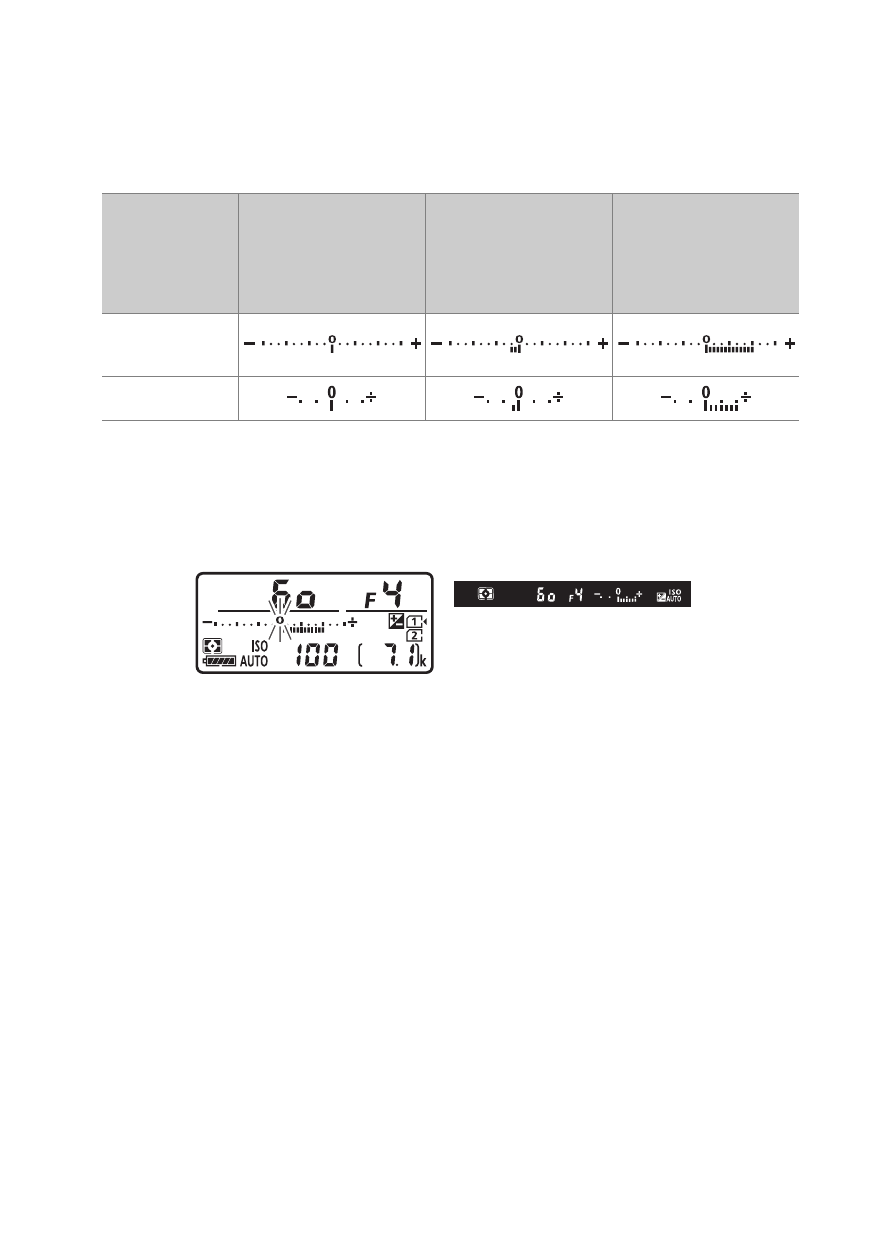
In general, positive values make the subject brighter while
negative values make it darker.
•
The current value is displayed in the control panel and
viewfinder when the
E
button is pressed.
•
E
icons and exposure indicators will appear in the control
panel and viewfinder. In modes other than
M
, the zero (“0”) at
the center of the exposure indicator will flash in the control
panel.
•
Normal exposure can be restored by setting exposure
compensation to ±0.0. Exposure compensation is not reset
when the camera is turned off.
Display
No exposure
compensation
(
E
button
pressed)
0.3 EV
+2.0 EV
Control
panel
Viewfinder
Advertising